changelog
Most agencies bill hours. We ship.
We build the AI agents and the client portal that run our clients’ outbound. This page writes itself every night from what we shipped that day.
42 updates since October 7 · last November 9
shipped by

Xavier
Founder
31

Oleg
CTO and partner
10
Jean-Marc
Head of strategy
1
Monday
 Xavieragents
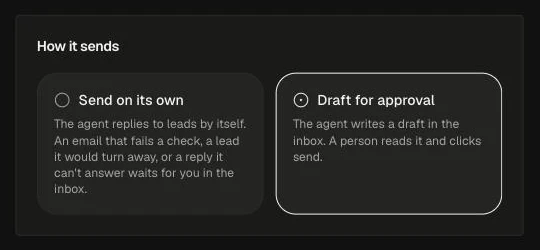
Reply agents can answer leads on their own
Turn on Send on its own and replies that pass every check go out right away. Anything tricky, like a price objection or a hand-off, still waits for a person.
- Xavieragents
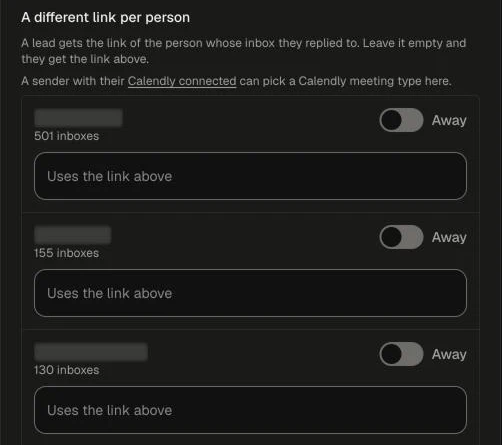
Reply agents book on the right person’s calendar
Each sender gets their own booking link and meeting type, and one workspace can connect several Calendly accounts.
- Xavieragents
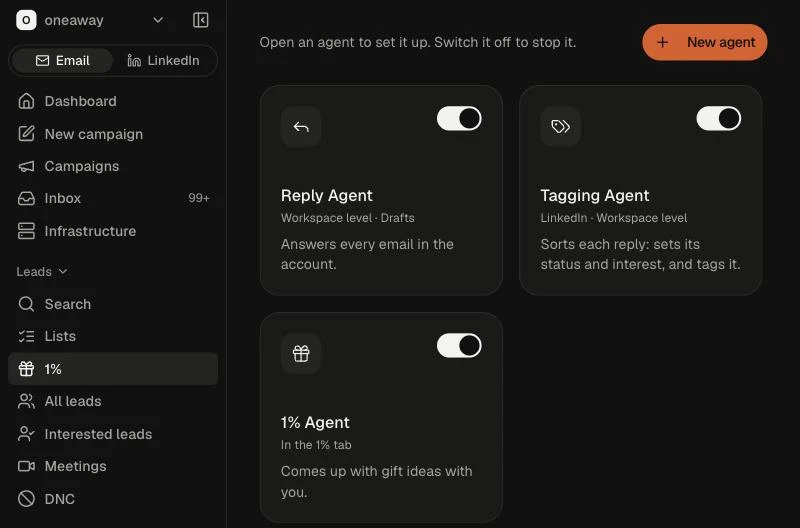
Every agent on one page, each with an on/off switch
The Agents tab shows one card per agent. It includes a new Tagging Agent that sorts replies by your rules.
- Xavieragents
Reply drafts quote your prices and your proof
Drafts take prices from your Company Profile and proof from your own site, and links sit on words instead of bare web addresses.
- Xavierportal
Our agents can work the AI visibility action board
An AI chat connected to the portal can read the board, open a card’s brief and move the card along.
Sunday
- Xavieragents
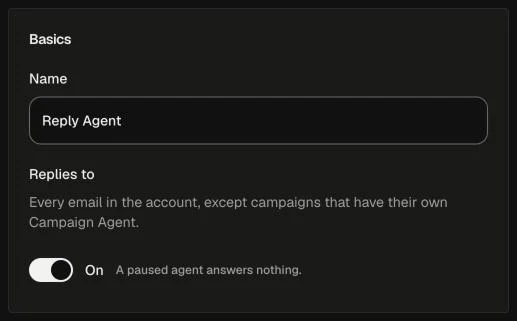
Reply agents for a whole workspace or one campaign
Set up a reply agent per workspace or per campaign, and test it with Try it on a real thread before it touches anything.
- Xavieragents
Agents draft replies to live leads, and a person approves
When a lead replies, the thread’s agent writes a draft. The inbox marks every thread that has a draft waiting.
Friday
- Xavierportal
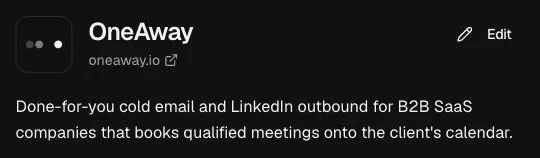
A Company Profile you can actually read
Your logo, name and pitch sit up top, and each part is laid out for what it holds. Our team edits it in place, one section at a time.
Jean-Marcportal
See who owns each lead
Interested Leads and All Leads show a Lead owner column, taken from the mailbox that sent the email.
- Xavierportal
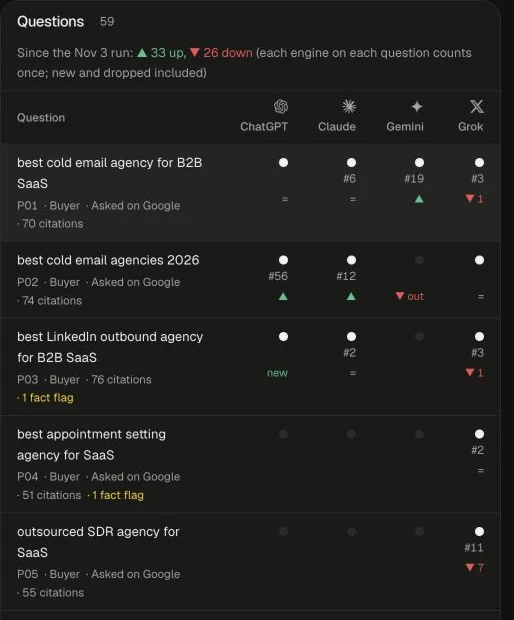
One place for the questions we track in AI search
The Questions tab lists every buyer question we ask AI engines about you, even before the first run, with any waiting draft on top for approval.
- Xavierportal
Lists, campaigns and interested leads from AI chat
Our team can now pull lists, campaigns and interested leads into Claude or Grok, with 11 more tools.
Thursday
- Xavierportal
Our team works the portal from AI chat
Claude and Grok can read and update our tasks, comments and docs, each acting as the person whose key it uses. Remove a teammate and their keys stop working.
- Xavierportal
AI visibility in other languages
One set of buyer questions, asked in each market’s language, with a score per market.
- Xavierportal
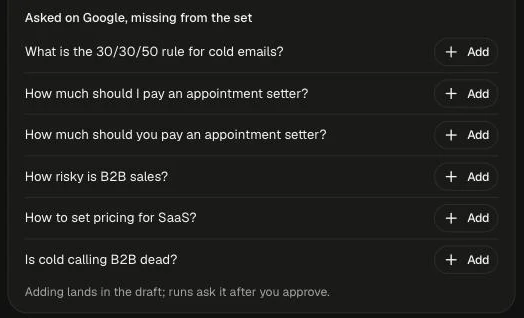
Check which questions people really search
We mark the buyer questions real people ask on Google and suggest the ones missing from your list.
 Olegportal
Slack updates can go to two channels
A routing rule can keep a lead’s card in your channel and copy it to another one.
Wednesday
- Xavierportal
One AI visibility score, from 0 to 100
Your overview leads with one score for how often AI engines recommend you, and each engine’s trend in its own colour.
- Xavierportal
Perplexity joins the engines we track
We now check what Perplexity says about you too, and can run a daily pulse on your top 10 buyer questions.
- Xavierportal
A monthly AI visibility report you can print
One page a month with your score, each engine and what we shipped, plus a site health check that reads your site the way AI crawlers do.
- Xavierportal
Your newest interested leads, on the dashboard
The 5 newest interested leads sit beside your campaign analytics, with their photo, what they said and whether we replied.
- Xavieragents
The 1% Agent researches each lead on the web
It searches the web for each lead and takes up to 10 LinkedIn profiles in one run.
Tuesday
- Xavierportal
The action board flags fixes AI engines keep asking for
When an action is recommended again, it’s flagged instead of added twice, and finished actions stay tidy.
Monday
- Xavieragents
Copywriting agents write every AI draft
Each workspace has an Agents tab for its copywriting agents, and all AI-written campaign copy now comes from them.
- Xavierportal
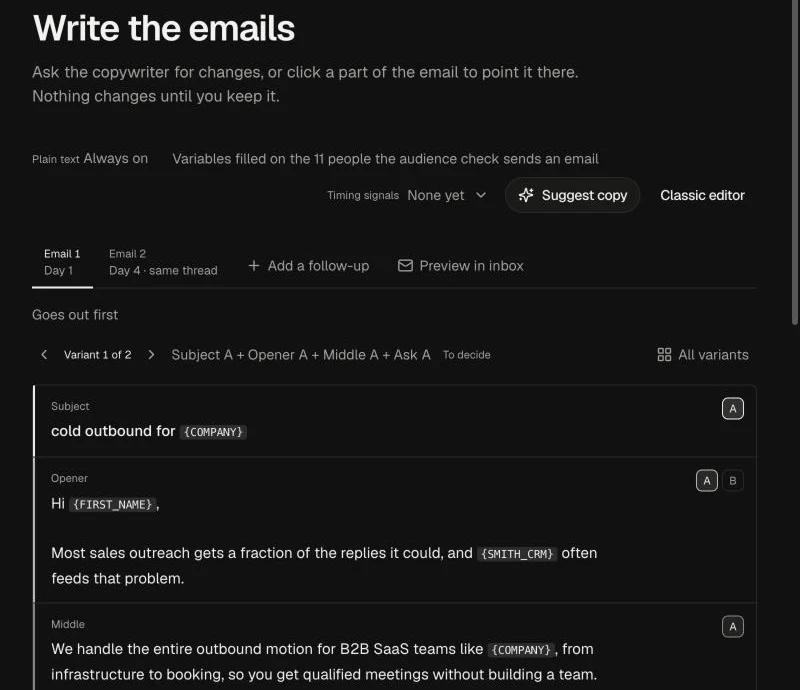
Write campaign copy in a chat beside the email
A copy chat sits next to each email in the campaign builder and knows which version you’re pointing at.
- Xavierportal
Filter and pin any column in a lead list
Every column in a list can be filtered, and you can pin the ones you care about.
Sunday
- Xavierportal
A calmer campaign builder
Steps sit as tabs across the top, and the sidebar puts Dashboard first and New campaign second.

Saturday
- Xavierportal
Sign your contract from a link
We send the contract already signed by us. You sign from a link, and both sides get a signed PDF with a signing certificate.
- Xavierportal
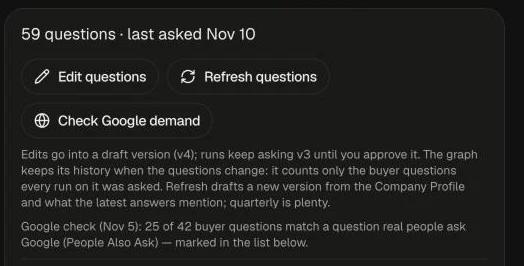
Choose the questions we ask AI engines about you
Add, edit or remove the buyer questions we track, one at a time.
Friday
- Xavierportal
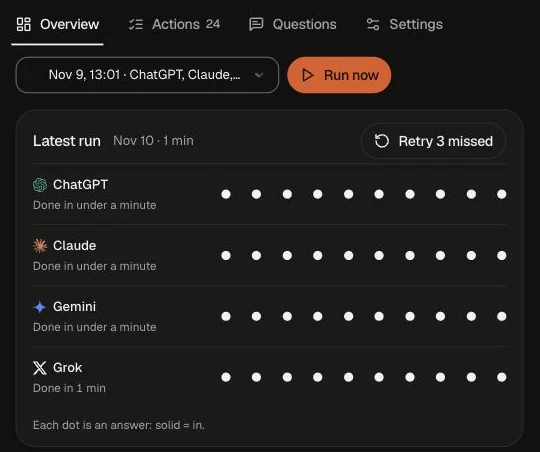
New: the AI visibility tab
See what ChatGPT, Claude, Gemini and Grok say when buyers ask about your market, and an action board of what to fix so they recommend you.
Wednesday
- Xavieragents
The 1% Agent, inside every workspace
For your best leads, the 1% Agent finds a personal angle and a gift idea. Our team can send up to 10 people to it straight from Search.
Tuesday
- Xavieragents
Smith researches faster and digs deeper
Our research agent, Smith, got quicker and goes further on each lead, and a research panel shows its work.
Monday
- Xavierportal
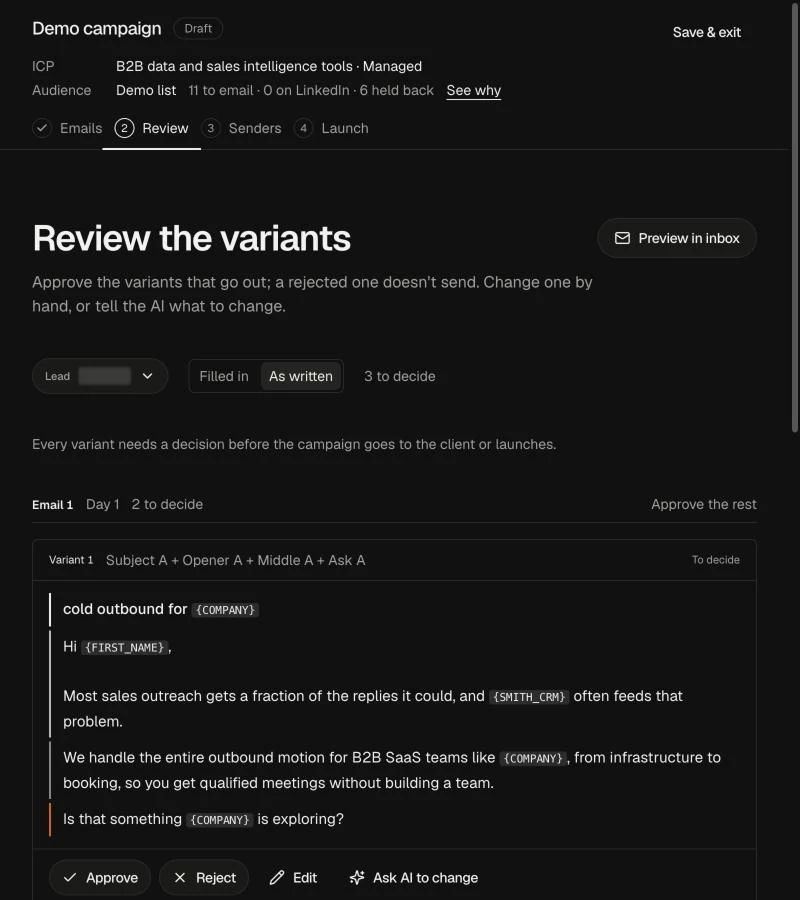
Lists, the campaign builder and launch go live
Lead lists, the campaign builder and campaign launch now run inside the portal, alongside Smith, our research agent, and the new OneAway look.
Friday
- Xavierportal
Onboarding writes your Company Profile
The new client onboarding asks what we need once, then turns your answers into the Company Profile our agents write from.
- Xavierportal
Our team finds buyers without leaving the portal
Search finds people and companies, finds their emails and adds them straight to your campaign.
Thursday
- Olegagents
Our agents read more of the web
The page reader behind our research agents got sturdier. On the same test set it now reads 369 pages instead of 341, and keeps the full page for 373 instead of 222.
Tuesday
- Olegagents
A lead never gets two replies at once
Our agents and our team share one guard: only one reply can go to a lead at a time, whoever sends it.
Friday
- Olegportal
All Leads: every lead in one tab
See every lead from your campaigns in one place, kept in sync with the tool that sends your email.
- Olegagents
Agents only do what they’re approved for
Every action an agent can take has a class, and it runs only when its approval fits that class.
Thursday
- Olegportal
A Meetings tab with your recorded calls
Every client portal has a Meetings tab with your own recorded calls, their summaries and action items, and the recording plays right inside.
- Olegportal
A lighter dashboard
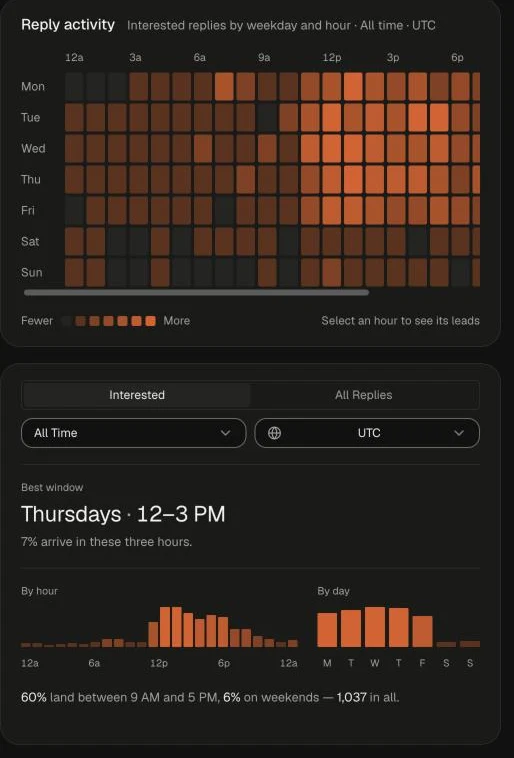
KPI tiles up top, one analytics card that fits the window, and a reply heat map in your time zone that shows your best three hours to send.
- Olegportal
Your LinkedIn dashboard matches your email one
The LinkedIn dashboard now looks and works like the email dashboard.
- Olegagents
Each bot’s reach, in plain words
A settings page shows what each of our bots can touch and for which clients, names every change before it saves, and can restore any earlier version.
Wednesday
- Olegportal
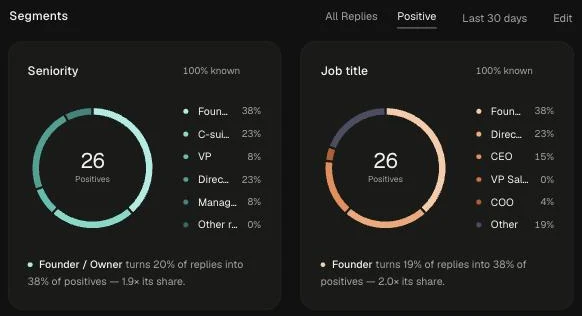
Segments: break your leads down by any field
See your leads by seniority, job title, location or any other field, with fields that mean the same thing merged into one.