B2B Sales Tech Stack Mistakes That Kill Your Pipeline

I watched a VP of Sales at a Series B SaaS company pull up his tech stack diagram during a call last month. **Seventeen tools.** He couldn't name what half of them did.
His reps were averaging 2.3 demos per week despite spending $127K annually on sales enablement tools. The problem wasn't effort—his team was logging into an average of nine different platforms daily. By the time they finished their tool rotation, it was lunch.
This isn't an edge case. The average B2B sales tech stack now includes 10-15 tools, but reps actively use maybe three of them. The rest? Expensive shelfware that's quietly killing your pipeline while finance wonders why CAC keeps climbing.
The Stack Sprawl Problem Nobody Talks About
The math is brutal. If your average rep salary is $75K and they're losing 90 minutes daily to tool overhead, you're burning $14,062 per rep annually just in lost productivity. For a 10-person team, that's $140K before you count the actual software costs.
- Context switching kills productivity. — Research shows it takes 23 minutes to regain focus after switching tasks. Your reps are doing this 40+ times per day across tools.
- Data fragmentates across platforms. — Conversation intelligence in one tool, email engagement in another, call notes in a third. Nobody has complete context.
- Training overhead compounds. — Every new tool needs onboarding, documentation, and ongoing support. Your reps spend more time learning tools than using them.
- Integration breaks silently. — APIs change, webhooks fail, and suddenly your enrichment data stopped flowing to your CRM three weeks ago and nobody noticed.
Mistake #1: Buying Tools Before Mapping Your Workflow
When we rebuilt the AWS stack using this approach, we cut our tool count from 11 to 6 and increased activity per rep by 37% in the first quarter. Same team, same ICP, radically different results.
- 1. Map your current workflow soup-to-nuts. — Literally shadow your reps for a full day. Where does time actually go? Where do deals stall? What causes reps to complain?
- 2. Identify the constraint. — Not constraints (plural). THE constraint. The one bottleneck that, if removed, would increase pipeline by 20%+ immediately.
- 3. Define required workflow, not desired features. — "We need to reduce research time from 45 to 10 minutes" is a workflow requirement. "AI-powered emails" is a feature.
- 4. Then (and only then) evaluate tools. — Match tools to workflow requirements, not the other way around.
Mistake #2: Letting Reps Choose Their Own Tools (The Shadow Stack Problem)
What we do now:
- Include reps in tool evaluation. — They do trial weeks. They vote. If 70%+ don't love it, we don't buy it.
- Optimize for rep experience, not features. — The tool that's 80% as powerful but 3x easier to use wins every time.
- Audit shadow tools quarterly. — Anonymous survey: What tools are you using that aren't official? Why? This is free product feedback.
- Give reps a stipend for productivity tools. — $50/month discretionary budget. Keeps shadow spending visible and shows you trust them.
Mistake #3: No CRM Enforcement = No Data = No Pipeline Visibility
After implementing this at a client, their CRM data completeness went from 47% to 91% in 10 weeks. More importantly, their forecast accuracy improved from 62% to 88%, which meant they could actually plan hiring and spending with confidence.
- Automate data capture wherever possible. — Use conversation intelligence tools that auto-log calls and extract key fields. Use enrichment tools that auto-populate company data. Reduce manual fields by 70%.
- Make the CRM useful for reps. — Build dashboards showing their personal metrics, next best actions, and deals at risk. If reps open the CRM to help themselves, data quality follows.
- Measure and incentivize data quality. — Include "CRM hygiene score" in quota attainment calculations at 5-10%. Make it visible in weekly reviews.
- Weekly data audits, not quarterly cleanups. — Stale data doubles every 90 days. Catch it weekly when it's 10 bad records, not quarterly when it's 400.
Mistake #4: Sales Workflow Automation Without Strategy
Automation rules that actually work:
- Automate data enrichment, not personalization. — Tools are great at gathering data. They're terrible at writing authentic messages. Enrich the context, let reps write the message.
- Automate administrative tasks, not selling. — Auto-log calls, auto-create tasks, auto-update fields. Don't auto-send emails on behalf of reps without review.
- Keep automations simple and visible. — If you can't explain a workflow in 3 sentences, it's too complex. Document every automation in a central wiki.
- Assign owners to each automation. — Someone needs to be responsible for monitoring, maintaining, and eventually deprecating each workflow.
- Review and prune quarterly. — Just like tools, automations multiply. Kill the ones that aren't delivering measurable results.
Mistake #5: Treating Sales Enablement Tools as Content Dumps
One of my clients reduced their content library from 1,800 assets to 92. Rep satisfaction with enablement went from 31% to 89%. Win rate increased 14% because reps were finally using consistent, effective content instead of building one-off decks.
- Start with ruthless content curation. — Delete everything. Start with the 10 assets your top performers actually use. Build from there with intention.
- Create content with reps, not for them. — Record your best rep's pitch. Transcribe it. That's your new pitch deck—in language that actually works.
- Build a simple taxonomy reps understand. — Three layers max: Stage (prospecting/demo/negotiation), Persona (CFO/CTO/etc), Type (deck/one-pager/case study). That's it.
- Integrate enablement into daily tools. — Surface relevant content in Salesforce opportunity pages, in email composers, during call prep. Meet reps where they work.
- Track content effectiveness, not just usage. — Which decks correlate with wins? Which one-pagers get forwarded? Optimize for outcomes, not downloads.
Mistake #6: Integration Debt That Compounds Silently
We now run weekly integration health checks for clients. Takes 30 minutes, catches issues before they cascade. In the last six months, we've caught 19 silent integration failures across our client base that would have cost an average of $47K each in bad decisions and lost opportunities.
- Prefer platforms with native, two-way integrations. — Salesforce ↔ Outreach with bidirectional sync is infinitely better than Salesforce → Zapier → CSV → Outreach.
- Document every integration with owner and purpose. — Who built it, what it does, why it exists, how to test it, who to contact if it breaks. Living documentation, not a stale wiki.
- Set up monitoring and alerts. — Weekly data quality checks. Automated alerts when sync volumes drop. Monthly integration audits.
- Reduce integration points aggressively. — Every connection is a potential failure point. Consolidate tools to minimize handoffs.
- Build redundancy for critical paths. — If your lead routing depends on a single integration, you're one API change away from disaster. Have fallback mechanisms.
Mistake #7: Chasing Features Instead of Outcomes
We helped a client choose between three outbound platforms. One had incredible AI features and cost $15K/year. One was bare-bones but integrated perfectly with their existing stack and cost $4K/year.
They picked the cheaper one. In three months, meetings booked increased 63%. The expensive tool's features would have been nice-to-have. The cheaper tool's integration solved their actual problem: reps weren't using the old platform because it didn't sync with Salesforce.
- Define the metric you need to move. — "Increase meetings booked per rep from 6 to 10 per month." That's an outcome. "Better email deliverability" is a feature.
- Identify the constraint preventing that outcome. — Why aren't reps booking more meetings? Is it volume (need more prospects), quality (wrong ICP), messaging (low response rates), or conversion (meetings aren't converting)?
- Find the simplest tool that solves the constraint. — Not the most powerful. Not the one with the most features. The simplest one that moves your specific metric.
- Measure the outcome, not tool adoption. — I don't care if reps love the tool. Did meetings per rep increase to 10? No? Then it failed, regardless of how cool the features are.
What Actually Works: The 2026 Revenue Tech Stack
Tools that pass all five criteria make the stack. Tools that fail any one get a hard pass, regardless of how impressive the demo was.
- Does it integrate natively with our CRM? — Not Zapier. Not API-maybe-someday. Native, bidirectional, real-time sync. If no, it needs to be 10x better than alternatives.
- Will 80%+ of the team use it daily? — If it's a "nice to have" tool that only your top performers will adopt, skip it. You need universal adoption.
- Does it solve our current constraint? — Not a future constraint. Not a constraint we might have. The thing that's limiting pipeline growth right now, today.
- Can we measure its impact in 90 days? — If we can't define a clear metric that should improve within one quarter, we don't know if it's working.
- What's the total cost including implementation? — Software cost + integration cost + training time + ongoing maintenance. The sticker price is usually 40-60% of true cost.
| Layer | Purpose | Example Tools | Cost Range |
|---|---|---|---|
| **CRM Core** | Single source of truth for all customer data | Salesforce, HubSpot | $75-150/user/mo |
| **Data/Enrichment** | Contact data, firmographics, intent signals | Apollo, ZoomInfo, Clay | $100-200/user/mo |
| **Engagement/Sequencing** | Multi-channel outreach orchestration | Outreach, Salesloft, Instantly | $100-150/user/mo |
| **Conversation Intelligence** | Call recording, analysis, coaching | Gong, Chorus, Fireflies | $80-120/user/mo |
| **Analytics/Attribution** | Pipeline reporting and revenue insights | Clari, native CRM analytics | $50-100/user/mo |
Implementation Blueprint (From Someone Who's Done This 50+ Times)
The companies that follow this blueprint see results. The ones that skip phases end up with shelfware and frustrated reps.
One client followed this exactly. 90 days later: meetings booked up 41%, tool count down from 14 to 7, stack costs down $73K annually, and rep satisfaction up 53 points. Same team, same market, completely different results.
- Define success metrics upfront. — What needs to improve by how much in 90 days? Meetings booked, pipeline generated, deal velocity, whatever your constraint was.
- Weekly check-ins on adoption and issues. — Don't wait for the retrospective. Catch integration breaks, training gaps, and workflow friction in real-time.
- Gather rep feedback continuously. — Anonymous pulse surveys. What's working? What's frustrating? What would they change?
- Kill what isn't working. — Be ruthless. If a tool isn't driving the metric after 90 days, cut it. Don't fall victim to sunk cost fallacy.
How to Measure Your Stack's Health (The Metrics That Actually Matter)
I run these reviews with clients every quarter. Without fail, we find 2-3 tools to cut and 1-2 workflows to simplify. The companies that do this consistently have the healthiest, most efficient stacks I see.
- Which tools did reps use daily in the last 90 days? — Pull login analytics. Anything under 70% daily active usage by the intended users is a cut candidate.
- What workarounds are reps building? — Anonymous survey: What processes are painful? What do you wish was automated? Where do you use non-sanctioned tools? This tells you where your stack is failing.
- Which tools directly contributed to closed deals? — Attribution is hard, but track it anyway. If you can't draw a line from the tool to revenue, why are you paying for it?
- What's our cost per meeting booked? — Total stack cost ÷ Total meetings booked. If this is increasing quarter-over-quarter, your stack is getting less efficient.
- How many integration failures did we have? — Track every silent failure, every data sync issue, every broken automation. This is your stack's reliability score.
| Metric | How to Calculate | Healthy Range | Red Flag |
|---|---|---|---|
| **Tool Cost per $1 ARR** | Annual stack cost ÷ Annual revenue | 1-3% | >5% |
| **Active Tool Ratio** | Tools used daily ÷ Total tools | 60-80% | <40% |
| **Data Completeness** | % of CRM records with required fields populated | 85-95% | <70% |
| **Integration Uptime** | % of time all integrations are functioning | 98-100% | <95% |
| **Time to Value** | Days from lead created to first meaningful activity | <3 days | >7 days |
| **Tool ROI** | Pipeline generated ÷ Tool cost (per tool) | 15-30x | <5x |
Frequently Asked Questions
What is a B2B sales tech stack?
A B2B sales tech stack is the collection of software tools your sales team uses to find prospects, conduct outreach, manage pipeline, and close deals. This typically includes a CRM (like Salesforce or HubSpot), data/enrichment tools (like ZoomInfo or Apollo), engagement platforms (like Outreach or Salesloft), conversation intelligence tools (like Gong), and analytics platforms. The average B2B sales team now uses 10-15 tools, though the most efficient teams consolidate to 5-7 core platforms that integrate well together.
How much should a B2B sales tech stack cost per rep?
A healthy B2B sales tech stack costs between $4,860-$8,640 per rep annually (about $405-$720/month), which represents 1.2-2.2% of the revenue that rep generates. This includes CRM, data/enrichment, engagement, conversation intelligence, and analytics tools. If you're spending more than $1,000/rep/month or above 5% of revenue per rep, you likely have tool bloat. The key is maximizing ROI, not minimizing spend—a $7K/year stack that helps a rep close $500K is a bargain, while a $3K stack that generates no pipeline is expensive.
What are the most important sales enablement tools for 2026?
The most important sales enablement tools in 2026 focus on reducing rep friction and improving content accessibility. Essential categories include: conversation intelligence platforms (Gong, Chorus) that automatically capture and surface winning talk tracks; CRM-native content libraries that surface relevant materials based on deal stage and persona; AI research tools (Clay, Apollo) that reduce manual prospecting time; and real-time coaching platforms that provide guidance during actual selling moments. The key isn't having the most tools—it's having tools that integrate into your reps' daily workflow rather than requiring them to context-switch constantly.
How do I know if my sales tech stack is working?
Measure your sales tech stack effectiveness using outcome metrics, not usage metrics. Key indicators include: pipeline generated per dollar of stack cost (should be 15-30x), percentage of tools used daily by 70%+ of reps (healthy stacks see 60-80% of tools actively used), CRM data completeness (should be 85-95%), and time from lead creation to first activity (should be under 3 days). If your cost per meeting booked is increasing quarter-over-quarter, or if reps are building shadow tech stacks with personal tools, your official stack is failing. The ultimate test: shadow your reps for a day—if they're spending more time fighting tools than selling, your stack needs fixing.
What's the difference between CRM automation and sales workflow automation?
CRM automation focuses on reducing manual data entry and keeping your CRM updated—things like auto-logging calls, auto-populating company data from enrichment tools, creating tasks based on deal stages, and updating fields based on rep activities. Sales workflow automation is broader, orchestrating sequences of actions across multiple tools—like automatically enriching a new lead, adding them to an appropriate outreach sequence, scheduling follow-up tasks, and routing them to the right rep. The key difference: CRM automation keeps your database clean; sales workflow automation connects your entire tech stack to eliminate manual handoffs. Both are critical, but workflow automation delivers more pipeline impact when done correctly.
Should I build my sales tech stack around specific tools or workflows?
Always design your sales tech stack around workflows first, then select tools to support those workflows. This is the most common and expensive mistake companies make—buying impressive tools and then trying to retrofit their process around the tool's capabilities. Start by mapping your ideal workflow: how should a prospect move from identified to qualified to meeting to closed deal? What information do reps need at each stage? Where are the current bottlenecks? Only after defining your required workflow should you evaluate which tools best enable it. Tools should be servants to your process, not the other way around. When you buy tools first, you end up with feature-rich platforms that don't actually solve your constraint.
How often should I audit and update my B2B sales tech stack?
Conduct lightweight stack audits quarterly and comprehensive reviews annually. Quarterly reviews should check: tool usage analytics (are reps actually using this?), integration health (are connections working?), cost per meeting booked (is efficiency improving?), and rep feedback (what's frustrating?). Use these to make quick cuts of underutilized tools and fix broken integrations. Annual reviews are deeper: map your entire workflow from scratch, shadow reps for full days, evaluate whether your current tools still match your constraints (which change as you scale), and make strategic decisions about consolidation or additions. The companies with the healthiest stacks treat this as ongoing maintenance, not a one-time project.
Key Takeaways
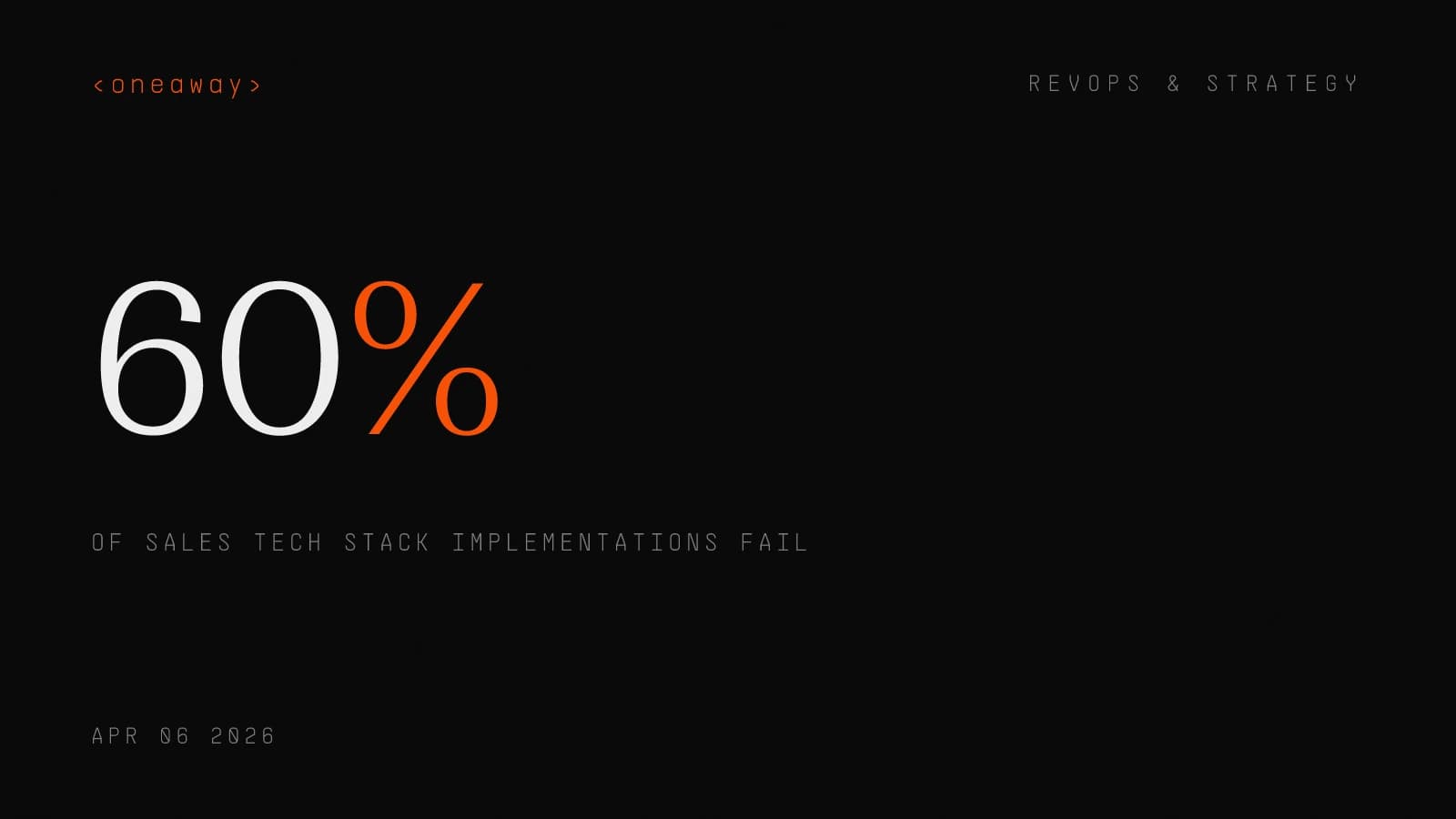
- 60% of B2B sales tech stack implementations fail because companies buy tools before mapping workflows—design your ideal process first, then select tools to support it
- The average rep uses only 3 of their company's 10-15 tools—audit your stack quarterly, cut anything with less than 70% daily active usage, and reinvest savings in tools reps actually need
- A healthy revenue tech stack costs $4,860-$8,640 per rep annually (1.2-2.2% of revenue)—if you're spending more than $1,000/rep/month or above 5% of revenue, you have tool bloat killing your margins
- CRM data completeness under 70% makes forecasting fiction—automate data capture wherever possible, make your CRM useful for reps (not just management), and include data quality in quota attainment
- Sales workflow automation without strategy creates messes faster—automate data enrichment and admin tasks, but let reps control personalization and decision-making where human judgment matters
- Integration debt compounds silently and kills pipeline—set up weekly integration health checks, document every connection with clear ownership, and build redundancy for critical data flows
- Measure stack effectiveness by outcomes, not adoption—track pipeline per dollar spent, cost per meeting booked, and time to value—not login counts or feature usage
Tired of tech stack sprawl killing your pipeline?
We've audited and rebuilt 50+ B2B sales tech stacks, cutting costs by an average of $73K annually while increasing pipeline by 20-40%. Whether you're drowning in tools that don't talk to each other or starting from scratch, we'll map your workflow, identify your constraint, and build a stack that actually drives revenue. Book a free stack audit and we'll show you exactly where your current setup is leaking money and pipeline.
Check if we're a fitContinue Reading
Best RevOps AI Stack Builders in 2026, Ranked by Speed
I spent six months testing every major RevOps AI stack builder. Here's who actually ships fast, who drowns you in professional services, and what I'd buy today.
Read more [ 14 MIN READ ]Best GTM Motion Frameworks in 2026, Ranked by Stage
The wrong GTM motion at your stage burns cash and kills momentum. Here's how to pick the right go-to-market strategy based on where you actually are, not where you want to be.
Read more [ 12 MIN READ ]Best ABM Platforms in 2026, Ranked by AI Features
I ranked the top account-based marketing platforms by their AI capabilities after running ABM programs at scale. Here's what actually works in 2026.
Read more