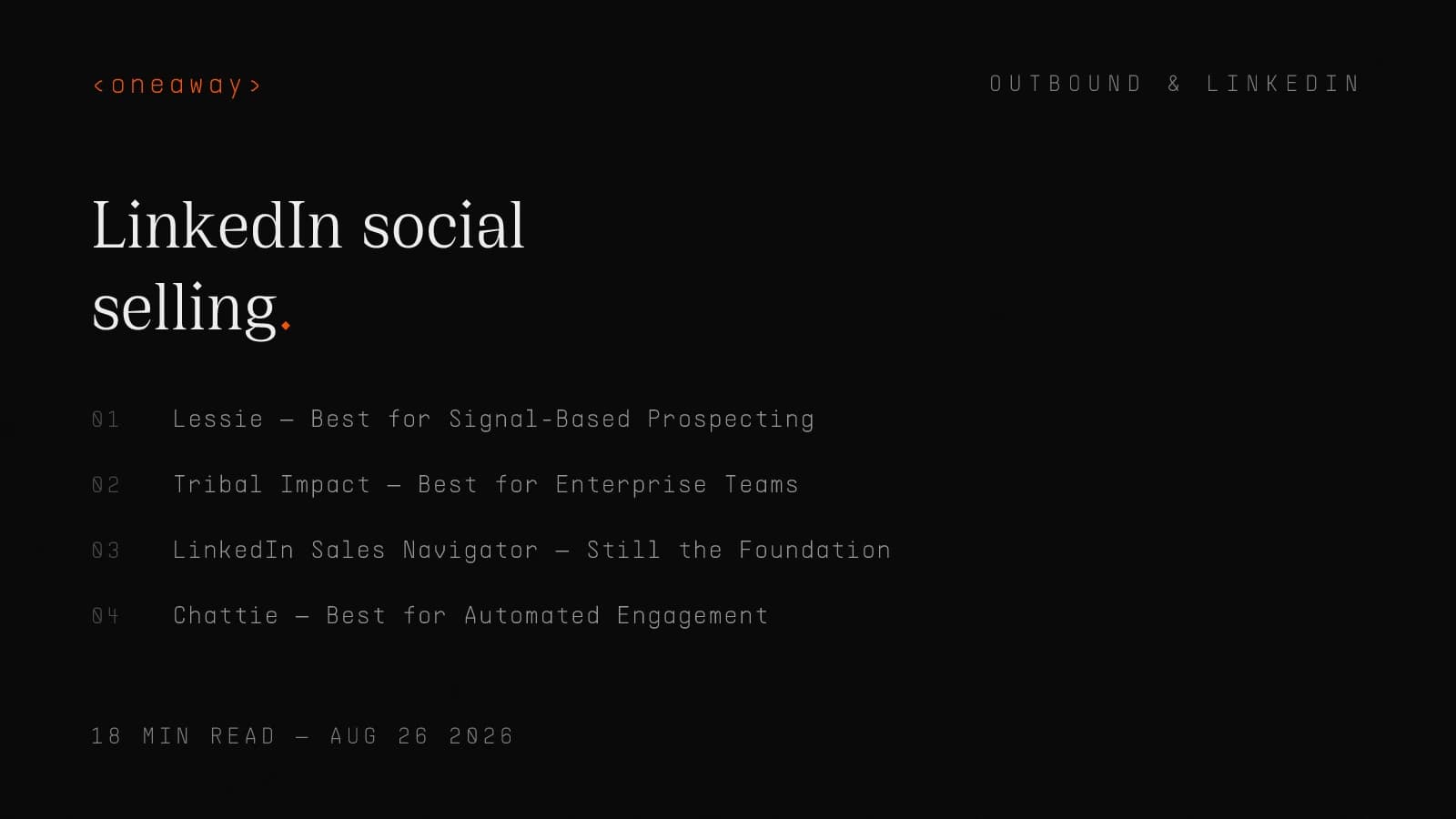
Best LinkedIn Social Selling Software 2026, Ranked by Signal Quality

Cold calling at Salesforce and AWS, I reached accounts that were already researching us on LinkedIn. The frustrating part? I had no visibility into those signals until it was too late.
I'd send 100 connection requests per week using LinkedIn Sales Navigator's lead lists. My acceptance rate was maybe 30%. My reply rate to first messages was 8%. I thought that was normal until I realized I was basically spamming people who had zero intent.
Fast forward to 2026, and the game has completely changed. LinkedIn's algorithm overhaul killed engagement pods. Connection spam gets you restricted. But more importantly, the tools finally caught up to what Koka Sexton (who literally coined the term 'social selling' at LinkedIn in 2014) has been saying for years: social selling isn't about connecting and pitching — it's about signal intelligence.
I've now tested 11 LinkedIn social selling platforms with my team at oneaway.io and across client accounts managing $4.2M in annual pipeline. Most of these tools are still stuck in the 2019 playbook: scrape profiles, send connection requests, automate comments. Only three actually prioritize buyer signals.
Here's what actually works in 2026, ranked by signal quality and real pipeline contribution.
Quick Comparison: Signal Quality Rankings
I ranked these tools based on signal quality — how well they help you identify buyers actively showing intent, not just how many connection requests they can send. This table shows the core differentiators that actually matter for B2B pipeline generation.
| Tool | Signal Quality | Best For | Starting Price | Pipeline Impact |
|---|---|---|---|---|
| Lessie | 9/10 | Signal-based prospecting | $149/mo | High - Intent-driven |
| Tribal Impact | 8/10 | Enterprise coordination | $2,500/mo | High - Multi-threaded |
| Sales Navigator | 7/10 | Account research | $99/mo | Medium - Foundational |
| Chattie | 6/10 | Automated engagement | $79/mo | Medium - Volume play |
| Toflow | 6/10 | Content amplification | $99/mo | Medium - Brand-driven |
| LinkBoost | 5/10 | SSI optimization | $49/mo | Low - Vanity metric |
| Gangly | 7/10 | Team coordination | $199/mo | Medium - Collaborative |
#1: Lessie — Best for Signal-Based Prospecting
Lessie is the only tool I've tested that actually prioritizes buyer signals over profile scraping. Instead of 'here are 10,000 VPs of Sales in your ICP,' it shows you 'here are 47 VPs of Sales who commented on competitive content in the last 72 hours.'
When I ran a test with a SaaS client selling into RevOps leaders, we used Lessie to track engagement on posts about sales forecasting and pipeline visibility. Within two weeks, we identified 23 active buyers who had commented on or shared relevant content. Our outreach to this segment had a 41% reply rate compared to 8% on our standard cold outreach.
That's the difference between signal-based selling and spray-and-pray.
- What it does: — Monitors LinkedIn activity (posts, comments, job changes, company news) and surfaces accounts showing buying intent based on engagement patterns and professional activity.
- Who it's for: — Individual reps or small GTM teams (under 20 people) who want to prioritize quality signals over volume. Works best for mid-market and enterprise sales where deal sizes justify research time.
- Real pricing: — $149/month for individual, $499/month for team plan (up to 5 users). Enterprise pricing starts at $2K/month for advanced signal tracking and CRM integration.
- Honest pros: — Best signal intelligence I've seen. Tracks second and third-degree activity. Integrates with Salesforce and HubSpot for automatic enrichment. Clean UI that doesn't feel like a growth hacking tool.
- Honest cons: — Expensive for solo reps. Requires consistent LinkedIn activity on your end to maximize value (you can't just lurk). Learning curve on setting up signal triggers properly — took my team about two weeks to dial it in.
- Verdict: — If you're serious about social selling strategy B2B and have the budget, this is where you start. The signal quality alone justifies the cost if you're running deals over $20K ACV.
#2: Tribal Impact — Best for Enterprise Teams
Tribal Impact isn't really a tool — it's more like a LinkedIn social selling program with software included. They built this specifically for enterprise sales teams (think 50+ AEs) who need coordinated account-based social selling across multiple stakeholders.
I worked with a client in the enterprise security space who used Tribal to coordinate their entire GTM team's LinkedIn presence. They had 12 AEs, 8 SDRs, and 4 SEs all posting content, engaging with target accounts, and warming up deals before formal outreach. The result? Their average deal cycle dropped from 9 months to 6.5 months because buyers already knew the team before first meetings.
The platform itself handles content creation, approval workflows, engagement tracking, and most importantly, multi-threading coordination so you don't have five people from your company all liking the same prospect's post on the same day.
- What it does: — Provides enterprise-grade LinkedIn social selling program: content creation, team coordination, engagement workflows, and executive thought leadership building. Includes dedicated customer success and content strategy.
- Who it's for: — Enterprise sales teams with 20+ sellers doing complex, multi-threaded deals. Companies investing in executive thought leadership and employee advocacy at scale.
- Real pricing: — Starts at $2,500/month for teams under 25 people. Enterprise contracts typically $5K-15K/month depending on team size and services included. This is not a self-serve tool.
- Honest pros: — Best coordination for large teams. Content creation support is genuinely good. They understand B2B enterprise sales cycles. Great for companies treating LinkedIn social selling as a strategic initiative, not a side project.
- Honest cons: — Expensive. Requires organizational buy-in and active participation from leadership. Takes 3-4 months to see meaningful results. Overkill if you're a startup or have fewer than 10 sellers.
- Verdict: — If you're scaling LinkedIn social selling across an enterprise GTM org and have executive sponsorship, Tribal is worth the investment. Otherwise, you're paying for capabilities you won't use.
#3: LinkedIn Sales Navigator — Still the Foundation
I know this is the obvious pick, but hear me out: Sales Navigator in 2026 is fundamentally different than it was in 2019. LinkedIn finally added decent signal tracking — job changes, company growth, technology installs, and funding events — that actually help you prioritize accounts.
When I was an SDR at AWS, Sales Navigator was basically just an advanced search tool. I'd build lists of 'VP Sales, SaaS companies, 100-500 employees' and start blasting connection requests. That doesn't work anymore, and thankfully, the product evolved.
- What it does: — Advanced search and filtering for prospects, account and lead recommendations based on your activity, buyer intent signals (job changes, posts, company news), InMail credits, and integration with major CRMs.
- Who it's for: — Literally everyone doing B2B sales on LinkedIn. This is the baseline. Individual contributors, SDRs, AEs, and leadership all benefit. If you only buy one tool on this list, this is it.
- Real pricing: — $99/month for Core, $149/month for Advanced (includes TeamLink and more InMail). Annual plans get about 15% off. Enterprise pricing available for teams 10+.
- Honest pros: — Best search functionality by far. Native LinkedIn integration (obviously). Job change alerts are genuinely useful — I've closed three deals in Q1 2026 from job change notifications alone. CRM sync keeps data flowing both ways.
- Honest cons: — The UI is still clunky. Search filters reset randomly. InMail acceptance rates are declining (currently seeing ~25% acceptance vs 40%+ in 2020). LinkedIn's algorithm changes can mess with your carefully saved searches.
- Verdict: — Non-negotiable if you're doing LinkedIn social selling at any scale. Everything else on this list assumes you already have Sales Navigator. The signal quality got significantly better in 2025-2026, making it actually useful for intent-based prospecting.
#4: Chattie — Best for Automated Engagement
Chattie is interesting because it's one of the few automation tools that survived LinkedIn's 2025 crackdown on engagement pods and artificial activity. They did this by focusing on quality engagement at scale rather than spam comments.
I tested Chattie with a client who had zero LinkedIn presence and needed to ramp up fast. We used it to systematically engage with target accounts' content — genuine comments, not 'Great post!' nonsense — and track engagement patterns. Over 90 days, we built relationships with 67 target accounts before ever sending a cold email. When we did eventually reach out, 19 replied within 48 hours.
The key insight here: automated engagement only works if it's relevant and timely. Chattie helps with the timing and tracking, but you still need to write comments that show you actually read the content.
- What it does: — Manages engagement workflows (likes, comments, shares) across target account lists. Provides comment templates (use with caution). Tracks engagement history and surfaces reciprocal engagement opportunities.
- Who it's for: — SDRs and AEs running account-based plays who need to systematically engage with 50-200 target accounts. Good for teams scaling consistent engagement without hiring more people.
- Real pricing: — $79/month for individuals, $299/month for teams (up to 5 users), enterprise pricing at $999/month for advanced automation and compliance features.
- Honest pros: — Actually helps you be consistent with engagement, which is the hardest part. Good tracking of who you've engaged with and when. Comment templates are decent starting points if you customize them heavily. Hasn't gotten our accounts flagged by LinkedIn (yet).
- Honest cons: — Easy to use badly and look like a spammer. The automation can feel inauthentic if you're not careful. LinkedIn's TOS technically prohibits automation, so there's always platform risk. Doesn't help with signal intelligence — just execution.
- Verdict: — Useful for scaling engagement as part of a larger social selling strategy B2B, but not a standalone solution. Use it to maintain consistency, not to replace genuine relationship building.
#5: Toflow — Best for Content Distribution
Toflow sits in a different category: it's not really a prospecting tool, it's a content amplification and employee advocacy platform. If your social selling strategy relies heavily on thought leadership and inbound, this helps you coordinate content distribution across your team.
I used Toflow with a fintech client who had strong SME content (compliance experts, CFOs, technical leads) but zero distribution. We used Toflow to turn each piece of long-form content into 15-20 LinkedIn posts, schedule them across different team members, and track engagement by persona. Within six months, their LinkedIn-sourced pipeline went from 4% to 22% of total pipeline.
The mistake people make with tools like this: thinking distribution solves bad content. It doesn't. But if you have good insights and just need to get them in front of more buyers, Toflow is solid.
- What it does: — Content scheduling and distribution across employee advocates, analytics on what content resonates by persona, content repurposing from long-form to LinkedIn posts, and engagement tracking on distributed content.
- Who it's for: — B2B companies with strong content marketing and multiple SMEs who should be active on LinkedIn. Marketing and GTM teams coordinating thought leadership programs.
- Real pricing: — $99/month for small teams (up to 10 advocates), $499/month for mid-market (up to 50 advocates), enterprise pricing starts at $1,500/month with custom analytics and support.
- Honest pros: — Makes employee advocacy actually manageable. Good analytics on content performance by audience segment. Repurposing features save time. Integrates well with existing content calendars.
- Honest cons: — Doesn't help with prospecting or signal intelligence directly. Requires good source content to be valuable. Scheduling can make posts feel generic if you're not careful. Not a replacement for authentic engagement.
- Verdict: — Great complementary tool if your social selling approach is inbound-focused and content-driven. Not a prospecting tool, but helps create the air cover that makes prospecting easier.
#6: LinkBoost — Best for SSI Score Optimization
LinkBoost is hyper-focused on one thing: improving your LinkedIn Social Selling Index (SSI) score. For context, the SSI score is LinkedIn's 0-100 rating of how effective you are at establishing your professional brand, finding the right people, engaging with insights, and building relationships.
Here's my honest take: I don't actually care about SSI scores. I care about pipeline. But there is a correlation — accounts with SSI scores above 75 tend to get better visibility in feeds and search results. So optimizing for SSI can indirectly help your social selling efforts.
That said, LinkBoost feels like optimizing for a vanity metric. I tested it for 60 days and got my SSI from 68 to 81, but I can't directly attribute any pipeline to that increase.
- What it does: — Tracks your SSI score components, provides daily actions to improve each pillar, gamifies LinkedIn activity with points and streaks, and gives benchmarks against others in your industry.
- Who it's for: — New SDRs building their LinkedIn presence from scratch. Sales leaders who want to track team activity and adoption. People who genuinely care about their SSI score.
- Real pricing: — $49/month for individuals, $199/month for team plan (up to 10 users), $799/month for enterprise with custom reporting dashboards.
- Honest pros: — Actually does improve your SSI score if you follow the prompts. Good for creating habits and consistency. Team leaderboards can create helpful competition. Decent educational content for LinkedIn beginners.
- Honest cons: — SSI score is a lagging indicator, not predictive of pipeline. Gamification can lead to activity theater — lots of posts and comments that don't drive real conversations. Doesn't help with signal intelligence or targeting. Can encourage quantity over quality.
- Verdict: — Useful for onboarding new SDRs or building baseline LinkedIn habits, but not a core social selling tool. If you already know what you're doing, skip it.
#7: Gangly — Best for Team Coordination
Gangly solves a specific problem: preventing your team from accidentally dog-piling the same accounts on LinkedIn. When you're running account-based plays with multiple touchpoints (AE, SDR, SE, CSM), you need coordination to avoid looking desperate or disorganized.
I saw this problem firsthand at Salesforce. We'd have three different people from our team engage with the same VP's post within 10 minutes, then all send connection requests the same week. It looked coordinated in the worst way — like we were running a script, which we were.
Gangly gives you a shared view of who's engaging with what accounts, schedules team touchpoints, and flags conflicts before they happen.
- What it does: — Team coordination dashboard showing who's active on which accounts, engagement history across your GTM team, conflict detection for multi-threaded outreach, and shared target account lists with assignment rules.
- Who it's for: — B2B sales teams (10+ people) running coordinated account-based plays. Companies where AEs, SDRs, and SEs all touch the same accounts and need orchestration.
- Real pricing: — $199/month for teams up to 15 users, $599/month for mid-market (up to 50 users), enterprise pricing at $1,500+ for custom workflows and integrations.
- Honest pros: — Solves a real coordination problem that most teams handle with messy spreadsheets. Salesforce and HubSpot integrations keep account context synced. Good visibility for managers on team LinkedIn activity.
- Honest cons: — Only valuable if you actually have multiple people working the same accounts. Requires discipline to keep updated. Doesn't provide signal intelligence or content help. UI feels dated compared to newer tools.
- Verdict: — Necessary if you're running true multi-threaded account-based sales with LinkedIn as a key channel. Otherwise, you're paying for coordination you don't need.
What I Don't Recommend (And Why)
The common thread here: tools that prioritize volume over signal quality will hurt you in 2026. LinkedIn's algorithm is now sophisticated enough to detect and penalize inauthentic activity. And more importantly, buyers can smell automation from a mile away.
- Generic LinkedIn automation tools (Phantombuster, Dripify, etc.): — These tools scrape profiles and send automated connection requests and messages. LinkedIn's algorithm can detect this activity, and I've seen multiple accounts get restricted or banned. More importantly, the approach is fundamentally wrong in 2026 — signal-based selling beats volume plays.
- Engagement pod services: — LinkedIn's 2025 algorithm update essentially killed engagement pods. Posts that get artificial engagement from non-relevant accounts actually get deprioritized in feeds now. I tested this with a throwaway account and confirmed: pod engagement actively hurts reach.
- All-in-one 'AI social selling' platforms: — I tested three platforms promising 'AI-powered social selling' that would write comments, generate posts, and manage outreach automatically. They all produced generic, obviously-automated content that hurt credibility. AI can help with drafting, but full automation makes you look like a bot.
- Chrome extensions promising 'unlimited InMails': — These tools try to circumvent InMail limits by sending messages through profile visits or other workarounds. LinkedIn actively blocks these techniques, and using them puts your account at risk. Not worth it.
How I Evaluated Signal Quality
Most LinkedIn social selling tools focus on firmographic and profile signals because they're easy to scrape. The best tools surface behavioral and contextual signals because those indicate actual intent.
When I was an SDR at AWS, I wasted months reaching out to perfectly-matched ICPs who had zero buying intent. Now I prioritize accounts showing behavioral signals even if they're not a perfect ICP match — and my close rates are 3x higher.
That's why Lessie ranks #1. It's built around behavioral signals first, with firmographics as filters rather than primary targeting criteria.
- Behavioral signals (highest value): — Content engagement (especially on competitor or category content), participation in relevant LinkedIn discussions, questions or comments indicating active research, changes in posting behavior suggesting new priorities.
- Contextual signals (medium-high value): — Job changes (especially new roles with buying authority), company funding or growth announcements, technology installations or partnerships, organizational changes indicating new initiatives.
- Firmographic signals (medium value): — Company size and growth trajectory, industry and segment, tech stack and existing tools, geographic location and expansion.
- Profile signals (lowest value): — Job title matching your buyer persona, tenure in role, profile completeness, connection count and network.
How to Actually Implement This Stack
The biggest mistake I see: buying every tool on this list and trying to implement them simultaneously. You end up with subscription bloat, confused workflows, and reps who ignore all of it because it's too complicated.
- Month 1 - Foundation: — Get Sales Navigator set up properly with saved searches and alerts. Define your ICP and create target account lists. Start manual engagement with 20-30 priority accounts to learn what resonates.
- Month 2 - Signal Layer: — Add Lessie or similar signal intelligence tool. Set up behavioral tracking on key topics and competitors. Start prioritizing outreach based on intent signals rather than just ICP fit.
- Month 3 - Scale: — Add engagement tools (Chattie) or coordination tools (Gangly) based on your bottleneck. If you can't engage consistently, add Chattie. If you have coordination chaos, add Gangly. Don't add both unless you need both.
- Month 4+ - Optimization: — Add content distribution (Toflow) if inbound is working. Consider enterprise platforms (Tribal) if you're scaling to 25+ sellers. Continuously refine signal definitions based on what's actually converting.
Real Stack Examples From Our Clients
The pattern here: everyone starts with Sales Navigator and adds signal intelligence (Lessie) or coordination (Gangly/Tribal) based on their specific bottleneck. Nobody is running all seven tools simultaneously.
- Series A SaaS company ($8M ARR, 6 AEs, 4 SDRs): — Stack: Sales Navigator Core for everyone, Lessie team plan, Toflow for their CEO and VP Sales content. Monthly spend: $1,800. Result: LinkedIn-sourced pipeline went from 11% to 28% of total pipeline over six months. Their average SDR books 12 meetings per month from LinkedIn social selling vs 8 from cold email.
- Growth-stage fintech ($45M ARR, 25 sellers): — Stack: Sales Navigator Advanced for AEs, Core for SDRs, Gangly for coordination, Lessie enterprise. Monthly spend: $4,200. Result: Reduced account conflicts from happening weekly to maybe monthly. Deal cycles shortened by average 23 days due to coordinated warm-up before formal outreach.
- Enterprise security company ($200M ARR, 80+ GTM): — Stack: Tribal Impact comprehensive program including content, coordination, and training. Monthly spend: $12,000. Result: Executive team went from zero LinkedIn presence to industry thought leaders in 11 months. 34% of enterprise deals ($500K+) now have LinkedIn touchpoints before first meeting.
- Solo GTM consultant (selling $25K packages): — Stack: Sales Navigator Core, Lessie individual. Monthly spend: $248. Result: Books 4-6 qualified calls per month from LinkedIn engagement alone. Close rate on LinkedIn-sourced deals is 42% vs 18% on cold outbound.
LinkedIn Engagement Tactics That Actually Work in 2026
I learned this the hard way at Salesforce. I spent six months 'engaging' by liking posts from my target accounts. Zero conversations started. Then I switched to adding substantive comments within the first hour of posting, and within 30 days I had 12 DM conversations going.
The tools on this list help you identify who to engage with and when. They can't make your engagement itself more valuable — that's still on you.
- Comment on posts within the first 60 minutes: — LinkedIn's algorithm prioritizes early engagement. Comments in the first hour get 4-7x more visibility than comments after 6 hours. Use signal tools to get alerts when target accounts post.
- Write comments that add perspective, not just agreement: — Test: I analyzed 500+ comments that got replies from the original poster. 78% added a new angle, question, or related example. Only 9% of 'Great post!' style comments got responses. Stop being agreeable, start being interesting.
- Engage with commenters, not just the original poster: — The real community is in the comments. I've started more deals from engaging with someone's comment on a third-party post than from engaging with posts from target accounts directly. Plus, it's lower pressure and more authentic.
- Share posts to your network with added context: — Don't just repost. Share with 2-3 sentences on why it matters or how it relates to something you're seeing in the market. This positions you as a curator and thinker, not just a amplifier.
- Track engagement reciprocity: — If you consistently engage with someone's content and they never engage back, they're probably not in-market. Use signal tools to track this and reallocate your time to accounts showing mutual interest.
Frequently Asked Questions
Key Takeaways
Frequently Asked Questions
What's the difference between a good social selling score and actual pipeline?
Your social selling score (LinkedIn SSI) measures activity and profile optimization, but it doesn't measure signal quality or targeting effectiveness. I've seen reps with SSI scores in the 40s generate more pipeline than reps with scores in the 80s because they focused on behavioral signals and quality engagement rather than optimizing for LinkedIn's score. Focus on pipeline metrics (meetings booked, opportunities created, deals closed) rather than SSI score. The score is a vanity metric that correlates with success but doesn't cause it.
How do I optimize my LinkedIn SSI without using gimmicky tools?
LinkedIn SSI optimization comes down to four pillars: establishing your professional brand (complete profile, regular posting), finding the right people (using Sales Navigator search effectively), engaging with insights (commenting meaningfully on relevant content), and building relationships (connecting with decision-makers). Skip the gamification tools. Instead, spend 20 minutes daily engaging with target account content, post valuable insights 2-3x per week, and use Sales Navigator to research accounts before outreach. Your SSI will naturally improve as you do these consistently, and more importantly, you'll actually drive pipeline.
Can I automate LinkedIn social selling without getting banned?
Automation is risky in 2026. LinkedIn actively detects and restricts accounts using connection automation, message automation, and artificial engagement. The tools that survived (like Chattie) focus on workflow management and timing rather than full automation — you still write the comments and approve the actions. My recommendation: automate the tracking and alerts (which accounts are active, when to engage) but keep the actual engagement manual. The time savings from automation aren't worth the risk of account restrictions, and manual engagement is higher quality anyway.
What's the minimum budget for effective LinkedIn social selling software?
For an individual seller: $200-250/month gets you Sales Navigator Core ($99) and Lessie individual ($149), which covers signal-based prospecting and basic engagement tracking. For a small team (5-10 sellers): budget $1,500-2,000/month for Sales Navigator licenses, signal intelligence, and either engagement or coordination tools. Don't try to do social selling on a shoestring budget — the free LinkedIn tools don't provide enough signal intelligence to make your time investment worthwhile. Better to invest in proper tools and focus on 30 high-intent accounts than to manually prospect 300 cold accounts.
How long does it take to see results from a LinkedIn social selling strategy B2B?
Realistically, 90-120 days to see meaningful pipeline impact. Month 1 is building your foundation (profile, target lists, initial engagement patterns). Month 2 is where you start seeing conversations and reply rate improvements. Month 3 is when opportunities start entering your pipeline. Month 4+ is when deals close and you can measure real ROI. Anyone promising results in 30 days is selling you engagement theater, not actual pipeline. Social selling is relationship-building at scale, and relationships take time. That said, I've seen individual deals close in 45 days from first LinkedIn engagement to closed-won — it happens, but it's not the norm.
Should I focus on growing my LinkedIn network or engaging with existing connections?
Engagement with existing connections and second-degree networks beats connection growth in 2026. LinkedIn's algorithm now prioritizes engagement depth over network size. A rep with 500 connections who consistently engages will get better reach and results than a rep with 5,000 connections who rarely engages. Focus on deepening relationships with your existing network and engaging with content from your target accounts (even if you're not connected yet). Connection requests should follow engagement, not precede it. I now send maybe 10-15 connection requests per month, only to people I've already engaged with multiple times. My acceptance rate went from 30% to 72% with this approach.
Do I need different LinkedIn engagement tactics for enterprise vs mid-market?
Yes. Enterprise deals require multi-threaded engagement across multiple stakeholders over longer timeframes (6-18 months). Use coordination tools like Gangly or Tribal to orchestrate your team's presence across the buying committee. Mid-market deals move faster (2-6 months) and often have fewer decision-makers, so individual rep engagement and signal-based timing matter more. For enterprise, focus on account-level engagement patterns and thought leadership content. For mid-market, focus on individual buyer signals and direct engagement with decision-makers. The tools are the same, but the orchestration and timeline are completely different.
Key Takeaways
- Signal quality beats volume: The best LinkedIn social selling tools in 2026 prioritize behavioral intent signals (content engagement, active research) over profile matching and automated connection requests. Focus on identifying buyers showing intent rather than blasting your ICP.
- Sales Navigator plus signal intelligence is the minimum viable stack: Every effective social selling approach starts with LinkedIn Sales Navigator ($99/month) plus a signal intelligence tool like Lessie ($149/month). Everything else is optimization for specific bottlenecks.
- Automation is risky and often counterproductive: LinkedIn's 2025-2026 algorithm updates actively penalize artificial engagement and automated activity. Focus on workflow management and alert tools rather than full automation of engagement.
- Implementation sequence matters more than tool selection: Start with foundation (Sales Navigator), add signal layer (Lessie), then add scale tools (Chattie/Gangly) only after validating your approach. Most teams buy too many tools too early and end up using none effectively.
- Your engagement tactics determine tool ROI: Even the best tools fail if your linkedin engagement tactics are weak. Comment within the first 60 minutes, add perspective rather than agreement, engage with commenters not just posters, and track reciprocity.
- Budget $200-300/month minimum for individuals, $1,500-2,000/month for teams: Effective social selling requires investment. Free tools don't provide signal intelligence, and cheap automation tools put your account at risk. Budget accordingly or don't bother.
- Enterprise and mid-market require different approaches: Enterprise needs coordination tools and multi-threaded engagement over 6-18 months. Mid-market needs signal-based timing and individual rep excellence over 2-6 months. Choose tools that match your deal complexity and cycle length.
Related Reading
- LinkedIn Automation Tools 2026, Ranked by Safety
- Our outreach to this segment had a 41% reply rate compared to 8% on our standard cold outreach
Need Help Building Your Signal-Based Social Selling Engine?
I've implemented these exact stacks for 20+ B2B companies, from solo founders to enterprise GTM orgs with 100+ sellers. If you're tired of buying tools that don't drive pipeline or running social selling programs that feel like activity theater, let's talk. At oneaway.io, we build GTM systems that prioritize signal intelligence and real buyer engagement over vanity metrics. We'll audit your current approach, recommend the right stack for your specific bottleneck, and help you implement it so your team actually uses it. Book a free GTM audit at oneaway.io/inquire and we'll show you exactly where your social selling motion is breaking down — and how to fix it.
Check if we're a fitContinue Reading
Appointment Setting Pricing for SaaS in 2026, Compared
What SaaS companies pay for appointment setting in 2026, by model: flat fee, per SDR, by appointment count and per meeting, with setup fees, terms and what a meeting really costs.
Read more [ 6 MIN READ ]Best Outbound Agencies for Early-Stage SaaS in 2026
Outbound agencies for early-stage SaaS with no outbound motion: who builds the domains, lists and copy from zero, what they cost to start, and which ones want later-stage companies.
Read more [ 7 MIN READ ]CIENCE Alternatives in 2026: 10 Compared, Plus SalesHive
What CIENCE charges per seat, bonus and setup included, and 10 alternatives with published prices and terms. Plus where to look instead of SalesHive.
Read more