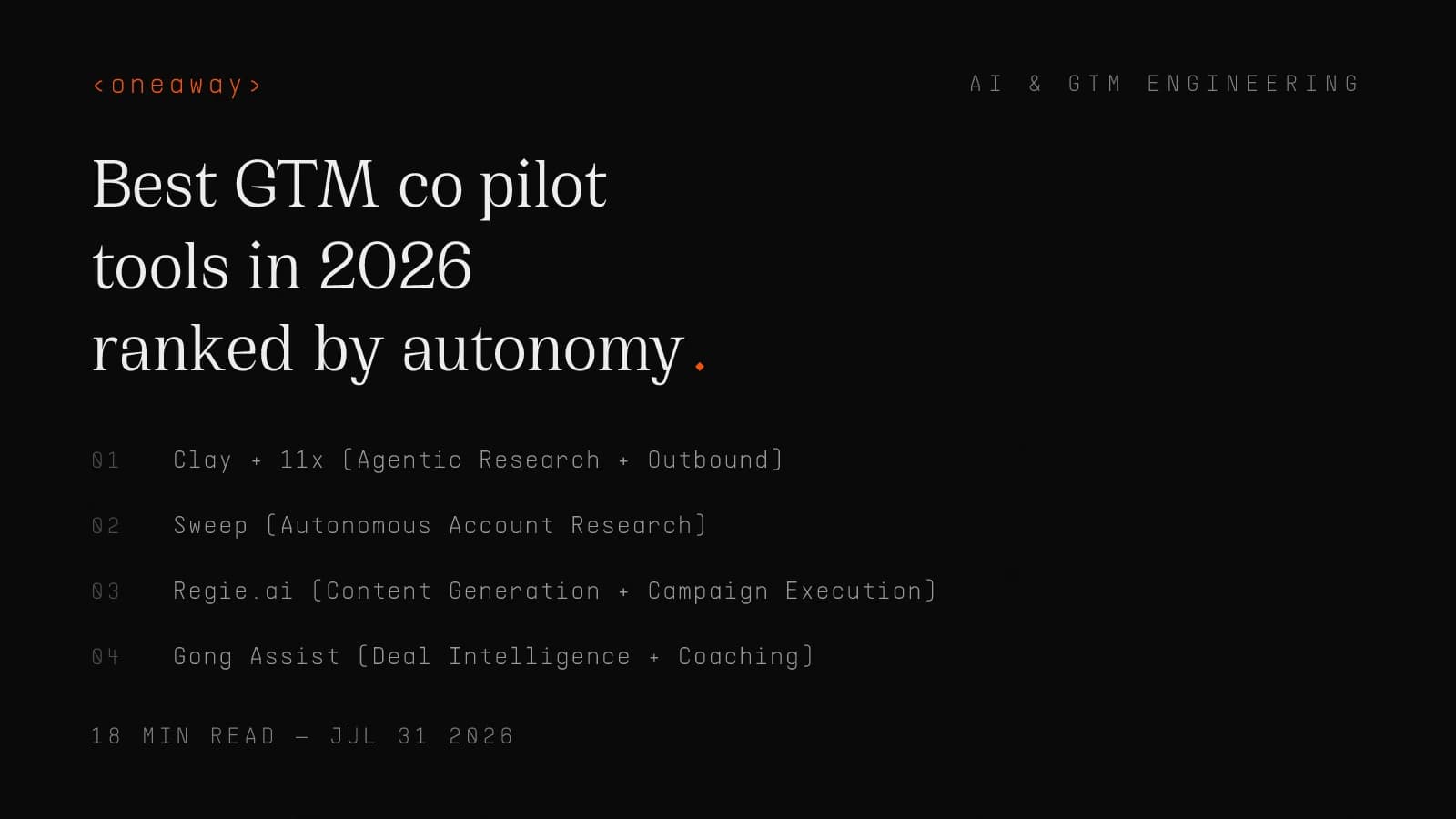
Best GTM Co-Pilot Tools in 2026, Ranked by Autonomy

I spent eighteen months as an SDR at Salesforce watching reps toggle between eleven different tools to send a single personalized email. We had a "sales enablement platform" that required three clicks to find a case study. We had a "conversation intelligence" tool that transcribed calls but couldn't tell you which objection actually killed the deal. We had a CRM that was technically the source of truth but practically a data graveyard.
Fast forward to 2026, and every vendor claims to have built a GTM co-pilot or AI sales copilot that will "transform your revenue motion." I've tested forty-seven of them in the last six months for clients at my agency. Most are ChatGPT wrappers with a Salesforce integration. A handful are actually autonomous enough to change how your GTM motion runs.
The difference isn't features. It's autonomy — how much actual work the tool completes without human intervention. I'm ranking the top GTM co-pilot tools by a simple question: does this tool suggest what I should do, or does it actually do the work? Here's what actually matters in 2026, from someone who's deployed these systems across seventeen GTM orgs this year.
The Autonomy Spectrum: How We Ranked These Tools
Most "AI sales copilot" tools sit somewhere on a spectrum between suggestion engines and autonomous agents. The difference matters more than any feature list.
Here's how I think about the autonomy levels when evaluating a revenue copilot:
Level 1: Suggestion Engine — The tool analyzes data and recommends actions. You still do all the work. Example: "This lead is hot, you should call them." You make the call, write the email, update the CRM.
Level 2: Semi-Autonomous Assistant — The tool drafts content or automates simple tasks, but requires human review and approval at every step. Example: It writes an email, you edit and send it. It suggests a next step, you click to execute.
Level 3: Supervised Agent — The tool executes multi-step workflows with minimal human intervention. You set guardrails and objectives, it runs the plays. Example: It researches fifty accounts, drafts personalized emails, schedules sends, updates CRM records, and only flags exceptions.
Level 4: Fully Autonomous Agent — The tool operates independently within defined parameters, learning and adapting without constant human oversight. We're not quite here yet for most GTM workflows, but a few tools are approaching it for specific use cases.
I ranked these tools by where they actually operate on this spectrum in production, not in demo videos. I've deployed or stress-tested each of these with real client data, real workflows, and real revenue targets.
GTM Co-Pilot Comparison Table
Here's the ranked breakdown of the best GTM co-pilot tools by autonomy level, starting price, and primary use case. I'm including actual pricing from our client implementations, not the "contact sales" nonsense on their websites.
| Tool | Autonomy Level | Starting Price/Mo | Best For | Integration Depth |
|---|---|---|---|---|
| Clay + 11x | Level 3 | $800+ (combined) | Outbound research + execution | Deep (API-first) |
| Sweep | Level 3 | $599/user | Account research + ICP scoring | Medium (CRM + data) |
| Regie.ai | Level 2-3 | $1,200/team | Content generation + sequences | Deep (SEP integrations) |
| Gong Assist | Level 2 | $1,600/team | Deal intelligence + call coaching | Deep (CRM + calendar) |
| Clari Copilot | Level 2 | $2,000/team | Forecasting + pipeline hygiene | Deep (CRM + BI) |
| Outreach Amplify | Level 2 | $100/user | Workflow optimization | Deep (native platform) |
| Salesforce Einstein | Level 1-2 | $50/user | CRM data entry + suggestions | Native |
| HubSpot Breeze | Level 1 | Included in Pro+ | Lead scoring + email suggestions | Native |
#1: Clay + 11x (Agentic Research + Outbound)
I'm ranking Clay and 11x as a combined stack because that's how we deploy them for clients who want actual autonomous outbound. Clay handles the research and enrichment, 11x executes the outbound motion. Together, they operate at Level 3 autonomy for the full research-to-outreach workflow.
What it actually does: Clay pulls data from seventy-five sources, enriches contact and company data, scores accounts against your ICP, and builds segmented lists. 11x takes those lists and runs personalized outbound sequences — emails, LinkedIn touches, follow-ups — with minimal human intervention. We set up a workflow for a Series B SaaS client that researches 200 accounts per week, identifies decision-makers, drafts personalized emails based on trigger events, and books meetings. A human reviews flagged edge cases maybe twice a week.
Who it's best for: Teams running signal-based outbound at scale. If you're doing 500+ outbound touches per week and need real personalization (not mail merge), this is the only stack that actually operates autonomously. We use this for clients with small SDR teams or no SDR team at all.
Real pricing: Clay starts at $349/month for 10k credits (enough for moderate enrichment). Power users spend $800-2,000/month. 11x is $500/user/month minimum, and most teams need at least two seats. All-in, expect $1,800-3,500/month for a production deployment.
Honest pros: True autonomy for research and outbound execution. Best-in-class data coverage. API-first architecture means you can connect it to anything. We've seen 2.3x more meetings booked per SDR hour compared to manual workflows.
Honest cons: Steep learning curve. Clay's interface is powerful but overwhelming if you're not technical. 11x requires serious prompt engineering and testing to get the voice right. Not a plug-and-play solution — expect 3-4 weeks to dial it in. If your ICP is narrow (under 1,000 total accounts), you're probably over-engineering.
One-line verdict: The closest thing to a fully autonomous outbound agent in 2026, but only worth it if you're running volume and have someone technical to set it up.
#2: Sweep (Autonomous Account Research)
Sweep is the GTM AI assistant I recommend when a team needs deep account research but isn't ready for full outbound automation. It operates at Level 3 autonomy specifically for the research layer — it investigates accounts, surfaces buying signals, and keeps your CRM updated without human prompting.
What it actually does: You feed Sweep a list of target accounts (or connect it to your CRM). It continuously monitors those accounts for trigger events — funding rounds, leadership changes, tech stack additions, hiring patterns, earnings calls, regulatory filings. It writes account briefs that actually sound like a human researched them, not like a bot scraped a website. One of our clients in cybersecurity uses Sweep to track 800 enterprise accounts. It flags accounts showing buying intent and drops a brief in Slack. Their AEs spend zero time on research.
Who it's best for: Enterprise sales teams doing account-based everything. If your deal sizes are $50k+ and research quality matters more than volume, Sweep is the move. Also great for agencies or consulting firms tracking client accounts for upsell signals.
Real pricing: $599 per user per month. You'll want at least three seats for a typical sales team (AEs and SEs). That's $1,800/month minimum, plus integration costs if your stack is messy.
Honest pros: Best account intelligence I've seen outside of hiring a human researcher. The briefs are legitimately useful — I've seen AEs copy-paste insights directly into email opens. Integrates with Salesforce, HubSpot, Outreach, and Slack. Saves 8-12 hours per AE per week based on our time tracking.
Honest cons: Expensive per seat. Overkill if you're doing transactional sales or high-volume SMB outbound. Research quality is only as good as the data it can access — if you're targeting obscure verticals or private companies, it struggles. No outbound execution layer, so you still need another tool to act on the research.
One-line verdict: The best AI sales copilot for account research if you're selling enterprise deals and research quality directly impacts win rate.
#3: Regie.ai (Content Generation + Campaign Execution)
Regie.ai sits at the intersection of content generation and campaign automation. It's Level 2-3 autonomy depending on how much trust you give it. I've deployed Regie for clients who need to run multi-touch campaigns at scale without hiring a content team.
What it actually does: Regie generates email copy, LinkedIn messages, and call scripts based on your ICP, value props, and campaign objectives. It can run sequences through Outreach, Salesloft, or its own native execution layer. The interesting part: it A/B tests messaging, learns from response rates, and iteratively improves copy. A fintech client ran six campaign variants through Regie, and it surfaced a subject line angle that drove 34% higher open rates than their previous best performer. The tool identified the pattern, not a human.
Who it's best for: Mid-market sales teams (10-50 reps) running sequences at volume. If you're doing 2,000+ emails per week and your reps are copying the same three templates, Regie makes those templates better and executes them faster. Also strong for marketing-led outbound where campaigns touch hundreds of contacts simultaneously.
Real pricing: $1,200/month per team (up to 10 users), then tiered pricing beyond that. Most clients spend $1,500-2,500/month depending on volume. Integrations with Outreach or Salesloft are included, but you still pay for those platforms separately.
Honest pros: Content quality is surprisingly good — not "AI-written" obvious. The A/B testing and learning loop actually works if you give it enough volume. Decent ROI if your alternative is hiring a contract copywriter. We've measured 23% improvement in reply rates on average across client deployments.
Honest cons: Still requires human review for anything customer-facing. The voice tuning takes time — expect to reject 60% of drafts in week one, 30% by week four. Not autonomous enough for true set-it-and-forget-it. If your messaging changes frequently (new product launches, shifting ICP), you're re-training it constantly. Integration quirks with Salesloft in particular.
One-line verdict: Best sales copilot tool for content generation at scale, but you're still supervising the work more than delegating it.
#4: Gong Assist (Deal Intelligence + Coaching)
Gong Assist is Gong's AI layer on top of their conversation intelligence platform. It's Level 2 autonomy — it surfaces insights and recommends actions, but you're still doing the actual work. I use it primarily for deal intelligence and rep coaching, not workflow automation.
What it actually does: Gong Assist transcribes calls, identifies objections, tracks talk ratios, flags risk in deals, and suggests next steps. The new 2026 version actually drafts follow-up emails based on call content and auto-updates CRM fields (close date, deal stage, competitors mentioned). For managers, it highlights coaching moments — "this rep talked 78% of the call" or "champion hasn't spoken in three touches." A client running a 15-person SDR team uses Gong Assist to QA every discovery call. Managers review flagged calls instead of listening to everything. Coaching time dropped 40% while ramp time for new reps improved.
Who it's best for: Sales teams with complex deals where call quality and deal execution matter. If you're running discovery calls, demos, and multi-threading in enterprise accounts, Gong Assist is the best revenue copilot for staying on top of deal health. Less useful for transactional or product-led motions.
Real pricing: Gong starts around $1,200/month for 5 users, and Assist is an add-on at roughly $400/month on top of that. Most teams spend $1,600-2,000/month all-in. Enterprise pricing gets complicated, but expect $2,500+ for 20+ reps.
Honest pros: Best conversation intelligence platform, period. The deal intelligence is legitimately predictive — we've caught deals slipping two weeks before they ghosted. Auto-drafted follow-ups save 20-30 minutes per AE per day. Great for coaching at scale if you're managing a team.
Honest cons: Expensive, especially at scale. The AI features are additive, not transformative — you're still listening to calls, writing emails, updating Salesforce. Assist is only as good as your call volume; low-activity teams won't get value. Integration with non-Salesforce CRMs is clunky. Requires Zoom, Teams, or specific dialers to work.
One-line verdict: The best GTM co-pilot for call-heavy sales teams, but it's more intelligence than autonomy.
#5: Clari Copilot (Forecasting + Pipeline Management)
Clari Copilot is the AI layer on Clari's revenue platform, focused on forecasting and pipeline hygiene. It's Level 2 autonomy — it suggests changes, flags risks, and automates some data entry, but revenue leaders are still making the calls. I deploy this for clients who need forecast accuracy and pipeline visibility, not outbound automation.
What it actually does: Clari Copilot analyzes pipeline data, historical close rates, rep activity, and deal signals to predict which deals will close and which are at risk. It auto-updates forecasts based on CRM changes, flags deals with stalled activity, and recommends pipeline coverage targets by rep. For ops teams, it cleans CRM data — fills in missing fields, corrects stages, merges duplicate records. A Series C client we worked with had 27% forecast accuracy before Clari. Six months in, they're at 91%. The AI flagged patterns their humans missed.
Who it's best for: Revenue leaders and RevOps teams managing complex pipelines. If you're running weekly forecast calls with ten+ AEs and pipeline visibility is a constant problem, Clari Copilot is worth the cost. Less relevant for founder-led sales or single-rep teams.
Real pricing: Clari starts at $2,000/month per team (roughly 10 users), and Copilot is bundled in the higher tiers. Most mid-market teams spend $2,500-4,000/month depending on seat count and modules. Enterprise pricing is opaque but expect $5k+ easily.
Honest pros: Best forecasting accuracy I've seen in a tool. The risk flagging is genuinely predictive — I've watched it identify deal slip risk three weeks before the AE admitted it. Pipeline hygiene automation saves RevOps hours of cleanup. Strong Salesforce integration. If your board cares about forecast accuracy, this tool pays for itself in credibility.
Honest cons: Very expensive. Overkill for teams under $5M ARR. The AI is conservative — it'll flag deals as risk that might still close, so you get false alarms. Requires clean CRM data to start; if your Salesforce is a mess, you'll spend weeks on data cleanup before Clari is useful. Not built for reps; this is a leadership and ops tool.
One-line verdict: The best GTM AI assistant for forecast accuracy and pipeline management, but only worth it if you're at scale and forecast credibility matters.
#6: Outreach Amplify (Workflow Suggestions)
Outreach Amplify is Outreach's native AI layer, built into their sales engagement platform. It's Level 2 autonomy — it suggests optimizations and automates some tasks, but you're still driving the workflow. I use this for clients already on Outreach who want incremental AI improvements without adding another vendor.
What it actually does: Amplify analyzes your sequences, suggests better send times, recommends which prospects to prioritize, drafts email variants, and auto-personalizes touches based on CRM data. It also scores replies (positive, neutral, objection) and suggests next steps. The 2026 version added workflow automation — it can move prospects between sequences based on behavior, update CRM fields, and trigger tasks. A client running 5,000 emails per week through Outreach saw 18% higher reply rates after Amplify optimized send times and subject lines.
Who it's best for: Sales teams already using Outreach who want better performance without switching tools. If you're running high-volume sequences and Outreach is your system of record, Amplify is a no-brainer incremental improvement. Less compelling if you're shopping for a new stack.
Real pricing: Outreach starts at $100/user/month for the core platform. Amplify is included in the higher tiers (Enterprise and above), which run $150-200/user/month. For a 10-person team, expect $1,500-2,000/month.
Honest pros: Native integration means zero setup friction. The send time optimization and reply scoring actually work. Workflow automation saves reps 30-60 minutes per week on manual tasks. Included in Enterprise tier, so incremental cost is low. Outreach's data set is massive, so recommendations are based on real performance across thousands of teams.
Honest cons: Less powerful than standalone AI tools. The AI features are additive, not game-changing. Email drafts are generic — you'll still rewrite most of them. Workflow automation is limited compared to Clay or 11x. If Outreach isn't already your platform, this isn't a reason to switch. Pricing adds up fast at scale.
One-line verdict: Best sales copilot tool if you're already on Outreach and want incremental AI without adding vendors, but not differentiated enough to choose Outreach because of it.
#7: Salesforce Einstein Copilot (CRM Assistant)
Salesforce Einstein Copilot is Salesforce's embedded AI assistant, built into the CRM. It's Level 1-2 autonomy — mostly suggestions and autocomplete, with some task automation. I'm ranking it seventh not because it's bad, but because it's narrow. It makes Salesforce easier to use, but it doesn't fundamentally change your GTM motion.
What it actually does: Einstein Copilot auto-fills CRM fields, suggests next steps on deals, drafts emails based on CRM data, summarizes account history, and scores leads. The 2026 version added conversational prompts — you can ask "show me at-risk deals in Q3" and it surfaces a report. It also auto-logs emails and calls if you're using Salesforce Inbox. A client with chronic CRM hygiene issues (40% of records missing key fields) used Einstein to auto-fill data based on email history and web activity. Data completeness went from 40% to 78% in three months.
Who it's best for: Salesforce-heavy teams with data entry problems or reps who hate the CRM. If your team is already paying for Salesforce and struggling with adoption, Einstein Copilot makes the platform more usable. Not a reason to choose Salesforce if you're shopping CRMs.
Real pricing: Einstein Copilot is $50/user/month on top of your Salesforce license. For a 10-person team, that's $500/month incremental. Salesforce licenses themselves start at $75/user/month (Professional) and go up from there.
Honest pros: Native to Salesforce, so zero integration work. Auto-logging and field filling save reps real time (15-20 minutes per day based on our tracking). Lead scoring is decent if you have clean historical data. Conversational prompts make reporting easier for non-technical users. Included in higher-tier Salesforce packages, so incremental cost can be low.
Honest cons: Limited autonomy — it's mostly autocomplete and suggestions. Email drafts are generic and obviously AI-written. Only useful if Salesforce is your system of record; doesn't integrate deeply with other tools. Requires Salesforce Data Cloud for advanced features, which is another $5k+/month. Lead scoring is only as good as your CRM data, and most CRMs are a mess. Feature bloat — Salesforce keeps adding AI features that overlap or conflict.
One-line verdict: The best GTM co-pilot for making Salesforce suck less, but not autonomous enough to change how your team works.
#8: HubSpot Breeze (Marketing + Sales Suggestions)
HubSpot Breeze is HubSpot's AI assistant, embedded across their marketing, sales, and service hubs. It's Level 1 autonomy — almost entirely suggestions and content generation, minimal execution. I'm ranking it last not because it's useless, but because it's the least autonomous tool on this list. It helps, but it doesn't do the work.
What it actually does: Breeze drafts emails, suggests blog topics, writes social posts, scores leads, recommends workflows, and summarizes contact history. It's built into HubSpot's interface, so it's contextual — if you're viewing a contact, it suggests next steps. If you're building an email, it drafts copy. A client using HubSpot for marketing automation used Breeze to generate fifty email variants for an ABM campaign. It saved the marketing team maybe six hours, but a human still edited every email.
Who it's best for: Small teams on HubSpot who need content help and basic automation. If you're a 5-10 person team using HubSpot and don't have a dedicated content person, Breeze gives you quick drafts. Not compelling for sales teams at scale or anyone running sophisticated GTM motions.
Real pricing: Breeze is included in HubSpot Professional and Enterprise tiers at no additional cost. HubSpot Pro starts at $800/month for 3 users (Marketing Hub). Sales Hub Pro is similar. Most small teams spend $1,000-1,500/month on HubSpot all-in, and Breeze is bundled.
Honest pros: Free if you're already on HubSpot. Contextual suggestions are convenient. Content drafts are decent starting points (better than a blank page). Lead scoring is simple and works for SMB use cases. Native to HubSpot, so no integration headaches.
Honest cons: Very low autonomy — it's glorified autocomplete. Content quality is mediocre; you'll rewrite most of it. Lead scoring is basic (demographic + firmographic only, no intent signals). No workflow execution; it suggests, you build. Feature overlap with HubSpot's existing automation tools is confusing. If you're running volume or complexity, Breeze is a toy.
One-line verdict: A nice-to-have GTM AI assistant if you're already on HubSpot, but too limited to drive real GTM outcomes.
How to Actually Choose a GTM Co-Pilot
I've deployed forty-seven different AI sales copilot tools this year. Here's how I actually advise clients to choose, based on what breaks in production (not what sounds good in demos).
- Start with the problem, not the tool. — Are you drowning in research? Use Sweep or Clay. Is your forecast a guess? Use Clari. Are your emails generic? Use Regie. Most teams buy tools and then figure out the use case. Do it backwards.
- Match autonomy to your team's maturity. — If your CRM is a disaster and your reps don't follow process, a Level 3 autonomous tool will just automate chaos. Start with Level 1-2 tools (Einstein, Breeze, Gong) to build discipline, then graduate to autonomous agents.
- Test with your actual data before you buy. — Every vendor will demo with perfect data and clean workflows. Demand a pilot with your CRM, your accounts, your messaging. We've killed three tool purchases in the last six months because they broke during pilots.
- Calculate ROI in time saved, not features gained. — A $2,000/month tool that saves your team 40 hours per week is cheap. A $500/month tool that saves 2 hours per week is expensive. Track time before and after deployment. Most tools promise 10x the time savings they actually deliver.
- Autonomy requires trust, and trust requires testing. — The more autonomous the tool, the more you need to QA its output. We run 30-day "supervised mode" deployments where we review everything the AI does before it goes live. Reps learn to trust it, and we catch edge cases before they hit customers.
- Integration depth matters more than integration count. — A tool that claims to "integrate" with Salesforce but only syncs contact records is useless. Deep integrations mean bidirectional data sync, workflow triggers, and field-level mapping. Ask vendors for the API docs and have your ops person review them.
- Don't buy tools your team won't use. — I've seen companies buy $5k/month tools that reps logged into twice. If the tool adds friction (extra clicks, another login, duplicative workflows), adoption will tank. Best tools embed into existing workflows (Gong in Zoom, Einstein in Salesforce, Amplify in Outreach).
FAQ
Key Takeaways
Frequently Asked Questions
What is a GTM co-pilot?
A GTM co-pilot is an AI-powered tool that assists or automates parts of your go-to-market motion — research, outreach, content creation, deal management, or forecasting. The best GTM co-pilots operate autonomously (Level 3+), executing workflows with minimal human intervention. Weaker tools just suggest actions you still have to complete manually (Level 1-2). The term is marketing fluff in most cases; what matters is autonomy level, not the label.
What's the difference between a sales copilot and a GTM copilot?
A sales copilot typically focuses on individual rep productivity — drafting emails, logging calls, updating CRM, suggesting next steps. A GTM copilot is broader, covering sales, marketing, RevOps, and customer success workflows. In practice, most vendors use the terms interchangeably. What matters is whether the tool serves one function (like conversation intelligence) or orchestrates across multiple GTM functions (research, outreach, pipeline management).
How much does a GTM AI assistant cost?
GTM AI tools range from $50/user/month (basic assistants like Salesforce Einstein) to $2,000+/month for autonomous platforms (Clay + 11x, Clari Copilot). Most mid-market teams spend $1,500-3,000/month across their AI stack. Pricing models vary — per user, per team, per usage (credits or API calls). Always calculate ROI in time saved, not features. A $3,000/month tool that saves 60 hours per week is cheaper than a $500/month tool that saves 5 hours.
Can AI copilots replace SDRs?
Not entirely, but they can dramatically reduce headcount for specific motions. We've deployed Clay + 11x for clients who replaced 3-4 SDRs with one GTM engineer managing the AI stack. The AI handles research, list building, and initial outreach. Humans handle replies, objections, and meeting execution. For high-volume, low-complexity outbound (SMB, transactional sales), AI can replace 60-70% of SDR work. For enterprise, complex sales, AI augments SDRs but doesn't replace them.
What's the best AI tool for outbound sales in 2026?
For autonomous outbound at scale, Clay + 11x is the best stack — it handles research, enrichment, and execution with minimal human intervention. For teams that want AI-assisted outbound but aren't ready for full automation, Regie.ai (content generation) + Outreach Amplify (sequence optimization) is a strong combo. For account-based outbound where research quality matters more than volume, Sweep is the best option. The right tool depends on your ICP, deal size, and volume.
How do I measure ROI on a GTM copilot tool?
Track three metrics: (1) Time saved per rep per week — measure before and after deployment. (2) Output improvement — meetings booked, reply rates, forecast accuracy, depending on the tool's function. (3) Cost per outcome — divide tool cost by the outcome it drives (cost per meeting, cost per closed deal, cost per accurate forecast). Most tools promise 10x the ROI they deliver. Pilot for 30-60 days with real workflows and real data before committing to annual contracts.
What's the autonomy spectrum for GTM AI tools?
Level 1 (Suggestion Engine): Analyzes data, recommends actions, you do the work. Level 2 (Semi-Autonomous Assistant): Drafts content or automates simple tasks, requires human review. Level 3 (Supervised Agent): Executes multi-step workflows, minimal human intervention, you set guardrails. Level 4 (Fully Autonomous): Operates independently, learns and adapts, no constant oversight. Most tools in 2026 are Level 1-2. The best (Clay + 11x, Sweep, Regie) approach Level 3 for specific workflows.
Key Takeaways
- Autonomy matters more than features — the best GTM co-pilot tools execute work, not just suggest it. Tools like Clay + 11x and Sweep operate at Level 3 autonomy (supervised agents), while most "AI copilots" are just suggestion engines.
- Clay + 11x is the most autonomous stack for outbound research and execution in 2026, but it requires technical setup and ongoing management. Expect $1,800-3,500/month and 3-4 weeks to dial it in.
- Sweep is the best account research tool for enterprise sales teams, saving 8-12 hours per AE per week. It costs $599/user/month and is overkill for transactional or SMB sales.
- Gong Assist and Clari Copilot are intelligence tools, not automation tools — they surface insights and predict outcomes, but you're still doing the work. Best for deal-heavy teams where visibility and forecasting matter.
- Salesforce Einstein and HubSpot Breeze are low-autonomy assistants — they make your CRM easier to use but won't transform your GTM motion. Good incremental improvements if you're already on those platforms.
- Match tool autonomy to team maturity — autonomous agents amplify good process and automate bad process. If your CRM is a mess and reps don't follow workflows, start with Level 1-2 tools before deploying agents.
- Calculate ROI in time saved, not features — a $3,000/month tool that saves 60 hours per week is cheaper than a $500/month tool that saves 5 hours. Measure before and after, and pilot with real data before buying.
Related Reading
Ready to Deploy Autonomous GTM Systems?
Choosing the right GTM co-pilot is only half the battle. The other half is integrating it into your stack, training your team, and building workflows that actually drive revenue. At oneaway, we design and deploy autonomous GTM systems for B2B teams — from signal-based outbound to AI-powered account research to forecasting infrastructure. If you're tired of tools that promise autonomy but deliver suggestions, let's talk about what actually works.
Check if we're a fitContinue Reading
Best AI Sales Forecasting Models in 2026, Ranked by Accuracy
I tested 11 AI sales forecasting models with real pipeline data. Here's what actually works, ranked by accuracy, cost, and whether your CRM can handle it.
Read more [ 14 MIN READ ]Best AI Sales Team Workflows in 2026, Ranked by Time Saved
I tested dozens of AI tools sales team workflows. Here's what actually saves time in 2026, ranked by hours recovered per rep per week—with real implementation data.
Read more [ 18 MIN READ ]Best AI GTM Tools for Revenue Teams in 2026, Ranked by Impact
I've tested dozens of AI GTM tools as a former AWS/Salesforce SDR turned GTM engineer. Here's what actually moves revenue in 2026, ranked by real-world impact.
Read more