B2B Data Enrichment Mistakes That Kill Your Pipeline

I spent three years as an SDR at Salesforce and AWS calling people who hadn't worked at their companies for six months. The data was wrong. The phone numbers were dead. The email addresses bounced. And I blamed myself for the terrible connect rates until I realized: **the pipeline problem wasn't my messaging—it was the data**.
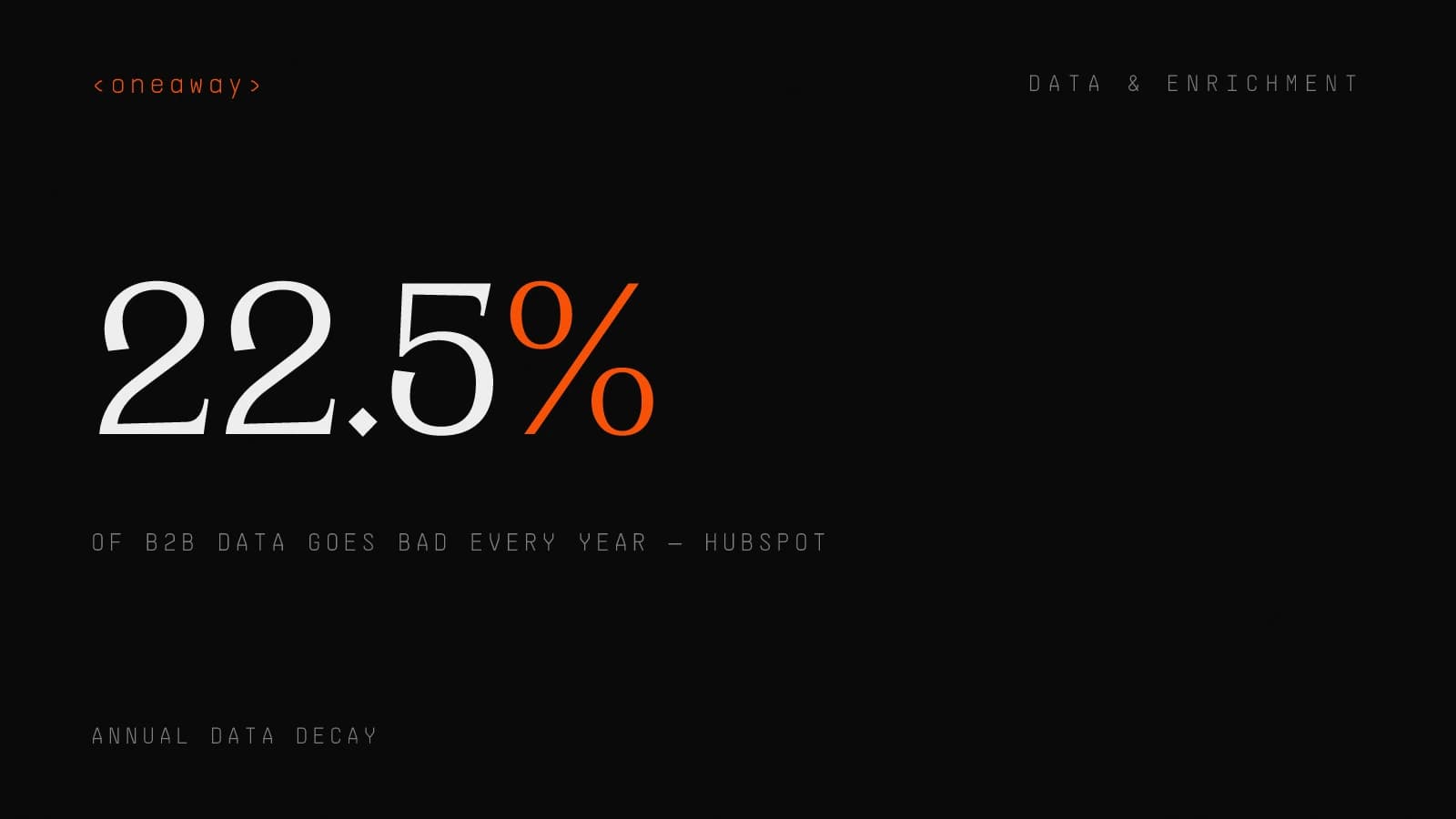
Here's the thing nobody tells you about B2B data enrichment: most teams do it completely wrong. They pick one vendor, enrich their entire database once, then wonder why their outbound campaigns still underperform. According to HubSpot, 22.5% of your B2B data goes bad every single year. That's not a data quality problem—it's a data strategy problem.
I've now helped 40+ B2B companies fix their data enrichment workflows at my agency. And the mistakes I see are shockingly consistent. Let me walk you through the seven biggest ones that are probably killing your pipeline right now—and exactly what we do instead for our clients.
Mistake #1: Using Only One B2B Data Provider
When I first started building outbound systems, I made the classic mistake: I picked ZoomInfo, paid the enterprise fee, and assumed I was done. Our contact data accuracy was supposed to be "95%+" according to the sales deck.
Reality check: our actual deliverability was 64%. Nearly 4 in 10 emails either bounced or went to people who'd left their roles.
Here's what I didn't understand then: no single B2B data provider has complete coverage. ZoomInfo is strong on enterprise accounts but weak on Series A startups. Apollo has great coverage on tech companies but misses manufacturing. Lusha excels at direct dials in Europe but struggles in APAC.
I learned this the hard way at AWS when I was prospecting into fintech companies. ZoomInfo had maybe 40% of the contacts I needed. I started manually cross-referencing with LinkedIn Sales Navigator, then Apollo, then Clearbit. My connect rates doubled overnight.
- ZoomInfo: — Best for Fortune 5000 and enterprise accounts, weakest on startups under Series B
- Apollo: — Strong tech company coverage, 270M+ contacts, but data freshness varies wildly by segment
- Lusha: — Excellent European direct dials and mobile numbers, weaker on company firmographics
- Clearbit: — Best real-time enrichment for inbound leads, expensive for bulk enrichment
- Cognism: — Strong GDPR-compliant data, excellent for UK/EU outbound, limited US coverage
| Provider | Best Use Case | Avg Cost/Contact | Data Freshness |
|---|---|---|---|
| ZoomInfo | Enterprise accounts | $2-4 | Updated quarterly |
| Apollo | Tech/SaaS outbound | $0.10-0.50 | Varies by source |
| Lusha | European direct dials | $0.50-1.50 | Updated monthly |
| Clearbit | Inbound enrichment | $1-3 | Real-time |
| Cognism | EMEA compliance | $2-3 | Updated monthly |
The Solution: Waterfall Enrichment
This is where waterfall enrichment comes in—and it's the single biggest unlock we give clients at my agency.
Instead of querying one provider, you query 5-8 providers in sequence until you get a verified result. Think of it like a waterfall: if Provider A doesn't have the email, you cascade to Provider B, then C, then D.
We recently implemented this for a Series B SaaS company targeting mid-market accounts. Their old system used only Apollo. Their new waterfall stack queries Apollo first (cheapest), then ZoomInfo (mid-tier), then Lusha (expensive but accurate direct dials). Their contact data accuracy jumped from 61% to 87% and their cost per verified contact actually decreased by 23% because they weren't wasting credits on bad data.
Mistake #2: Treating Enrichment as a One-Time Project
I can't tell you how many times I've seen this: a company enriches their entire database in January, then never touches it again. By June, 22.5% of that data is already stale. By December, you're looking at nearly half your database being outdated.
At Salesforce, I watched our SDR team burn through thousands of dials on a list that had been enriched nine months prior. The connect rate was 4%. We were calling people who'd moved companies, been promoted, or retired. It was soul-crushing work.
The average B2B CRM has 40-60% of contact fields empty or outdated at any given time. That's not because your enrichment provider failed—it's because people change jobs, companies get acquired, phone numbers change, and email addresses get deactivated.
The Solution: Continuous Real-Time Enrichment
We built a system for a fintech client that automatically re-enriches any contact that hasn't engaged in 90 days before they enter a re-engagement sequence. Their reactivation rate increased 34% simply because we stopped emailing people at old addresses.
- New inbound leads: — Enrich in real-time as soon as they hit your CRM (we use webhooks + Clearbit or Warmly for this)
- Active pipeline contacts: — Re-enrich every 90 days to catch job changes and promotions
- Dormant contacts: — Re-enrich every 6 months before re-engagement campaigns
- Bounced emails: — Re-enrich immediately and automatically via workflow automation
Mistake #3: Enriching at the Wrong Time
Here's a mistake that costs companies thousands per month: enriching contacts you'll never actually use.
I see this constantly—marketing teams enriching every single person who downloads a whitepaper or attends a webinar, regardless of fit. They're burning through enrichment credits on students, competitors, consultants, and tire-kickers who will never buy.
At AWS, we had a 40,000-contact database. When I actually analyzed it, only 8,200 contacts matched our ICP. The rest were enriched, paid for, and completely useless. That's $15,000+ in wasted enrichment costs annually.
The Solution: Enrich Only Qualified Contacts at Point of Use
We implemented this for a client in the HR tech space. They were enriching 100% of their inbound leads. We changed it to enrich only leads from companies with 200+ employees (their ICP floor). Their enrichment costs dropped 64% overnight with zero impact on pipeline.
- Step 1: Score the lead first. — Use basic firmographic data (company size, industry, tech stack) to determine ICP fit before enriching
- Step 2: Enrich only qualified leads. — If the lead scores above your threshold, trigger enrichment automatically
- Step 3: Enrich just-in-time. — For outbound lists, enrich contacts 24-48 hours before your campaign launches, not weeks in advance
Mistake #4: Enriching the Wrong Fields
Not all data fields are created equal. But most teams enrich everything available—job title, direct dial, mobile, company size, revenue, tech stack, funding stage, employee count, social profiles—because more data feels better.
It's not. More data is just more noise unless you're actually using it for targeting, personalization, or scoring.
I made this mistake at Salesforce. We were paying for 42 enriched fields per contact. When I audited our sequences and scoring models, we were actually using 9 of those fields. The other 33 were pure waste.
The Solution: Enrich Only What You'll Actually Use
For most B2B teams, you need 8-12 fields maximum. Anything beyond that is burning money. We helped a client cut their enrichment spend by 40% just by dropping unnecessary fields from their waterfall config.
- Tier 1 (Always enrich): — Email, job title, company name, company size—the absolute minimum for outreach
- Tier 2 (Enrich for ICP scoring): — Industry, employee count, revenue, tech stack if relevant to your product
- Tier 3 (Enrich for personalization): — Direct dial, LinkedIn profile, recent funding, only if your reps actually use these for research
- Tier 4 (Don't enrich): — Everything else—social profiles, company descriptions, intent data unless you have a specific use case
Mistake #5: Skipping Data Verification
This one kills me because it's so preventable. Teams pay for enrichment, then immediately blast emails without verifying anything. The result: bounce rates over 5%, spam complaints, and tanked deliverability.
I learned this lesson the hard way at AWS. We enriched a list of 2,000 contacts from a trade show, loaded them into Outreach, and launched a sequence. Our bounce rate was 11%. Our domain reputation took a hit that took three months to recover.
The dirty secret about B2B data providers: even the best ones advertise "95%+ accuracy," but that's accuracy of data at the point of collection, not at the point of use. By the time you use that data, weeks or months have passed.
The Solution: Always Verify Before Sending
We implemented this for a Series A client who was seeing 8% bounce rates. After adding email verification to their enrichment workflow, bounces dropped to 1.2% and their reply rates increased by 19% because their emails were actually reaching inboxes.
- Step 1: Enrich the contact — via your waterfall stack to get the email address
- Step 2: Verify the email — using a verification tool like ZeroBounce, NeverBounce, or Clearout before it hits your CRM
- Step 3: Tag verification status — in your CRM so you can filter out risky emails from high-volume campaigns
- Step 4: Re-verify periodically — for contacts in long nurture sequences (every 90 days minimum)
| Verification Tool | Best For | Cost | Verification Speed |
|---|---|---|---|
| ZeroBounce | High-volume verification | $15/1K emails | Real-time API |
| NeverBounce | Batch + real-time | $10/1K emails | Bulk + API |
| Clearout | Budget-conscious teams | $8/1K emails | Fast bulk |
| Kickbox | Developer-friendly API | $12/1K emails | Real-time only |
Mistake #6: Not Connecting Enrichment to Lead Scoring
Here's where most teams leave massive value on the table: they enrich their data, but they don't actually use that enriched data to score leads differently.
You're paying for company size, industry, tech stack, funding stage, and employee growth data. But if a 10-person startup and a 10,000-person enterprise both fill out the same form, they get the same lead score and the same generic sequence.
At Salesforce, I watched marketing pass us "MQLs" that included freelancers, students, and 5-person agencies alongside Fortune 500 enterprises. We treated them all the same because our scoring model didn't leverage enriched data. Our MQL-to-opportunity rate was 3%.
The Solution: Build Lead Scoring AI Using Enriched Data
We rebuilt lead scoring for a marketing automation client using this model. Before, they were routing 400 leads per month to sales with a 4% close rate. After implementing enrichment-driven lead scoring AI, they route 180 leads per month with a 12% close rate. Less volume, better outcomes, happier reps.
- Company size: — +20 points if within your ICP range, -10 if too small, -5 if too large
- Industry match: — +15 points for target industries, 0 for neutral, -15 for poor-fit industries
- Job title/seniority: — +25 points for decision-makers, +10 for influencers, -20 for non-buyers
- Tech stack signals: — +10 points if they use complementary tools, +20 if they use competitor tools
- Funding/growth signals: — +15 points for recent funding or 20%+ employee growth in last 6 months
Mistake #7: Ignoring Cost Per Enriched Record
Let's talk about money. Most teams have no idea what they're actually paying per enriched contact because the pricing models are deliberately confusing.
ZoomInfo charges by seat with contact unlock limits. Apollo charges credits per export. Clearbit charges per API call. Lusha charges per credit with different credit costs per data field. It's a nightmare to compare.
I've seen companies paying anywhere from $0.20 to $6.00 per enriched contact depending on their stack and how they've configured their workflows. And most have no idea where they fall on that spectrum.
The Solution: Track Cost Per Verified Contact
We did this calculation for a client who thought they were paying $0.80 per contact. Reality: they were enriching 10,000 contacts per month but only using 2,400 in sequences. Their real cost was $3.33 per contact they actually used. We restructured their enrichment to only hit qualified contacts and got them down to $1.10 per verified contact used.
- Total monthly enrichment spend: — Add up all your data provider subscriptions and usage fees
- Total contacts enriched: — Count every contact that got enriched this month
- Total verified contacts used: — Count only contacts that were verified and entered sequences
- Cost per verified contact: — Total spend ÷ verified contacts used
What Actually Works: The Waterfall Enrichment Stack
After building this for 40+ clients, here's the exact stack I recommend for most B2B teams doing outbound at scale.
This is what we call the "waterfall enrichment stack"—a layered system that queries multiple B2B data providers in sequence until you get a verified result. It's what we run for ourselves and what consistently delivers 85%+ contact data accuracy at reasonable cost.
The 5-Layer Waterfall Stack
With this stack, you'll enrich 85-90% of your target contacts at an average cost of $0.90-1.50 per verified contact. Compare that to single-provider systems that max out at 60-65% coverage at $2-4 per contact.
- Layer 1: Apollo (60-70% hit rate). — Query first because it's cheap ($0.10-0.50 per contact) and has broad coverage. You'll find most contacts here for tech companies.
- Layer 2: ZoomInfo (20-25% hit rate). — Query second for enterprise accounts and contacts Apollo missed. More expensive but higher quality for F5000.
- Layer 3: Lusha (5-10% hit rate). — Query third specifically for direct dials and mobile numbers Apollo/ZoomInfo don't have. Great for European contacts.
- Layer 4: Clearbit or Cognism (3-5% hit rate). — Use as a catch-all for the remaining contacts, especially for firmographic enrichment and real-time inbound leads.
- Layer 5: Email verification. — Run every email through ZeroBounce or NeverBounce before it hits your CRM. Non-negotiable.
How to Implement This Without Breaking Everything
Look, I know what you're thinking: "Xavier, this sounds great but we're already using ZoomInfo and our team is barely keeping up. How am I supposed to implement a 5-layer waterfall system without killing my ops team?"
Fair question. Here's exactly how we roll this out for clients without disrupting existing workflows.
Phase 1: Audit Your Current State (Week 1)
This audit takes maybe 4-6 hours and gives you the baseline to measure improvement against.
- Calculate your current cost per verified contact — using the formula from Mistake #7
- Measure your current contact data accuracy — by sampling 200 contacts and checking email deliverability + phone accuracy
- Identify your coverage gaps — by segment—where is your current provider weakest?
- Document which enriched fields you actually use — in sequences, scoring, and reporting
Phase 2: Add Email Verification (Week 2)
Before you change anything about enrichment, add email verification. This is the highest-ROI change you can make.
Set up a Zapier or Make.com workflow that sends every new email to ZeroBounce or NeverBounce before it hits your CRM. This alone will cut your bounce rate by 50-70% and improve deliverability almost immediately.
For one client, we implemented just this step—no other changes—and their reply rates increased 16% in two weeks because more emails were reaching inboxes.
Phase 3: Implement Waterfall Enrichment (Week 3-4)
For most clients under 5,000 enrichments per month, I recommend Option A. For teams doing 10K+ enrichments monthly or with specific customization needs, Option B pays for itself.
We typically get waterfall enrichment live in 10-15 hours of implementation work. Not trivial, but not a six-month project either.
- Option A: Use a waterfall platform. — Tools like Cleanlist or Clay handle the multi-provider waterfall logic for you. Easier to implement, less flexible, costs $200-500/month on top of data provider costs.
- Option B: Build it yourself. — Use Make.com or n8n to create workflows that query providers sequentially. More work upfront, total control, no platform fees.
Phase 4: Rebuild Lead Scoring (Week 5-6)
If a lead scores 70+, route to sales immediately. 50-69, nurture for 30 days then re-score. Under 50, long-term nurture or disqualify.
This typically cuts lead volume by 40-60% but increases close rates by 2-3x because reps are only working actually qualified leads.
- Firmographic fit (50 points max): — Company size, industry, employee growth, funding
- Demographic fit (30 points max): — Job title, seniority level, department
- Behavioral signals (20 points max): — Website visits, email engagement, content downloads
Real Example: Series B SaaS Company
Timeline: 6 weeks from kickoff to full implementation. Total implementation cost: $8,500 (our agency fees). Ongoing monthly cost increase: $340 for additional tools, but overall enrichment spend decreased by $1,100/month due to better targeting.
Net result: they're spending less and getting better data. That's what happens when you fix the actual problems instead of just buying more software.
- Data providers: — Apollo → ZoomInfo → Lusha waterfall, plus ZeroBounce verification
- Enrichment approach: — Real-time for inbound, just-in-time for outbound, re-enrich active pipeline every 90 days
- Coverage: — 87% of contacts had verified emails
- Bounce rate: — 1.4%
- Cost per verified contact: — $1.35 (only enriching qualified contacts)
- MQL to opportunity rate: — 14%
The Tools You Actually Need
Here's my straight-up recommendation for B2B data providers and tools you need in your stack, based on company stage and budget:
For Startups (<$2M ARR, <10K enrichments/month)
- Primary enrichment: — Apollo ($49-99/month) for basic contact data
- Email verification: — NeverBounce or Clearout (pay-as-you-go)
- Waterfall automation: — Zapier or Make.com ($20-50/month)
- Total monthly cost: — $100-200
For Growth Stage ($2-20M ARR, 10-50K enrichments/month)
- Waterfall stack: — Apollo + ZoomInfo or Cognism
- Email verification: — ZeroBounce (bulk + API)
- Waterfall automation: — Clay or Cleanlist ($200-500/month) or custom Make.com
- Inbound enrichment: — Clearbit for real-time website visitor enrichment
- Total monthly cost: — $800-2,000
For Enterprise ($20M+ ARR, 50K+ enrichments/month)
- Waterfall stack: — Apollo + ZoomInfo + Lusha + Cognism (full coverage)
- Email verification: — ZeroBounce or Kickbox (enterprise API)
- Waterfall automation: — Custom n8n or Make.com workflows for full control
- Lead scoring AI: — 6sense or Madkudu for predictive scoring
- Total monthly cost: — $3,000-8,000
Final Thoughts: Data Quality Is a Pipeline Multiplier
Here's what I've learned after years as an SDR and now running enrichment systems for dozens of clients: data quality is the highest-leverage thing you can fix in your outbound motion.
Better messaging, better sequences, better personalization—all of that matters. But if you're emailing the wrong people at wrong addresses, none of it matters.
The seven mistakes I covered in this post are costing you pipeline right now. I see them everywhere. But here's the good news: they're fixable. You don't need a six-month data transformation project or a million-dollar tech stack.
You need waterfall enrichment, email verification, smart scoring, and just-in-time data refresh. That's it. Get those four things right and your outbound motion transforms.
We've implemented this exact system for 40+ B2B companies. It works for Series A startups and it works for public companies. The principles scale.
If you're serious about fixing your data enrichment and actually driving pipeline from it, let's talk. My team at oneaway.io has built this system dozens of times and we can have you live in 4-6 weeks.
Frequently Asked Questions
What is B2B data enrichment and why does it matter?
B2B data enrichment is the process of enhancing your existing contact and company records with additional verified information from external data sources. It matters because 22.5% of your CRM data goes stale every year—people change jobs, emails bounce, and phone numbers change. Without continuous enrichment, your outbound campaigns reach the wrong people, your deliverability tanks, and your pipeline suffers. Good enrichment means your reps spend time talking to real prospects instead of chasing dead leads.
What is waterfall enrichment and how does it work?
Waterfall enrichment is a method of querying multiple B2B data providers in sequence until you get a verified result. Instead of relying on a single provider (which typically has 60-70% coverage), you cascade through 3-5 providers—Apollo first (cheapest), then ZoomInfo (mid-tier), then Lusha (premium direct dials). This approach delivers 85-90% contact data accuracy compared to 60-65% from single-provider systems, and often at lower cost per verified contact because you're using cheaper providers first.
Which B2B data providers should I use for enrichment?
The best approach uses multiple providers in a waterfall stack based on their strengths. Apollo ($0.10-0.50 per contact) is best for tech/SaaS and should be your first query. ZoomInfo ($2-4 per contact) excels at enterprise F5000 accounts. Lusha ($0.50-1.50) provides excellent European direct dials. Clearbit ($1-3) is ideal for real-time inbound enrichment. Cognism ($2-3) is strongest for GDPR-compliant EMEA data. No single provider has complete coverage—that's why waterfall enrichment works.
How much does B2B data enrichment cost?
B2B data enrichment costs vary dramatically based on providers and strategy. Single-provider approaches cost $2-4 per enriched contact. Waterfall enrichment systems cost $0.90-1.50 per verified contact actually used. For a growth-stage company doing 20K enrichments monthly, expect $800-2,000/month total including data providers ($500-1,500), email verification ($100-300), and waterfall automation ($200-500). The key metric is cost per verified contact you actually use in sequences, not cost per enrichment credit purchased.
How often should I re-enrich my CRM database?
Enrichment should be continuous, not a one-time project. Enrich new inbound leads in real-time as they enter your CRM. Re-enrich active pipeline contacts every 90 days to catch job changes. Re-enrich dormant contacts every 6 months before re-engagement campaigns. Immediately re-enrich any contact whose email bounces. The 22.5% annual data decay rate means a contact enriched 6 months ago has a 10-12% chance of being outdated—continuous refresh prevents wasted outreach to stale contacts.
Should I enrich all contacts or only qualified leads?
Only enrich qualified leads that match your ICP to avoid wasting enrichment credits on contacts you'll never reach out to. Use basic firmographic data (company size, industry) to score and qualify leads first, then trigger enrichment only for contacts above your threshold. This approach typically reduces enrichment costs by 40-60% with zero impact on pipeline. Also use just-in-time enrichment—enrich contacts 24-48 hours before campaign launch, not weeks in advance when data can go stale.
What is lead scoring AI and how does it connect to enrichment?
Lead scoring AI uses enriched firmographic and demographic data to automatically prioritize leads based on ICP fit. Modern scoring models assign points based on company size (+20 for ICP range), industry match (+15 for target verticals), job title/seniority (+25 for decision-makers), tech stack signals (+10 for complementary tools), and funding/growth (+15 for recent funding). Leads scoring 70+ get routed to sales immediately; 50-69 enter nurture; below 50 are disqualified. This typically cuts lead volume 40-60% but increases close rates 2-3x by focusing reps on qualified prospects.
Key Takeaways
- No single B2B data provider has complete coverage—waterfall enrichment across 3-5 providers delivers 85-90% accuracy vs 60-65% from single providers
- 22.5% of B2B data decays annually—treat enrichment as a continuous process with real-time updates for inbound, 90-day refresh for active pipeline, and just-in-time enrichment for outbound campaigns
- Email verification is non-negotiable—always verify emails through ZeroBounce or NeverBounce before sending to avoid 5%+ bounce rates that tank deliverability and domain reputation
- Only enrich qualified contacts at point of use—score leads first using basic firmographic data, then enrich only ICP-fit contacts 24-48 hours before outreach to cut costs 40-60% without pipeline impact
- Enrich 8-12 fields maximum—focus on email, job title, company size, industry, and only fields you actually use for targeting or personalization to avoid wasting enrichment credits on unused data
- Track cost per verified contact used, not cost per credit—most teams pay $0.20-6.00 per contact depending on workflow efficiency; optimal waterfall systems achieve $0.90-1.50 per verified contact in sequences
- Connect enrichment to lead scoring AI—use enriched data to score leads on firmographic fit (50 points), demographic fit (30 points), and behavioral signals (20 points) to route only qualified leads to sales
Related Reading
Ready to Fix Your Data Enrichment Strategy?
I've helped 40+ B2B companies implement waterfall enrichment systems that deliver 85%+ contact accuracy at half the cost of single-provider approaches. If you're tired of wasting pipeline on stale data and ready to build a system that actually works, let's talk. My team at oneaway.io can have you live with proper enrichment, verification, and lead scoring in 4-6 weeks. Book a free strategy session and I'll show you exactly where your current enrichment is leaking money and pipeline.
Check if we're a fitContinue Reading
Best B2B Lead Generation Tools in 2026, Ranked by Cost Per Lead
I tested 12 B2B lead generation tools at scale. Here's what each actually costs per qualified lead, ranked from cheapest to most expensive.
Read more [ 14 MIN READ ]Lead Generation Tools B2B Mistakes That Kill Your Pipeline
Most B2B teams waste $50K-90K yearly on lead gen tools that destroy pipeline quality. Former Salesforce SDR shares the 7 deadliest mistakes and what actually works.
Read more [ 12 MIN READ ]Best Lead Enrichment Tools in 2026, Ranked by Data Coverage
I've tested 47 lead enrichment tools. Here's the honest ranking by actual data coverage — with real fill rates, pricing, and which ones are worth your budget.
Read more