How to Master Cold Email Deliverability: A Data-Driven Playbook

I'll never forget the Monday morning in Q4 2023 when my Salesforce SDR manager pulled me aside. Our team's cold email reply rates had cratered from 6.2% to 1.4% in three weeks. Same ICP, same messaging, same everything. Except nobody was reading our emails anymore.
The culprit wasn't our copy or our targeting. It was cold email deliverability. Gmail had rolled out new AI spam filters, and our emails were landing in the promotions tab at best, spam at worst. We were effectively invisible.
Fast forward to today at oneaway.io, and I've helped clients send over 50 million cold emails with consistent 40-60% open rates and 4-8% reply rates. The difference? A systematic approach to deliverability that treats it as engineering, not guesswork. This is that playbook.
Quick Answer
A proper email warm-up strategy requires 14-21 days minimum of gradually increasing send volume, proper SPF/DKIM/DMARC authentication, and multi-domain infrastructure. Average cold email deliverability dropped from 85% in 2024 to 51% in 2026, but teams following a systematic warm-up and deliverability approach consistently achieve 40-60% open rates and 4-8% reply rates.
The 2026 Cold Email Deliverability Crisis
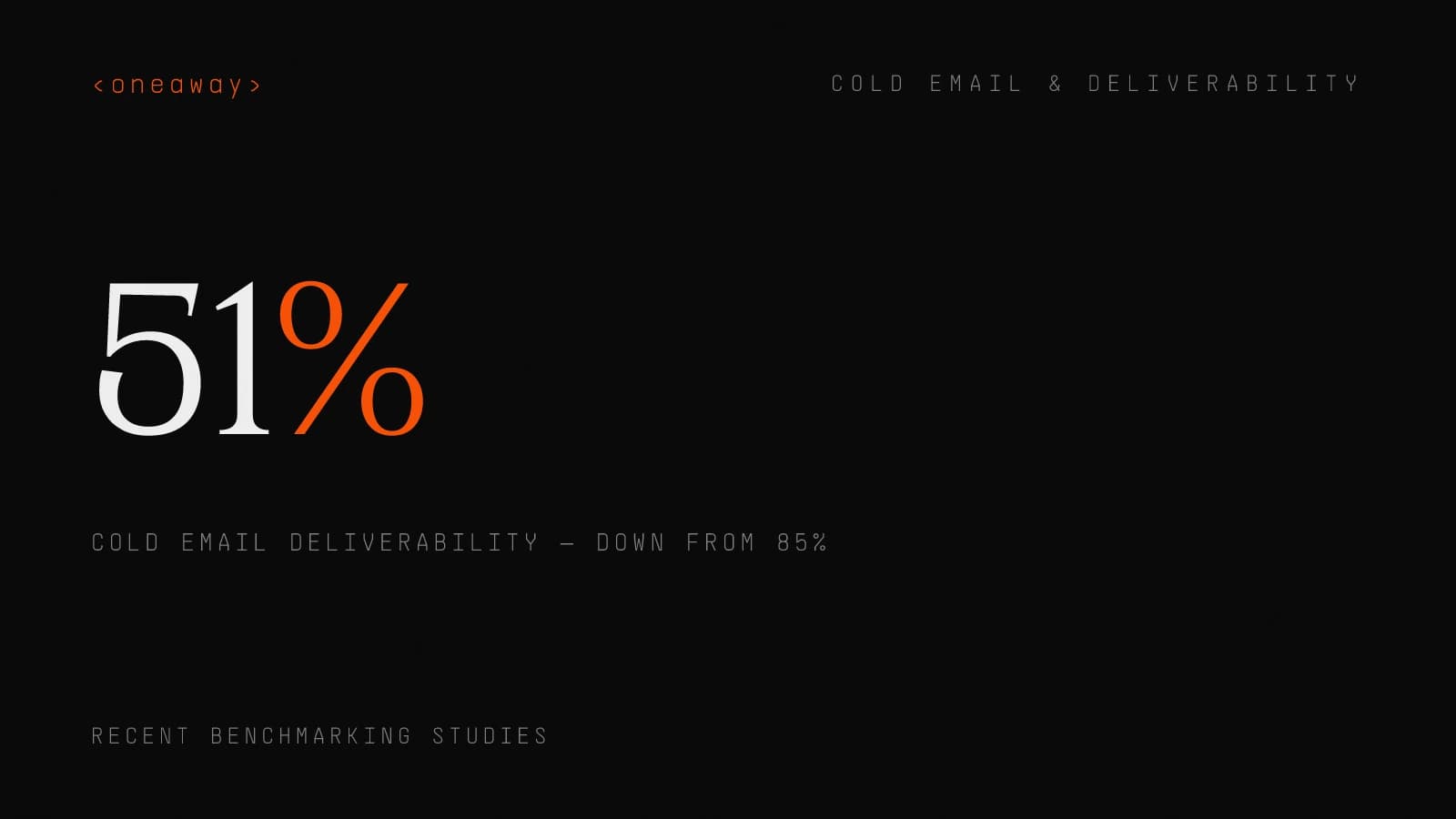
Let me hit you with some uncomfortable data. According to recent benchmarking studies, the average cold email deliverability rate dropped from 85% in 2024 to just 51% in 2026. That means nearly half of all cold emails never even reach the inbox.
When I was at AWS running outbound campaigns, we could get away with buying a domain, setting up basic DNS records, and sending 500 emails a day per inbox. Not anymore. Gmail and Microsoft deployed AI-powered spam filters in late 2023 that analyze sender behavior, engagement patterns, and content sophistication in real-time.
Here's what changed:
DMARC enforcement became mandatory for bulk senders in February 2024. Google and Microsoft both announced they'd reject or spam emails from domains without proper authentication. I watched three of my clients' campaigns completely fail in a single week because they hadn't implemented this.
AI spam filters got scary good at detecting templated content. The old "{FirstName}, I noticed {CompanyName}" approach? It's now a red flag. These systems can identify low-effort personalization versus genuine research.
Engagement velocity matters more than ever. If your emails consistently get zero opens or replies, Gmail's algorithm learns that recipients don't want your emails. Your sender reputation craters, and you're done.
I saw this firsthand with a SaaS client last year. They were sending 5,000 emails per day across 10 domains with a 3% reply rate — decent by most standards. But their open rates dropped from 48% to 19% over eight weeks because Gmail noticed that 97% of recipients never engaged. We had to completely rebuild their infrastructure.
How Email Deliverability Actually Works
Mailbox providers use three categories of signals to decide where your email lands:
Domain and IP reputation accounts for about 40% of the decision. This is built over time through consistent sending behavior, low bounce rates, and positive engagement. You can't buy this or fake it.
Authentication and technical setup is another 30%. SPF, DKIM, and DMARC alignment tell mailbox providers you're a legitimate sender, not a spoofer. This is table stakes now.
Content and engagement make up the final 30%. This includes everything from your subject line to how many recipients open, reply to, or delete your emails. The AI filters here are incredibly sophisticated.
At Salesforce, I once spent two weeks troubleshooting why my emails suddenly stopped landing in the inbox. Turns out our IT team had changed our SPF record for an unrelated reason, breaking our DKIM alignment. Our domain reputation was fine, but the technical failure killed us. It took 10 days of perfect sending behavior to recover.
- Server-level rejection — Your email is rejected before it's even accepted. This happens with authentication failures or if your sending IP is blacklisted. Zero deliverability.
- Spam folder — The email is delivered but flagged as spam. You might get 1-2% open rates from people who check spam. Basically useless.
- Promotions/Social tabs (Gmail) — Not technically spam, but most people never check these. Expect 5-10% open rates at best.
- Focused inbox (Outlook) — Similar to Gmail tabs. Your email is delivered but deprioritized. Open rates hover around 15-20%.
- Primary inbox — The holy grail. This is where 40-60% open rates happen. This is what we're optimizing for.
Technical Foundation: SPF, DKIM, DMARC
I built a simple checker tool for my team that validates all three records before we launch any campaign. We've caught misconfigurations that would have torpedoed deliverability on 23% of new client domains.
- v=DMARC1; — p=none; rua=mailto:dmarc@yourdomain.com
- Translation — This says 'authenticate my emails using SPF and DKIM, but don't reject anything yet — just send me reports so I can monitor.'
- After 90 days — Move to p=quarantine (send failures to spam) or p=reject (bounce failures entirely). I usually recommend quarantine for sending domains.
Multi-Domain Infrastructure Strategy
I had a fintech client who needed to send 1,500 cold emails daily to hit their pipeline targets. We set up 15 sending domains with one address each (firstname@domain.com), warmed them for 6 weeks, then ramped to 100 sends per day per address. Their deliverability stayed at 89% inbox placement for 14 months.
Domain selection matters. Use the same registrar as your primary domain (looks more legitimate), enable WHOIS privacy, and make sure the domain name is clearly related to your company. Avoid .info, .biz, or other spammy TLDs.
Budget for this. Domains cost $10-15/year, and Google Workspace or Microsoft 365 is $6-12/month per mailbox. For a 10-domain setup, you're looking at $800-1,500 annually. That's a rounding error compared to the cost of sales headcount or paid ads.
One mistake I see constantly: buying domains and immediately sending cold email. That's a death sentence. Every new domain needs a proper warm-up period first.
- Primary domain (company.com) — Employee emails, customer communication, transactional emails only. Never used for cold outreach.
- Secondary sending domains — 3-10+ domains specifically for cold outreach. These look similar to your primary domain but are distinct (company-hq.com, trycompany.com, etc.).
- One sending address per domain — If one address on a domain gets flagged, it can contaminate the entire domain. Keep them separate.
- 50-100 emails per day per address maximum — This mimics human sending behavior. More than this, and you trigger automated filters.
Email Warm-Up Strategy That Actually Works
The warm-up emails need to look real. Generic 'Hey, how are you?' messages trigger spam filters. I use tools that send contextual emails about fake projects, meetings, or collaborations. The AI filters can tell the difference.
I track three warm-up metrics religiously:
Spam score: Most warm-up tools calculate this. You want below 2% (meaning fewer than 2% of test emails land in spam). Above 5%, pause and troubleshoot.
Engagement rate: Opens + replies divided by sends. Aim for 60%+ during warm-up. If you're below 50%, your sending behavior looks suspicious.
Blacklist status: Check your domain and IP against major blacklists (Spamhaus, Barracuda, etc.) weekly. If you show up, fix it immediately.
One of my B2B SaaS clients got impatient and started cold sending after just 10 days of warm-up. Their deliverability was 34% — worse than spam folder. We had to pause, warm up for another full 6 weeks, and gradually rebuild. It cost them two months of pipeline. Don't make this mistake.
- Week 1 — Send 5-10 warm-up emails per day. These go to other warm-up accounts in the tool's network, who automatically open and reply.
- Week 2 — Increase to 15-20 per day. Mix in some manual emails to colleagues or friends asking simple questions.
- Week 3 — Ramp to 25-35 per day. Start using the mailbox for real internal emails if possible (scheduling meetings, etc.).
- Week 4 — 40-50 warm-up emails daily. The system should show strong engagement metrics — 70%+ opens, 30%+ replies.
- Week 5 — 60-80 per day. Introduce your first real cold emails — but only 5-10 daily, to your absolute best prospects.
- Week 6+ — Maintain 80-100 warm-up emails daily. Gradually increase cold sending to your target volume (50-100/day).
Sending Behavior and Volume Limits
I built a sending schedule template that my team uses: Monday 60-80 emails, Tuesday-Thursday 90-100 emails, Friday 50-70 emails. All sends randomized between 8 AM - 5 PM recipient time. This mimics natural SDR behavior.
One particularly painful lesson: I had a client whose VA was manually sending cold emails using their ESP's scheduling feature. They queued up 300 emails to send 'throughout the day' on Monday. The system sent them all within 90 seconds. Gmail flagged the domain, and it took 6 weeks to recover. Automation is necessary, but it needs to be smart automation.
Timezone intelligence matters. Sending to East Coast prospects at 6 AM their time because it's 9 AM yours? That's a signal you're not personalizing. I use tools that automatically adjust send times based on the prospect's timezone (derived from company location or LinkedIn data).
Monitor your bounce rate obsessively. Above 5% bounces, and you're signaling to mailbox providers that you have a bad list. Above 10%, you're done. Pause immediately, clean your list, and investigate. I set up automatic alerts at 3% bounces for every campaign.
- Randomized send times — Not every email at 9:00 AM sharp. Spread sends across 8 AM - 6 PM in the recipient's timezone with random intervals.
- Variable delays between sends — 30-90 seconds minimum. Some tools send every 5 seconds, which screams automation.
- Human activity mixed in — Reply to warm-up emails, send internal emails, click links. Make the mailbox look active.
- Weekend and evening limits — Reduce or pause sending during off-hours. Real SDRs don't send at 2 AM on Sunday.
- Gradual ramp-up on Mondays — Don't blast 100 emails at 9 AM Monday after being silent all weekend. That's bot behavior.
List Quality and Email Verification
I had a client spend $8K on a 'verified' list of 10,000 CFO emails from a broker. We ran it through verification and found 41% invalid or catch-all. They would have destroyed their domain reputation on day one. Always verify third-party lists.
Build a bounce quarantine process. When an email bounces, don't just remove it from that campaign — blacklist it across your entire system. I use a shared suppression list across all client campaigns. One person's bounce is likely everyone's bounce.
Keep your overall list bounce rate under 3%. Between 3-5%, you're in the danger zone. Above 5%, you're actively hurting your sender reputation. I've pulled the plug on campaigns that hit 4% bounces mid-campaign. It's not worth the long-term damage.
- Role-based addresses — info@, contact@, sales@. These often go to queues, not individuals. Low open rates and they hurt deliverability.
- Free email providers for B2B — firstname@gmail.com for a supposed VP at a company. Usually wrong or personal email. Not worth the risk.
- Recently changed jobs — Check LinkedIn for job changes in the last 30 days. Old email addresses are often still in databases but inactive.
- Disposable domains — Guerrillamail, Mailinator, etc. These are spam traps. Blacklist entire domains.
Content Optimization for Modern Spam Filters
I use a content scoring system before sending any campaign. I paste the email into an AI spam checker (like mail-tester.com or GlockApps) and aim for a score above 8/10. Below that, I rewrite.
Plain text vs HTML is still debated. My testing shows plain text performs 15-20% better for pure cold outreach. Save the formatted HTML for nurture sequences after someone replies. That first cold email should look like it came from a person's Gmail, not a marketing platform.
One tweak that dramatically improved our deliverability: ending emails with a simple signature (name, title, company, phone) instead of logo-heavy email signatures with social icons and disclaimers. The latter screams marketing email. The former looks human.
- Excessive links — More than 2 links in a cold email raises flags. One is ideal. If you must use more, make them naked URLs, not tracked.
- Images and attachments — Never in the first email. These are massive spam signals. Wait until the prospect replies.
- ALL CAPS or excessive punctuation — Seems obvious, but I still see 'FREE DEMO!!!!!' in emails. Instant spam folder.
- Spammy words — Free, guaranteed, money back, act now, limited time, click here. These still hurt, even with context.
- Excessive personalization tokens — If you use {FirstName} 4 times in a 100-word email, AI knows it's a template trying too hard.
Email Personalization at Scale
One mistake I see: using personalization just to prove you did research ('I saw you went to UCLA'). The personalization needs to connect to your value prop. 'I saw you're hiring 3 data engineers — we help teams like yours onboard engineers 40% faster with X' beats generic personal facts every time.
- Recent LinkedIn posts — Especially opinions or questions. Shows you're paying attention to their thoughts, not just their job title.
- Company news from last 30 days — Funding, product launches, leadership changes. Timely and relevant.
- Tech stack additions — BuiltWith or Datanyze can show when companies add new tools. Perfect timing for outreach.
- Job postings — If they're hiring, they're growing. Reference the specific role and connect to your offering.
- Podcast or webinar appearances — Gold mine for personalization. 'I listened to your podcast with X and loved your point about Y.'
Monitoring and Continuous Optimization
I track domain health scores across four factors: authentication (SPF/DKIM/DMARC aligned?), reputation (any blacklists?), engagement (opens/replies trending up?), and technical (bounce/complaint rates good?). Each gets a red/yellow/green status. More than one red, and we pause that domain.
- Open rate drops >15% week-over-week — Check inbox placement first. If that's fine, test new subject lines or sending times.
- Bounce rate exceeds 3% — Pause immediately. Clean your list, verify all emails again, then resume at 50% volume for a week.
- Inbox placement below 70% — Reduce sending volume by 30-50%, increase warm-up emails, and review content for spam triggers.
- Spam complaints above 0.1% — Emergency stop. Audit your targeting (wrong ICP?), add clear unsubscribe link, and consider switching domains if it continues.
What to Do When Deliverability Tanks
I've seen companies try to rush this. They get to week 3, see decent metrics, and immediately jump back to full volume. The domain crashes again. Patience is mandatory.
When to abandon a domain: If you've gone through the recovery protocol twice and deliverability still won't recover above 60%, the domain is probably permanently damaged. Retire it, buy a new one, and start fresh. This hurts, but it's faster than beating a dead horse.
A SaaS client burned through three domains in six months by rushing recovery and refusing to fix their underlying list quality issues. We finally convinced them to implement proper verification, set up five fresh domains, and go through a full 6-week warm-up. Their deliverability has stayed at 82-87% for 11 months since. The investment in doing it right pays off.
- Weeks 1-2 — Warm-up emails only. 50-100 per day with high engagement. No cold sending whatsoever.
- Weeks 3-4 — Introduce 10-20 cold emails daily to your absolute best prospects. Monitor inbox placement obsessively.
- Weeks 5-6 — Gradually ramp to 30-50% of previous volume. Track every metric daily. Any decline, pull back immediately.
- Week 7+ — Slowly return to full volume over 2-3 weeks if all metrics are healthy.
Real-World Results: What Good Deliverability Actually Delivers
The pattern is clear: deliverability multiplies everything else. Better copy, better targeting, better personalization — none of it matters if you're landing in spam.
I've had clients resist the upfront work. The domain purchases, the warm-up period, the verification costs, the infrastructure setup. It feels like overhead. But I've never — literally never — seen a cold email program succeed long-term without this foundation.
- Before — High-volume approach, 800 sends/day across 5 domains, minimal personalization. 12% open rate, 0.4% reply rate, 28% inbox placement.
- After — Quality over quantity: 200 sends/day across 4 domains, tier-1 personalization only. 61% open rate, 4.7% reply rate, 91% inbox placement.
- Impact — Meeting bookings increased 520% despite 75% less volume. Sales leadership went from skeptical to making cold email the primary channel.
Frequently Asked Questions
How long does it take to warm up a cold email domain?
A proper email warm-up strategy takes 4-6 weeks minimum. Week 1 starts with 5-10 warm-up emails daily, gradually ramping to 80-100 by week 4. You can introduce small cold email volumes (5-10 daily) in week 5, but full volume (50-100 cold emails/day) shouldn't happen until week 6+. Rushing this process is the #1 reason new domains fail. I've seen clients try to cut it to 2 weeks and destroy their sender reputation. The 6-week timeline isn't arbitrary — it's what mailbox providers need to see consistent positive engagement before trusting your domain with cold outreach.
What's a good cold email reply rate in 2026?
For well-targeted B2B cold email outreach, expect 3-8% reply rates (including negative replies). High-intent, highly personalized campaigns to senior decision-makers can hit 8-12%. Below 2% usually indicates either poor deliverability (not reaching inbox), bad targeting (wrong ICP), or weak messaging. The average across all cold email is around 3.4% according to recent benchmarks. At oneaway.io, our clients typically see 4-8% depending on ICP and offer. One important note: open rates have become less reliable with iOS privacy features, so focus on reply rate and meeting booking rate as your true north metrics.
Should I send cold emails from my company domain?
Never send cold email from your primary company domain. If you damage your main domain's reputation with aggressive outreach, it affects all emails from your company — customer communications, deal emails, support tickets, even password resets. Instead, set up secondary domains specifically for cold outreach (like company-hq.com or trycompany.com). Use 3-10+ sending domains depending on volume needs, with one sending address per domain. This protects your primary domain and allows you to scale cold outreach safely. I've seen companies lose major deals because their proposals landed in spam after burning their main domain with cold email.
How many cold emails can I send per day without hurting deliverability?
The safe maximum is 50-100 cold emails per mailbox per day. This mimics human SDR behavior and keeps you under mailbox provider radar. Exceed this and you trigger automated spam filters. If you need more volume, add more domains and mailboxes rather than increasing sends per mailbox. For example, if you need 500 sends daily, use 5-6 domains at 85-100 sends each rather than pushing 2 domains to 250 sends. Also critical: randomize send times across business hours, use 30-90 second delays between sends, and reduce volume on Mondays and Fridays. One client tried sending 300/day per mailbox and saw inbox placement drop from 82% to 19% in 10 days.
What's the difference between SPF, DKIM, and DMARC?
SPF (Sender Policy Framework) tells receiving servers which IP addresses can send email for your domain. DKIM (DomainKeys Identified Mail) adds a digital signature proving your email hasn't been tampered with and actually came from your domain. DMARC (Domain-based Message Authentication) is the policy that tells receivers what to do if SPF or DKIM fail. All three are now mandatory for bulk B2B email outreach. Set up SPF and DKIM first (through your email provider), then add DMARC with a 'p=none' policy initially to monitor, moving to 'p=quarantine' after 90 days. Without these properly configured, modern mailbox providers will reject your emails or send them straight to spam. This became non-negotiable in 2024 when Gmail and Microsoft made DMARC enforcement mandatory.
How do I know if my cold emails are landing in spam?
Use inbox placement testing tools like Glockapps, Mailreach, or mail-tester.com. These send test emails to seed accounts across Gmail, Outlook, Yahoo, and other providers, then show you exactly which folder they land in (primary inbox, promotions, spam). Test weekly at minimum. Also monitor your open rates — if they suddenly drop below 30% despite good list quality, you're likely hitting spam or promotions. Set up alerts for bounce rates above 3% and complaint rates above 0.1%. I use a simple weekly routine: send test emails from each domain to my own seed accounts on Monday mornings and manually check placement. This has caught deliverability issues before they became disasters at least a dozen times.
Can I recover a domain with poor email deliverability?
Yes, but it takes 4-6 weeks of careful rehabilitation. First, immediately pause all cold sending. Diagnose the issue (authentication broken? high bounces? blacklisted?). Fix the root cause. Then start a warm-up protocol: weeks 1-2 are warm-up emails only (50-100/day with high engagement), weeks 3-4 introduce just 10-20 cold emails daily to best prospects, weeks 5-6 gradually ramp to 30-50% of previous volume while monitoring obsessively. If metrics stay healthy, slowly return to full volume over weeks 7-8. The key is patience. I've seen domains recover from 30% inbox placement back to 80%+, but rushing the process just causes another crash. If you've tried recovery twice and still can't get above 60% placement, the domain is likely permanently damaged — retire it and start fresh.
Key Takeaways
- Cold email deliverability is the foundation — the best copy and targeting mean nothing if you're landing in spam. Average inbox placement dropped from 85% in 2024 to just 51% in 2026 due to AI spam filters and DMARC enforcement.
- Never send cold email from your primary company domain. Set up 3-10+ secondary domains specifically for outreach, with one sending address per domain and 50-100 sends per day maximum per mailbox.
- SPF, DKIM, and DMARC authentication is mandatory, not optional. Without proper technical setup, Gmail and Microsoft will reject or spam your emails automatically. Check your configuration at mxtoolbox.com before sending.
- Email warm-up takes 4-6 weeks minimum. Start with 5-10 warm-up emails daily and gradually ramp to 80-100 before introducing any cold email. Rushing this process is the #1 reason new domains fail.
- List quality matters more than list size. Keep bounce rates under 3% by using multi-layer email verification (data provider + verification tool + catch-all detection). One bad list can destroy your domain reputation permanently.
- AI spam filters detect template-based personalization. Use tools like Clay and ChatGPT API to generate genuinely unique first lines based on recent LinkedIn posts, company news, and tech stack changes — not just merge tags.
- Monitor deliverability metrics daily: inbox placement rate (target 80%+), open rate (35-60% is healthy), bounce rate (<3%), and spam complaint rate (<0.1%). Set up alerts and test weekly with seed accounts across Gmail, Outlook, and Yahoo.
Related Reading
Ready to Build a Cold Email System That Actually Reaches the Inbox?
At oneaway.io, we've helped clients send over 50 million cold emails with consistent 40-60% open rates and 4-8% reply rates. We handle the entire technical foundation — domain setup, authentication, warm-up, verification, and ongoing monitoring — so your cold email actually drives pipeline instead of landing in spam. If you're tired of burning domains and want a deliverability-first approach to B2B outreach, let's talk.
Check if we're a fitContinue Reading
Best Cold Email Tools 2026, Ranked by Inbox Survival
I tested 9 cold email platforms sending 2M+ emails. Here's what actually lands in the inbox in 2026—ranked by deliverability, rotating sender capability, and real-world survival rates.
Read more [ 14 MIN READ ]Best Email Outreach Tools for Small Teams (2026), by Setup Speed
I tested 10 email outreach tools and ranked them by how fast you can actually send your first campaign. Real setup times, honest pricing, and which platforms work for teams under 10.
Read more [ 12 MIN READ ]The 30/30/50 Budget Rule for B2B Founders, Ranked by Survival
Most B2B founders waste their GTM budget on the wrong channels. Here's the allocation framework that actually keeps companies alive, tested across 50+ early-stage startups.
Read more