Cold Email Deliverability Mistakes Killing Your Pipeline

I sent my first cold email at Salesforce in 2019. Back then, if you wrote decent copy and had a clean list, you'd hit **35-45% open rates** and **8-12% reply rates** without breaking a sweat. We were booking 15-20 meetings a month per SDR with sequences that would get laughed out of the room today.
Fast forward to Q1 2026, and I'm watching clients freak out because their reply rates dropped from 10% to under 2% in six months. Not because their messaging got worse. Not because their targeting changed. Their emails just stopped reaching the inbox.
Here's what nobody tells you: cold email deliverability is now an engineering problem, not a copywriting problem. Google's February 2024 policy changes, Yahoo's matching rules in March 2025, and Microsoft's May 2025 bulk-sender restrictions didn't just raise the bar—they rebuilt the entire game. If you're still treating deliverability like it's 2022, you're burning pipeline.
What Actually Collapsed (And Why)
Let me give you the numbers that matter. In 2022, a well-executed cold email campaign would see 35-45% open rates and 8-12% reply rates. By Q1 2026, those same campaigns—same copy, same targeting—are seeing 12-18% opens and 1-3% replies.
That's not a dip. That's structural collapse.
I saw this firsthand with a SaaS client we onboarded in January 2026. They were running the exact playbook that crushed it for them in 2023: solid list, decent copy, proper segmentation. Their head of sales couldn't understand why they went from 40 meetings a month to 6.
The problem wasn't their approach. The infrastructure underneath cold email fundamentally changed:
February 2024: Google introduced bulk sender requirements—SPF, DKIM, DMARC alignment, one-click unsubscribe, spam complaint rates under 0.3%.
March 2025: Yahoo matched Google's policies and added their own authentication requirements.
May 2025: Microsoft rolled out the strictest rules yet—domains sending 5,000+ emails per day to Outlook addresses now need demonstrated sending history and engagement metrics.
Here's what this means in practice: roughly 17% of cold emails never reach the inbox. About 10.5% land in spam folders. Another 6.4% just disappear—not bounced, not rejected, just gone.
When I was at AWS, we could spin up a new domain, do basic SPF/DKIM setup, and start sending 100 emails a day within a week. Try that now and you'll hit spam before lunch.
Mistake #1: Sending from Your Primary Domain
We helped a Series B HR tech company set up 4 sending domains in Q4 2025. Each domain runs 30 mailboxes, each mailbox sends 40 emails per day. Their primary domain remains pristine while cold outreach runs at scale.
Cost to implement: $120 per year for domains. Cost of burning your primary domain: existential.
- Buy dedicated sending domains — Register domains similar to your primary (acme-hq.com, acmehq.io, tryacme.com). Never use your primary domain or exact-match alternatives.
- Use one domain per 20-30 mailboxes max — If you're scaling to 100 emails per day per rep and have 5 reps, you need 2-3 sending domains minimum.
- Rotate domains every 6-9 months — Even if nothing breaks. Domains accumulate reputation damage invisibly. Fresh domains with proper warm-up outperform aged domains consistently.
Mistake #2: Skipping Real Warm-Up (Or Doing It Wrong)
At Salesforce, we didn't think about warm-up because we were sending from established corporate domains with years of history. Now, if you skip warm-up or rush it, you're starting in the spam folder on day one.
- Start impossibly slow — 5-10 emails per day for week one. I know this feels absurd. Do it anyway.
- Gradually increase over 4-6 weeks — Add 5-10 emails per day each week until you hit your target send volume (typically 40-50 per day per mailbox).
- Send to real humans first — Your first 100 emails should go to people who will actually open and reply: your team, investors, partners, existing customers.
- Mix email types — Don't just send cold outreach. Send calendar invites, follow-ups, internal updates—varied content signals you're a real sender.
- Maintain consistent volume — Spiking from 20 emails per day to 200 overnight is a massive red flag. Consistent daily volume is better than occasional bursts.
Mistake #3: Ignoring Volume Limits (The New Reality)
Notice these are per-mailbox limits, not per-domain limits. If you need to send 200 emails per day, you need 4-5 mailboxes, not one mailbox sending 200.
We set up a demand gen agency with 8 SDRs in Q1 2026. Each SDR uses 2 mailboxes (different sending domains), each sending 40 emails per day. That's 80 emails per SDR per day, split across infrastructure that maintains high deliverability.
Their cold email reply rates sit at 7.2%—nearly 4x industry average—because their volume matches their infrastructure capacity.
- New domains (0-8 weeks) — 5-10 emails per day ramping to 30-40 over 6 weeks. Not per domain—per individual mailbox.
- Warmed domains (8-16 weeks) — 40-50 emails per day per mailbox. This is your sustainable ceiling for most B2B cold outreach.
- Established domains (16+ weeks with good engagement) — 60-80 emails per day per mailbox, but only if your reply rates are above 5% and spam complaints are under 0.1%.
| Domain Age | Daily Limit Per Mailbox | Recommended Split |
|---|---|---|
| 0-2 weeks | 5-10 emails | 1 mailbox per 10 emails |
| 2-4 weeks | 15-20 emails | 1 mailbox per 20 emails |
| 4-6 weeks | 25-35 emails | 1 mailbox per 30 emails |
| 6-8 weeks | 35-45 emails | 1 mailbox per 40 emails |
| 8+ weeks (warmed) | 40-60 emails | 1 mailbox per 50 emails |
Mistake #4: Half-Assing Technical Authentication
This isn't sexy work. It's DNS records and header configuration. But it's the difference between 18% inbox placement and 80% inbox placement.
- Week 1: Set up SPF and DKIM — Add all sending services to SPF record, generate and verify DKIM keys for each service.
- Week 2: Implement DMARC with 'none' policy — Start collecting authentication reports. Use a DMARC monitoring tool (we use Postmark or dmarcian).
- Week 3-4: Review DMARC reports and fix failures — Identify any sources failing authentication. Fix SPF includes or DKIM alignment issues.
- Week 5: Move to 'quarantine' policy — Failing emails go to spam instead of inbox. Monitor for any legitimate mail getting caught.
- Week 6+: Move to 'reject' policy — Failing emails get rejected completely. Only do this when you're confident everything's properly authenticated.
Mistake #5: Treating All Personalization Equally
At Salesforce, we had a rep who refused to use our templates. He spent 3-4 minutes researching each prospect and wrote semi-custom emails. Everyone thought he was wasting time.
He booked 3x more meetings than the team average and his emails had reply rates around 15%. Turns out, investing time upfront in real research beats mass volume every time.
We built this into our process at oneaway. Our clients send 60% fewer emails than they did in 2023, but book 40% more meetings. The math works when deliverability and relevance both improve.
- Segment ruthlessly before personalizing — Group prospects by actual signal (tech stack, hiring patterns, funding events, product launches). Personalize per segment, not per individual.
- Reference specific, non-obvious details — "I saw you're hiring 3 AEs in your Chicago office" beats "I noticed you're growing" by 8x in reply rates.
- Vary sentence structure and length — Templates have uniform structure. Human emails don't. Mix short and long sentences. Use fragments occasionally. Break patterns.
- Limit personalization to 1-2 elements per email — Ironically, too much personalization looks automated. Reference one specific thing, then get to value.
Mistake #6: Not Monitoring What Actually Matters
This takes 30 minutes per week. It's the difference between catching deliverability issues early and losing a month of pipeline.
- Google Postmaster Tools — Free domain reputation monitoring for Gmail. Set up for all sending domains.
- Microsoft SNDS — Tracks sender reputation for Outlook/Microsoft 365. Essential if you're targeting enterprise.
- Weekly seed list tests — Send test emails to Gmail, Outlook, Yahoo accounts. Manually check inbox vs. spam placement.
- ESP-level analytics — Track reply rate, bounce rate, and spam complaint rate by domain and by campaign.
Mistake #7: Trying to Fix Burned Domains (Instead of Starting Fresh)
We now plan domain rotation into every client engagement. Domains are disposable infrastructure, not brand assets.
One client rotates sending domains every 6 months proactively. They never hit deliverability issues because they're always sending from domains with clean reputation. Costs them $120 per year in domain registration. Saves them from pipeline disasters.
- If spam complaint rate is 0.5-1% — Pause sending immediately. Review your list quality and targeting. Wait 2 weeks, then restart at 50% volume with better targeting. Recoverable in 4-6 weeks.
- If spam complaint rate is 1-2% — Domain is severely damaged. Recovery requires 6-8 weeks minimum of extremely low-volume, high-engagement sends. Not worth it—spin up a new domain.
- If spam complaint rate is above 2% — Domain is blacklisted. Do not pass go. Do not collect $200. Retire the domain completely and start fresh.
- If domain reputation is 'Bad' in Postmaster Tools — Same as above—don't waste time on recovery. The reputation system is stickier than it was in 2023.
What Actually Works Now (The 2026 Playbook)
This playbook takes 8 weeks from domain registration to full-volume cold outreach. It's slower than the old playbook. It also actually works.
- Monday: Check spam rates and domain reputation — If spam rate is above 0.3% or domain reputation drops below 'High', pause that domain.
- Wednesday: Review reply rates by sequence — If reply rate is under 3%, your targeting or copy needs work. Below 2% means deliverability issues.
- Friday: Run seed list tests — Send test emails to Gmail/Outlook/Yahoo accounts. Check inbox vs. spam placement.
Real Results from Fixing This
Their client retention jumped from 62% to 89% because campaigns actually worked consistently. Infrastructure investment paid for itself in month one.
The pattern across all three: lower volume, better infrastructure, higher results. The old spray-and-pray playbook is dead.
- Before (Q4 2025) — Running campaigns for 8 clients from shared infrastructure. High spam rates, frequent blacklisting, constant firefighting.
- After (Q1 2026) — Dedicated infrastructure per client (2 domains, 4 mailboxes each). Standardized warm-up and monitoring. No blacklist events in 6 months.
Frequently Asked Questions
What is the biggest cold email deliverability mistake in 2026?
Sending from your primary domain is the biggest mistake. If your spam complaint rate spikes or you get blacklisted, your entire company's email—transactional, customer support, invoices—goes to spam. Always use dedicated sending domains separate from your primary domain. This single change protects your business while allowing you to scale cold outreach safely.
How long does email warm-up actually take in 2026?
Real email warm-up takes 6-8 weeks minimum. Start at 5-10 emails per day and increase by 5-10 emails weekly until you hit 40-50 emails per day per mailbox. Send to real people (your team, partners, customers) first, not just automated warm-up pools. Tools that promise 2-week warm-up are setting you up for spam folder placement.
What cold email reply rate should I expect in 2026?
With proper infrastructure and targeting, you should see 5-10% reply rates on B2B cold email outreach. Industry average is 1-3% because most people have broken deliverability. If you're under 2%, you likely have deliverability issues, not messaging issues. If you're under 1%, your emails aren't reaching the inbox at all.
How many emails per day can I safely send per domain?
Don't think per domain—think per mailbox. Each mailbox should send 40-50 emails per day max after proper warm-up. If you need higher volume, add more mailboxes across multiple sending domains. New domains should start at 5-10 emails per day and ramp over 6-8 weeks. Sending 100+ emails per day from a single mailbox will get you blacklisted.
Do I really need SPF, DKIM, and DMARC for cold email?
Yes. These aren't optional anymore. Google, Yahoo, and Microsoft require proper authentication for bulk senders (5,000+ emails per day), but even low-volume cold email needs SPF, DKIM, and DMARC to hit the inbox consistently. Set up SPF and DKIM first, then implement DMARC starting with 'none' policy and moving to 'quarantine' after 2-4 weeks of clean sending.
Can I recover a domain with bad sender reputation?
If your spam complaint rate is under 1% and domain reputation is 'Medium' or above, recovery is possible in 4-6 weeks with dramatically reduced volume and better targeting. If spam complaints exceed 1% or reputation is 'Low' or 'Bad', don't bother—recovery takes 3-6 months with low success rates. Register a new domain and start fresh with proper warm-up. Domains cost $15; lost pipeline costs thousands.
What's the difference between email personalization that works and spam?
Real personalization references specific, non-obvious details (recent hire, tech stack, specific product launch) that show actual research. Spam personalization just uses first name and company name in a template. LLM-based spam filters in 2026 can detect templated patterns even with merge fields. The key is segmenting by real buying signals first, then personalizing per segment with actual research.
Key Takeaways
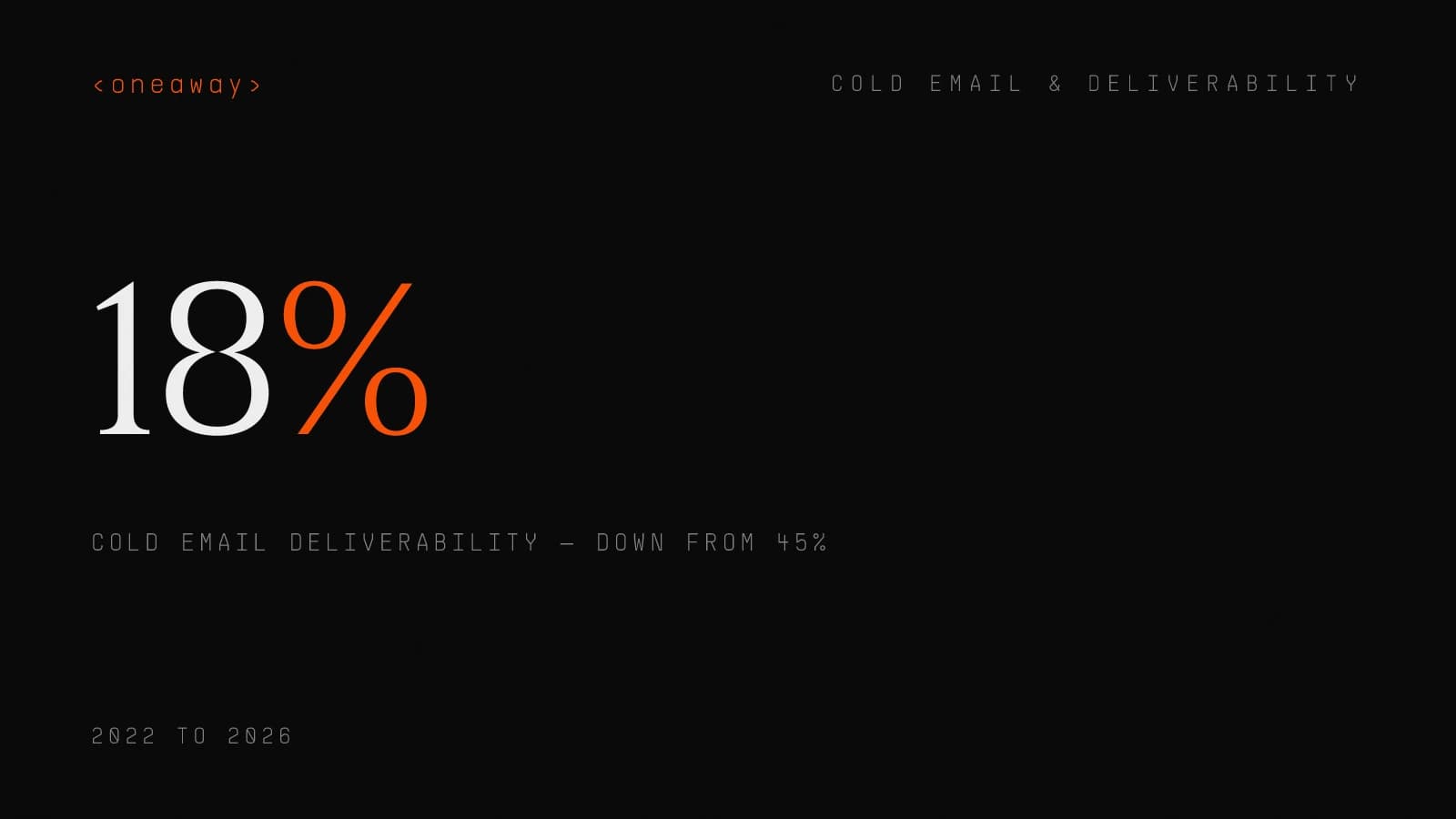
- Cold email deliverability dropped from 45% to 18% between 2022 and 2026 due to Google, Yahoo, and Microsoft bulk sender policy changes—this is structural, not temporary.
- Never send cold email from your primary domain. Use dedicated sending domains to protect your company's transactional email and brand reputation. Domain blacklisting affects all email, not just cold outreach.
- Real warm-up takes 6-8 weeks, starting at 5-10 emails per day and ramping to 40-50. Tools promising 2-week warm-up are selling theater, not deliverability.
- SPF, DKIM, and DMARC authentication are mandatory for inbox placement. Implement all three properly or accept that 40-60% of your emails will land in spam.
- Volume limits changed dramatically—send max 40-50 emails per day per mailbox, not per domain. Exceeding this tanks deliverability regardless of other factors.
- Monitor spam complaint rate weekly using Google Postmaster Tools and Microsoft SNDS. Above 0.3% is warning territory; above 0.5% means you're getting blacklisted.
- Reply rate is the real metric—5-10% is achievable with proper infrastructure and targeting. Under 2% indicates deliverability issues, not messaging problems.
Related Reading
Fix Your Cold Email Infrastructure Before It Kills Your Pipeline
We've helped 60+ B2B companies rebuild their cold email infrastructure from the ground up—proper domain setup, authentication, warm-up, and monitoring. Most see 3-4x higher reply rates within 60 days. If your cold email reply rates dropped in the last 6 months, you likely have an engineering problem, not a messaging problem. Book a free infrastructure audit and we'll show you exactly what's broken and how to fix it.
Check if we're a fitContinue Reading
Best Email Outreach Tools for Small Teams (2026), by Setup Speed
I tested 10 email outreach tools and ranked them by how fast you can actually send your first campaign. Real setup times, honest pricing, and which platforms work for teams under 10.
Read more [ 12 MIN READ ]The 30/30/50 Budget Rule for B2B Founders, Ranked by Survival
Most B2B founders waste their GTM budget on the wrong channels. Here's the allocation framework that actually keeps companies alive, tested across 50+ early-stage startups.
Read more [ 14 MIN READ ]Best Email Warm-Up Tools 2026: Safety vs Fake Engagement
I ranked the best email warmup tools by what actually matters in 2026: real deliverability improvement vs fake engagement that gets you flagged. Here's what works.
Read more