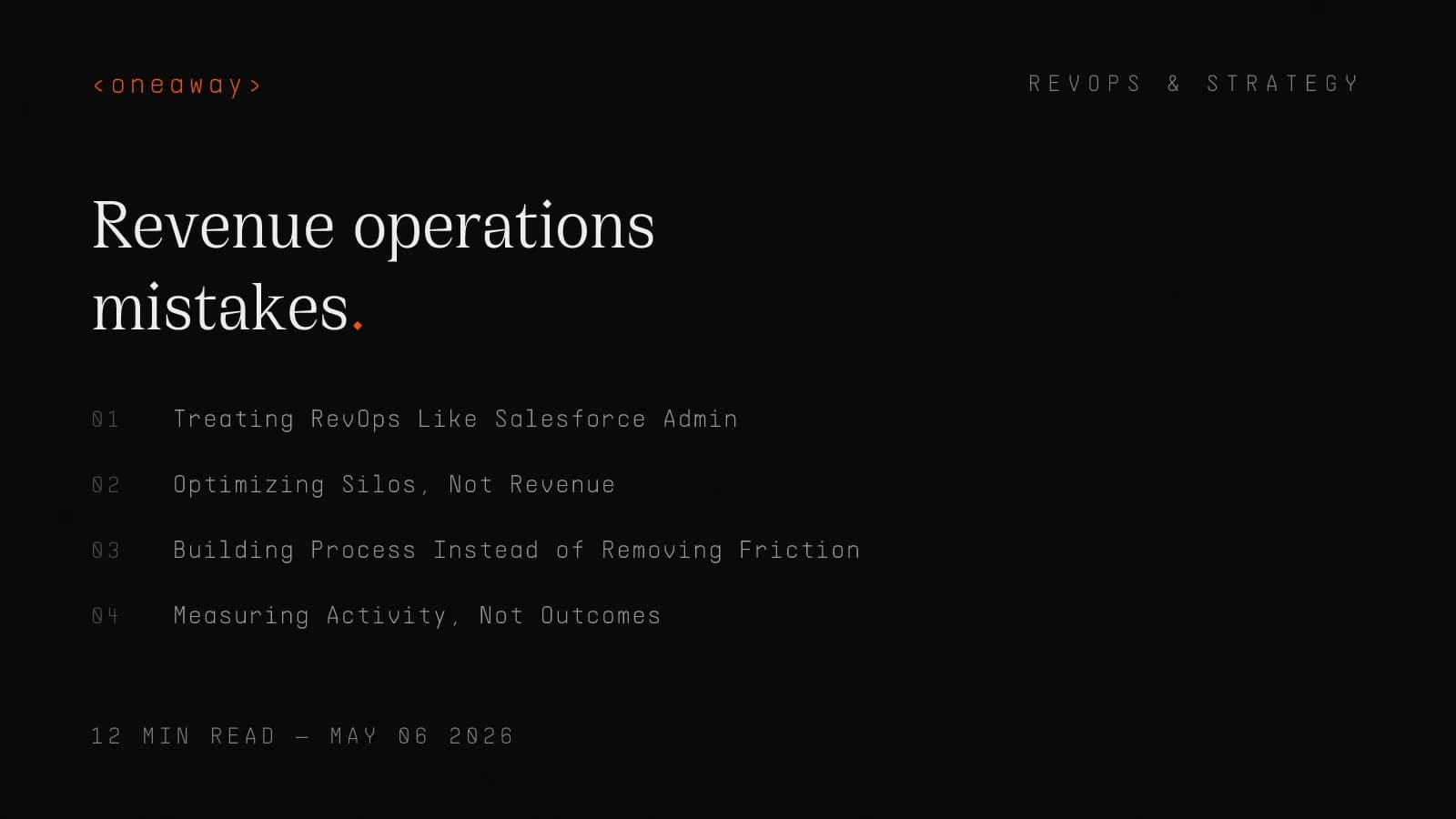
7 Revenue Operations Mistakes That Kill Your Pipeline

I spent two years at Salesforce watching deals die in our CRM like fruit flies in summer. Not because our product was bad or our reps were lazy—but because our **revenue operations** were fundamentally broken.
The worst part? Nobody knew it was broken. We had dashboards. We had process docs. We had a RevOps team. But our pipeline conversion rate was 23% when it should have been north of 35%. We were bleeding revenue and calling it 'market conditions.'
Now I run a GTM engineering agency where we fix this exact problem for B2B companies. And I see the same mistakes everywhere—from Series A startups to Fortune 500s. The 2026 State of RevOps report found that 79% of companies now have formal RevOps functions, but most are still making the same seven fatal mistakes that kill pipeline velocity and tank conversion rates.
Mistake #1: Treating RevOps Like Salesforce Admin
This is the most common and most expensive mistake I see. Companies hire someone with 'RevOps' in their title, and that person spends 80% of their time on CRM configuration, user permissions, and field mapping.
At AWS, I watched our 'RevOps team' spend three months building a custom object structure in Salesforce that was architecturally beautiful and operationally useless. Meanwhile, our SDRs were still manually logging calls because nobody had time to fix the broken Outreach integration.
Here's what actually happened: We had a 41% contact-to-opportunity conversion rate in Q1. By Q3, after the 'RevOps improvements,' it had dropped to 28%. Why? Because the team optimized the database, not the revenue motion.
- What it looks like — Your RevOps person's calendar is full of 'Salesforce office hours' and their Slack status says 'fixing a workflow.' They can tell you how many custom fields you have but not your average deal velocity.
- Why it kills pipeline — While you're perfecting data structures, your reps are hitting friction at every stage. Deals stall because nobody's optimizing the actual revenue motion—just the system that tracks it.
- What to do instead — RevOps should own revenue velocity, not CRM hygiene. Track deal progression speed, conversion rates between stages, and time-to-close by segment. CRM admin work should take 20% of their time, max.
The Real RevOps Job Description
I rebuilt our client's RevOps function around three core responsibilities, and their pipeline velocity increased 34% in 90 days. Here's what actually belongs in a revenue operations role:
| Traditional RevOps | Actual RevOps | Impact on Pipeline |
|---|---|---|
| Build Salesforce dashboards | Identify conversion bottlenecks | 10-30% faster deal progression |
| Manage user licenses | Design territory & routing logic | 15-25% better lead response time |
| Create opportunity stages | Optimize handoff points | 20-40% fewer dropped deals |
| Configure automations | Remove revenue friction | 25-50% higher win rates |
| Field requests from sales | Run revenue forensics | Pipeline forecast accuracy +35% |
Mistake #2: Optimizing Silos, Not Revenue
At Salesforce, marketing celebrated hitting their MQL target while sales missed quota by 22%. Nobody connected the dots that the MQLs were garbage.
This is the sales and marketing alignment problem everyone talks about but almost nobody fixes. According to the 2026 SyncGTM report, misalignment between GTM teams costs B2B companies an average of $2.3M in lost revenue annually.
I see this constantly: Marketing optimizes for form fills. Sales optimizes for meetings booked. Customer Success optimizes for renewal rate. Everyone hits their numbers while company revenue tanks.
- The symptom at one client — Marketing generated 2,400 MQLs in Q4. Sales converted 86 to opportunities. That's a 3.6% conversion rate. The CMO got a bonus. The VP Sales got fired. The real problem? Nobody owned the full funnel.
- Why this kills pipeline — When each team optimizes their own metrics, you get local maxima and global disaster. Marketing floods sales with bad leads. Sales cherry-picks and ignores the rest. CS never sees the early signals that could prevent churn.
- The actual fix — Stop measuring team metrics. Start measuring revenue metrics. We implemented a single metric—'revenue velocity'—that tracks the speed and conversion of dollars through the entire GTM motion.
How We Fixed This for a Series B SaaS Company
We replaced 14 different team KPIs with 5 unified revenue metrics that every team shared ownership of:
Within one quarter, their SAL-to-close rate jumped from 11% to 19%. Not because anyone worked harder—because everyone started optimizing the same thing.
- Pipeline velocity — Average days from first touch to closed-won, broken down by segment and source
- Stage conversion rates — Not just 'how many MQLs' but 'what % of MQLs become revenue' across every handoff
- Revenue coverage ratio — Pipeline value divided by quota, but calculated at 4x weighted probability, not raw numbers
- Customer acquisition efficiency — New ARR divided by total GTM spend (not just marketing or sales—everything)
- Expansion revenue rate — Net new ARR from existing customers as a percentage of starting ARR
Mistake #3: Building Process Instead of Removing Friction
Here's a sentence I heard at AWS that still makes me twitch: 'We need to document the process for how reps should handle objections and then build a Salesforce validation rule to enforce it.'
The obsession with process documentation is killing RevOps teams. I reviewed one client's go-to-market operations manual—it was 127 pages long. Their reps spent more time following the process than talking to customers.
The 2026 RevOps trends show that high-performing teams focus on removing friction, not adding guardrails. Every process you add is a tax on velocity.
- What this looks like in practice — Mandatory fields that don't matter. Multi-step approval workflows for standard discounts. 'Best practice' email templates that sound like robots. Reps spend 40% of their day on administrative compliance.
- The pipeline damage — I tracked this for a client: Every additional mandatory field in their opportunity object added 2.3 days to average deal cycle time. They had 18 mandatory fields. That's 41 days of pure friction tax.
- What to do instead — Run friction audits. Time how long it takes a rep to complete common tasks. If logging a meeting takes more than 60 seconds, your process is broken. If scheduling a demo requires three approvals, you're bleeding pipeline.
The 5-Minute Friction Audit
One client eliminated 11 process steps using this audit. Their sales cycle dropped from 87 days to 61 days. Same product. Same team. Just removed the friction.
- Lead assignment to first contact — Should be under 5 minutes. If it takes hours, your routing is broken.
- Meeting scheduled to calendar invite sent — Should be instant. If reps are manually sending invites, automate it.
- Demo completed to follow-up sent — Should be same day. If there's a mandatory approval, kill it.
- Verbal yes to contract sent — Should be under 2 hours. Every hour you wait is a chance for deals to die.
- Contract signed to onboarding started — Should be next business day. If CS needs a week to 'prepare,' you're leaving expansion revenue on the table.
Mistake #4: Measuring Activity, Not Outcomes
The most useless dashboard I ever built at Salesforce tracked 'calls per rep per day.' We had beautiful trend lines showing call volume increasing month over month.
Pipeline didn't move. Win rates didn't improve. But we could definitively prove people were making more calls. This is the revenue intelligence trap—measuring inputs instead of outputs.
I see this everywhere in RevOps automation: Companies track emails sent, forms filled, meetings booked, proposals delivered. But nobody tracks the thing that matters—revenue created per unit of effort.
- The telltale signs — Your weekly pipeline review focuses on 'activity metrics.' Reps are judged by dials and emails, not conversion rates and deal sizes. Your CRM dashboard shows how busy everyone is, not how effective they are.
- Why this destroys pipeline — When you measure activity, you get activity. Reps optimize for volume over quality. They blast 200 emails instead of researching 20 accounts. They book bad-fit meetings to hit quota. Garbage in, garbage out.
- The fix — Every activity metric needs an outcome metric attached. Don't measure calls—measure calls-to-meeting rate. Don't measure MQLs—measure MQL-to-revenue conversion. Don't measure emails sent—measure reply rate and meeting-booked rate.
Activity Metrics vs. Outcome Metrics
Here's how we restructured metrics for a client's SDR team. Before the change, they hit activity targets but missed revenue by 31%. After, they exceeded quota two quarters in a row:
| Activity Metric (Bad) | Outcome Metric (Good) | What It Actually Measures |
|---|---|---|
| Calls made per day | Connect rate per 100 dials | Quality of target list & timing strategy |
| Emails sent per week | Reply rate by email type | Message relevance & personalization |
| Meetings booked | Meeting-to-opportunity rate | Lead qualification effectiveness |
| MQLs generated | MQL-to-closed revenue | Marketing's contribution to actual revenue |
| Demos delivered | Demo-to-close rate by segment | Product-market fit & sales execution |
| Opportunities created | Win rate by opportunity source | Pipeline quality, not just quantity |
Mistake #5: Automation Without Data Hygiene
I watched a team at AWS spend $40K on a fancy RevOps automation stack. Zapier, Outreach, 6sense, the works. Three months later, their data was so polluted that the automations were sending the wrong emails to the wrong people at the wrong companies.
This is the classic mistake: automating a broken process just breaks things faster. Your CRM has duplicate records, incomplete data, and inconsistent field values—and now you're using AI to amplify the chaos.
According to SyncGTM's research, 67% of RevOps teams cite data quality as their biggest operational challenge in 2026. Yet most companies buy more tools before fixing the foundation.
- What this looks like — Your marketing automation sends 'Hi [First Name]' emails. Your enrichment tool filled in job titles from 2019. Your ABM platform is targeting contacts who left the company. Automation is working perfectly—it's the data that's garbage.
- The pipeline cost — Bad data doesn't just waste money—it destroys trust. I tracked one client's automated nurture campaign: 23% of recipients had left their companies. Another 31% had incorrect job titles. They burned their TAM in 90 days.
- How to actually fix it — Data hygiene comes before automation, not after. We implement a 'clean, then automate' rule: no new automation until data accuracy is above 85% for critical fields. That means deduplication, enrichment, and validation before you build the workflow.
Our Pre-Automation Data Checklist
We did this for a Series B company whose email bounce rate was 22%. After cleaning and enriching their database, bounce rate dropped to 3% and reply rates doubled. Same emails. Clean data.
- Deduplication audit — Run a full scan for duplicate contacts, accounts, and opportunities. Most CRMs have 15-30% duplication. Merge or delete before automating.
- Field completeness check — For your top 10 critical fields (email, title, company, etc.), what's your completion rate? Anything below 80% needs enrichment before you automate.
- Data freshness verification — When was this data last verified? Job changes happen every 18 months on average. If your data is older than that, re-enrich it.
- Validation rules — Build CRM validation that prevents bad data from entering. Email format validation, phone number formats, required fields at each stage.
- Automated decay detection — Set up workflows that flag records that haven't been touched in 180+ days. Either re-validate or remove from automation sequences.
Mistake #6: Ignoring the Post-Sale Revenue Engine
Most revenue operations teams stop at 'closed-won.' That's insane. For B2B SaaS companies in 2026, 60-70% of revenue growth comes from existing customers—expansions, upsells, and renewals.
But I see this constantly: RevOps is structured around acquisition. All the automation, reporting, and optimization ends when the deal closes. Customer Success is treated like a cost center with separate systems, separate data, and separate goals.
At Salesforce, we had incredible visibility into pre-sale pipeline and complete blindness into expansion pipeline. We could tell you exactly how many demos happened last week but had no idea which accounts were ready for upsell conversations.
- The symptom — Your RevOps team can recite every acquisition metric but can't tell you average expansion ARR by segment or time-to-first-upsell. CS operates in a different tool. Nobody tracks product usage signals in the CRM.
- The revenue leak — One client had 340 customers. Their data showed 89 accounts had expanded usage that qualified for upsells. Zero had been contacted. That was $780K in revenue just sitting there because RevOps didn't extend past the initial sale.
- The fix — Extend revenue operations through the full customer lifecycle. Build expansion pipeline tracking the same way you track new business. Create automated signals for upsell-readiness based on product usage, engagement scores, and consumption patterns.
The Post-Sale Revenue Operations Framework
We built this framework for clients to systematize expansion revenue the same way they systematize acquisition:
- Usage-based lead scoring — Track product engagement, feature adoption, and usage growth. When an account hits 70% of license capacity or adopts a gateway feature, create an automated expansion opportunity.
- Customer health dashboards — Build leading indicators of churn and expansion into your RevOps reporting. NPS scores, support ticket trends, executive engagement, product usage trajectory—all in one view.
- Renewal pipeline management — Treat renewals like new business. Track them 180 days out. Assign owners. Build progression stages. One client increased renewal rate from 83% to 94% just by making renewals visible.
- Cross-sell and upsell triggers — Map which features lead to which expansion opportunities. When a customer adopts feature X, automatically alert the account team about product Y.
- Customer journey orchestration — Don't stop automation at onboarding. Build automated touchpoints that drive expansion: QBRs, health checks, feature announcements, success milestones.
Mistake #7: Buying Tools Before Defining Systems
The average B2B company now uses 34 different GTM tools, according to 2026 research. Most of them don't talk to each other. Most aren't fully implemented. And most were bought to solve problems that nobody properly defined.
I see this pattern constantly: A VP gets excited about a tool they saw at a conference. They buy it. It sits unused for six months because nobody defined the actual workflow it was supposed to enable. Then they buy another tool to fix the problem the first tool was supposed to solve.
At AWS, we had three different enrichment tools because different teams bought them at different times. They all did roughly the same thing. They all had different data. Nobody knew which was the source of truth.
- How to spot this — Your team's Slack is full of messages asking 'which tool should I use for X?' You have overlapping licenses. Tools are implemented but not integrated. Your tech stack diagram looks like a bowl of spaghetti.
- The actual cost — It's not just the license fees—though one client was spending $187K annually on redundant tools. It's the context switching, the data fragmentation, and the fact that nobody can get a complete view of a customer's journey.
- The right approach — Define the system first, then buy the tools. Map your revenue workflow end-to-end. Identify where humans add value and where automation should handle it. Then—and only then—select tools that fit your system, not the other way around.
Our GTM Tech Stack Audit Process
One client eliminated 12 tools and added 3 new ones using this process. Their total tool spend dropped 38% while revenue per GTM employee increased 52%. Tools should serve your system, not define it.
- Step 1: Map the revenue workflow — Document every step from first touch to expansion, including all handoffs, data transfers, and decision points. Use swimlanes to show which teams own which steps.
- Step 2: Audit current tools — List every tool you're paying for. For each one, document: What problem does it solve? Who uses it? How is it integrated? What would break if we removed it?
- Step 3: Identify gaps and overlaps — Where do you have gaps in capability? Where do you have three tools doing the same thing? Where are manual processes that should be automated?
- Step 4: Define integration architecture — Before buying anything new, define how it connects to your existing systems. What data flows where? What's the source of truth for each data type?
- Step 5: Calculate ROI before purchase — What specific metric will this tool improve? By how much? What's the payback period? If you can't answer these questions, you don't need the tool yet.
What Actual Revenue Operations Looks Like in 2026
So what does good revenue operations actually look like? I'll show you with a real example.
We worked with a Series B SaaS company doing $12M ARR with a 40-person team. They had the classic problems: slow pipeline velocity, misaligned teams, tech stack chaos, and expansion revenue being left on the table.
We rebuilt their revenue operations from the ground up. Not by adding more tools or hiring more people—by fixing the seven mistakes above.
The 90-Day Revenue Operations Transformation
Here's exactly what we did and what happened:
- Weeks 1-2: Revenue forensics — We analyzed 18 months of closed deals to identify what actually drove revenue. Found that 80% of revenue came from 3 specific segments, but only 40% of pipeline was focused there.
- Weeks 3-4: Friction audit and elimination — Mapped the entire buyer journey and identified 23 friction points. Eliminated 11 immediately (removed mandatory fields, killed approval workflows, automated manual handoffs).
- Weeks 5-6: Unified metrics implementation — Replaced 19 team-specific KPIs with 6 shared revenue metrics. Built a single dashboard that marketing, sales, and CS all used in weekly meetings.
- Weeks 7-8: Data cleanup and enrichment — Deduplicated 2,400 records, enriched 8,900 contacts, validated all active accounts. Brought data accuracy from 62% to 91%.
- Weeks 9-10: Tech stack consolidation — Eliminated 7 redundant tools, implemented 2 strategic ones, built proper integrations between core systems. Cut tool spend by $94K annually.
- Weeks 11-12: Post-sale revenue system — Built expansion pipeline tracking, implemented usage-based signals, created automated upsell triggers. Made customer growth as systematic as new business.
The Results After 90 Days
Six months later, they hit $16.8M ARR—a 40% increase—with the same team size. Their CAC payback dropped from 18 months to 11 months. And they promoted their first RevOps hire from 'CRM admin' to VP of Revenue Operations.
That's what actual go-to-market operations looks like: systemizing revenue generation, removing friction, aligning teams around outcomes, and treating the entire customer lifecycle as one connected revenue motion.
| Metric | Before | After | Change |
|---|---|---|---|
| Average sales cycle | 87 days | 61 days | -30% faster |
| Lead-to-opportunity rate | 8.2% | 14.1% | +72% improvement |
| Opportunity-to-close rate | 23% | 34% | +48% improvement |
| Pipeline coverage ratio | 2.1x | 3.8x | +81% improvement |
| Expansion revenue rate | 12% of ARR | 27% of ARR | +125% growth |
| Tool spend per employee | $4,680 | $2,890 | -38% reduction |
How to Start Fixing Your Revenue Operations Today
The companies that win at revenue operations in 2026 aren't the ones with the fanciest tech stacks or the biggest teams. They're the ones that obsess over removing friction, aligning around outcomes, and treating revenue generation as a system—not a collection of disconnected activities.
Start small. Fix one thing. Measure the impact. Then fix the next thing.
- If your problem is misalignment — Start by implementing one unified metric that both sales and marketing share responsibility for. We usually start with 'SAL-to-close rate' because it forces both teams to care about quality and conversion.
- If your problem is friction — Run the 5-minute friction audit I outlined above. Time five critical revenue motions. Find the slowest one. Eliminate one unnecessary step this week.
- If your problem is bad data — Don't try to clean everything at once. Pick your top 200 target accounts. Clean those records completely. Then expand from there.
- If your problem is tools — List every tool you pay for. For each one, write down what specific problem it solves and what metric it improves. If you can't answer both questions clearly, that tool is a candidate for removal.
- If you're ignoring post-sale revenue — Start by making renewal pipeline visible. Build a simple dashboard that shows every renewal in the next 180 days, their health score, and who owns them.
Frequently Asked Questions
What's the difference between RevOps and Sales Ops?
Sales Ops typically focuses only on the sales team—CRM management, quota setting, territory planning, and sales productivity. RevOps is much broader: it aligns sales, marketing, and customer success around shared revenue goals, unified data, and integrated processes. Sales Ops is a subset of RevOps. At companies doing RevOps right, Sales Ops reports to the RevOps leader, and the focus shifts from 'how many calls did sales make' to 'how efficiently are we generating revenue across the entire customer lifecycle.'
When should a company hire their first RevOps person?
You need someone thinking about revenue operations once you have separate sales and marketing functions—usually around $1-2M ARR for B2B SaaS companies. Before that, your founding team can handle it. But once you have 3+ people in sales and someone running marketing, you need someone connecting those dots. The first RevOps hire shouldn't be a CRM admin—it should be someone who can identify conversion bottlenecks, build cross-functional workflows, and drive alignment around revenue metrics. At smaller companies, this is often a fractional or part-time role.
What tools do I actually need for RevOps?
Start with the minimum viable stack: a CRM (Salesforce or HubSpot), an engagement platform (Outreach or Apollo), and a data enrichment tool (Clearbit, Apollo, or ZoomInfo). That's it to start. Don't add more tools until you've maximized those three. Most RevOps problems aren't tool problems—they're process and alignment problems. Once your foundation is solid, add tools strategically based on specific gaps: revenue intelligence (Gong or Clari), marketing automation (Marketo or Pardot), customer success platform (Gainsight or ChurnZero). But sequence matters—foundation first, then add-ons.
How do I measure if RevOps is actually working?
Focus on outcome metrics, not activity metrics. The best indicators that RevOps is working: (1) Sales cycle length is decreasing, (2) Stage-to-stage conversion rates are improving, (3) Pipeline coverage ratio is increasing, (4) Win rates are going up, especially in your ideal customer segments, (5) CAC payback period is shrinking, (6) Expansion revenue is growing as a percentage of total revenue. If you're seeing improvement across 3+ of those metrics, your RevOps is working. If you're only seeing improvements in 'number of MQLs' or 'activities logged,' you're optimizing the wrong things.
What's the biggest mistake companies make with RevOps automation?
Automating broken processes. Companies buy automation tools before fixing their data quality, defining clear workflows, or removing unnecessary friction. The result is automation that sends the wrong message to the wrong person at the wrong time—just faster than before. Always sequence it: clean your data first, remove manual friction second, then automate third. We have a rule: no automation until data accuracy is above 85% for critical fields. Otherwise you're just scaling bad operations.
How do I get sales and marketing to actually align?
Stop measuring them on separate metrics. The reason sales and marketing don't align is because they're optimized for different goals. Marketing gets rewarded for generating MQLs regardless of quality. Sales gets rewarded for closing deals regardless of where they came from. Create shared metrics that both teams own together: SAL-to-close conversion rate, pipeline velocity by source, revenue generated per marketing dollar, customer acquisition cost across the full funnel. When both teams are measured on the same outcomes, alignment happens naturally because they're finally incentivized to help each other succeed.
Should RevOps report to sales, marketing, or the CEO?
At companies under $10M ARR, RevOps usually reports to the CEO or CRO because you need someone who can enforce alignment across functions. At larger companies, RevOps typically becomes its own function led by a VP or SVP of Revenue Operations who sits at the leadership table alongside the heads of sales, marketing, and customer success. The key is that RevOps can't report to just sales or just marketing—that creates bias. RevOps needs to be neutral and focused on optimizing the entire revenue motion, which requires executive-level authority to drive change across all GTM teams.
Key Takeaways
- Revenue operations is not CRM administration. The job is to increase revenue velocity and eliminate friction across the entire GTM motion—not just configure Salesforce. If your RevOps person spends more than 20% of their time on CRM admin, you're doing it wrong.
- Optimize for revenue, not departmental metrics. The biggest pipeline killer is teams optimizing their own KPIs while company revenue suffers. Replace separate sales/marketing/CS metrics with unified revenue metrics that everyone shares ownership of.
- Remove friction before adding process. Every mandatory field, approval workflow, and 'best practice' you add is a tax on velocity. Run friction audits on your critical revenue motions—if a task takes more than 60 seconds, simplify it.
- Clean data before automation. Automating with dirty data just scales bad operations faster. Get data accuracy above 85% before turning on RevOps automation. Otherwise you're burning your TAM with wrong messages to wrong people.
- Extend RevOps through the full customer lifecycle. Most teams stop at closed-won, but 60-70% of B2B revenue growth comes from existing customers. Build expansion pipeline tracking, usage-based triggers, and renewal management with the same rigor you apply to new business.
- Define systems before buying tools. The average company uses 34 GTM tools, most poorly integrated. Map your revenue workflow first, identify gaps and overlaps, then select tools that fit your system—not the other way around.
- Start with one fix and measure impact. You don't need a massive transformation project. Pick the one mistake that's costing you the most pipeline right now, fix it this week, measure the results, then move to the next one. Revenue operations improves through iteration, not overnight overhauls.
Related Reading
Let's Fix Your Revenue Operations
I've spent the last five years helping B2B companies fix the exact revenue operations mistakes outlined in this post. If your pipeline velocity is too slow, your conversion rates are too low, or your GTM teams are misaligned, we should talk. At oneaway, we run 90-day revenue operations sprints that identify your biggest bottlenecks and implement the systems that actually drive revenue growth—not just cleaner dashboards. Book a consultation and we'll do a free friction audit of your GTM motion.
Check if we're a fitContinue Reading
Best RevOps AI Stack Builders in 2026, Ranked by Speed
I spent six months testing every major RevOps AI stack builder. Here's who actually ships fast, who drowns you in professional services, and what I'd buy today.
Read more [ 14 MIN READ ]Best GTM Motion Frameworks in 2026, Ranked by Stage
The wrong GTM motion at your stage burns cash and kills momentum. Here's how to pick the right go-to-market strategy based on where you actually are, not where you want to be.
Read more [ 12 MIN READ ]Best ABM Platforms in 2026, Ranked by AI Features
I ranked the top account-based marketing platforms by their AI capabilities after running ABM programs at scale. Here's what actually works in 2026.
Read more