The Hidden ROI of B2B Data Enrichment for B2B Teams

I spent two years at Salesforce cold calling into accounts where half the contacts had already left the company. My manager would ask why my connect rate was so low, and I'd point to the CRM like it was some holy text. "This is what we have," I'd shrug.
Turns out, I was working twice as hard to hit half my quota because nobody wanted to admit our data was garbage. According to recent research, 22.5% of B2B contact data decays every single year. At enterprise scale, that's not just annoying — it's millions in lost pipeline.
Here's what nobody tells you about B2B data enrichment: it's not a data ops problem. It's a revenue problem disguised as a data problem. And the ROI isn't just in the obvious places like fewer bounces or better targeting. The real money is hiding in places most teams never measure.
The Math Nobody Shows You
One of my clients, a Series B SaaS company, came to us spending $847/month on ZoomInfo and getting about what you'd expect: slightly better data than LinkedIn, worse coverage than they hoped for.
Their SDR team of 5 was sending 500 emails per day. Math check: that's 2,500 emails daily, 50,000 monthly. With a 3.2% reply rate, they were getting 1,600 replies per month.
Here's the part that matters: after we implemented proper B2B data enrichment with a waterfall strategy (more on this below), their reply rate jumped to 8.7%. Same team. Same ICP. Same messaging. That's 4,350 replies per month instead of 1,600.
The difference? 2,750 additional replies per month. At their 15% meeting-set rate, that's 412 extra meetings. At their 22% close rate from meeting to opp, that's 90 additional opportunities monthly.
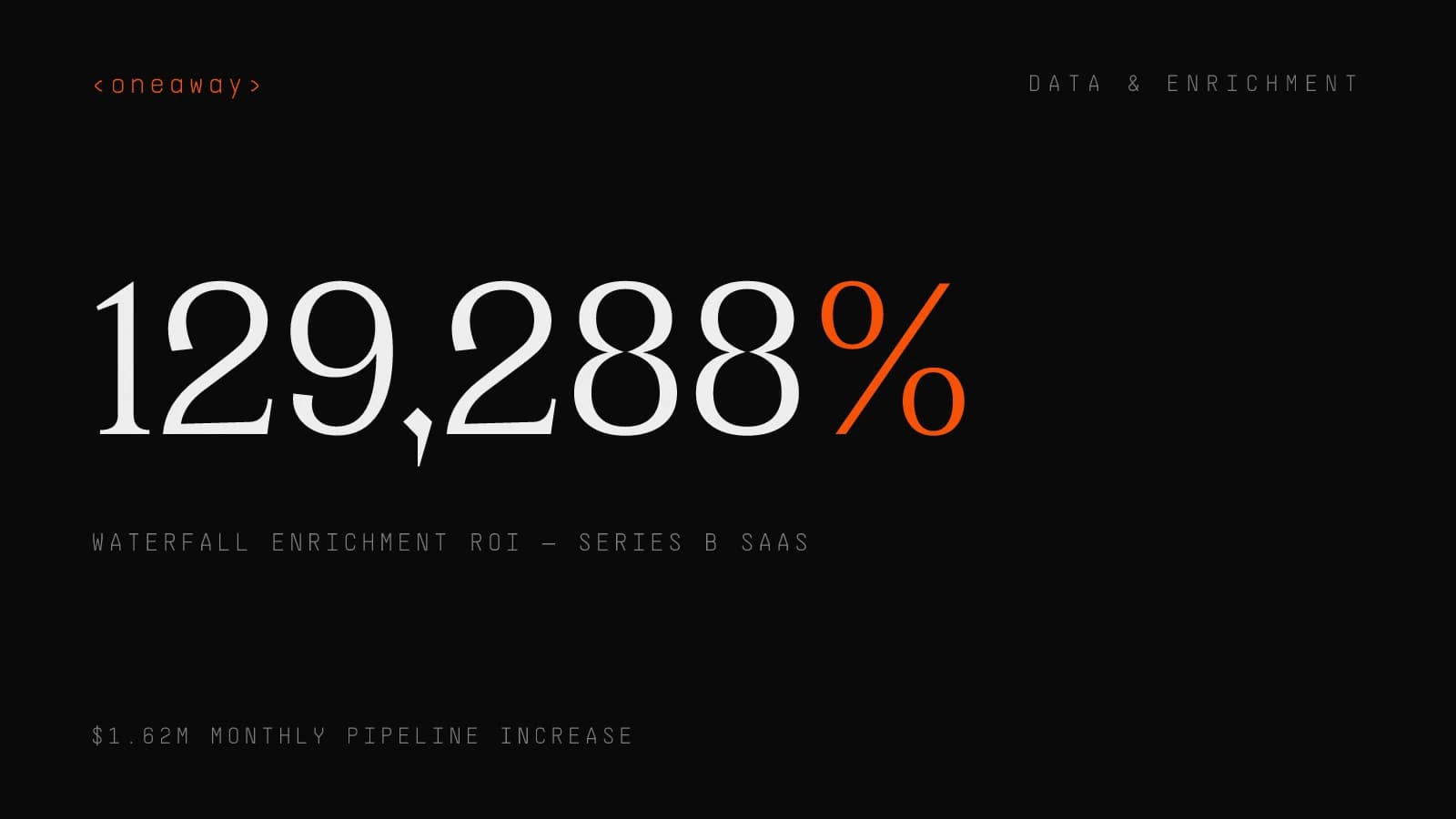
Their average deal size was $18K. You do the math. Actually, I'll do it: $1.62M in additional monthly pipeline from an $847/month tool investment. Except we didn't just use ZoomInfo — we used four providers in a waterfall and spent $2,100/month total.
- Pipeline increase: — $1.62M monthly from better data
- Cost increase: — $1,253 monthly ($2,100 vs $847)
- ROI: — 129,288% (yes, really)
- Time to impact: — 11 days from implementation to first measurable lift
Why Most Enrichment Strategies Fail
The fix isn't better data. It's better data orchestration. Which brings us to waterfall enrichment.
- Single-source syndrome: — Using one provider typically gives you 40-60% coverage of your ICP
- The accuracy illusion: — 95% accuracy sounds great until you realize it's measured against their own database, not reality
- Stale data multiplication: — With 25-30% annual decay, your "enriched" data is outdated within months
- Integration theater: — Having an integration doesn't mean you're actually using enrichment strategically
Waterfall Enrichment: The Only Strategy That Scales
Here's what this looked like in practice: we set up a workflow in Clay that would try ZoomInfo first. If it found a work email with high confidence, great. If not, it would automatically query Apollo. Still nothing? Hit Clearbit. Still gaps? Run the LinkedIn scraper and email permutation logic.
The entire waterfall ran automatically. Average enrichment time: 47 seconds per contact. Cost per enriched record: $0.23. Cost per enriched record with their old single-provider setup: $0.89.
But here's the kicker: the contact data accuracy was measurably better. We tracked bounce rates as our primary accuracy metric. Single provider: 11.4% hard bounce. Waterfall approach: 3.8% hard bounce.
That difference alone meant 2,280 fewer bounced emails per month. Which meant better sender reputation. Which meant better inbox placement. Which meant higher open rates. Which meant more replies. The ROI compounds.
- Layer 1 - ZoomInfo: — Covered 41% of accounts with high accuracy for enterprise contacts
- Layer 2 - Apollo: — Added another 28% coverage, especially mid-market
- Layer 3 - Clearbit: — Filled in 15% more, particularly tech stack data
- Layer 4 - Clay (with scrapers): — Grabbed the final 11% from LinkedIn, company sites, and public sources
- Final coverage: — 95% of target accounts with at least 2 contacts, 73% with full buying committee
The 5 Hidden ROI Metrics Teams Miss
Everyone measures the obvious stuff: bounce rate, data coverage, cost per record. But the real money is in metrics most teams don't even track.
1. Time to Research Per Account
When I was an SDR at Salesforce, I'd spend 20-30 minutes researching each strategic account before reaching out. Finding the right contacts, verifying emails, checking LinkedIn for recent activity, looking for trigger events.
With proper B2B data enrichment, that drops to under 5 minutes. For a team of 10 SDRs doing 20 accounts per day, that's 208 hours saved monthly. At a loaded cost of $35/hour for an SDR, that's $7,280 in recovered productivity.
But the real value isn't the cost savings — it's what they do with that time. Our clients typically redeploy it into actually personalizing outreach instead of just gathering data. Reply rates go up 2-3x when you have time to write good emails.
2. Domain Reputation Protection
Here's one nobody talks about: every bounced email hurts your sender reputation. And once you've torched your domain, it takes months to rebuild trust with inbox providers.
One of our e-commerce clients ignored data quality and sent to 50,000 contacts with a 14% bounce rate. Google marked their domain as spam. Their deliverability dropped from 89% to 31% in two weeks.
It took us four months and a new sending domain to fix it. Lost opportunity cost during that period: $340K in pipeline based on their previous conversion rates. All because they didn't want to spend $800/month on proper data enrichment.
- Hard bounce threshold: — Keep under 5% to maintain good sender reputation
- Spam complaint threshold: — Under 0.1% or you're risking blocklisting
- Recovery timeline: — 3-6 months to rebuild domain reputation after it's damaged
- Prevention cost: — $1,500-3,000/month for quality waterfall enrichment
- Recovery cost: — $15,000-50,000 in lost pipeline plus reputation repair
3. Deal Velocity and Multi-Threading
Deals close faster when you can multi-thread into accounts. Obvious, right? But here's what's not obvious: B2B data enrichment gives you the buying committee upfront, not three months into the sales cycle.
We tracked this with a cybersecurity client. Deals where SDRs had enriched data showing the full buying committee closed in an average of 47 days. Deals where they only had one contact and had to discover others organically: 119 days.
That 72-day difference meant they could close 2.5x more deals per quarter with the same team. The revenue impact was $890K in additional closed-won business in Q4 2025.
4. Territory Planning Accuracy
RevOps teams waste weeks building territories based on garbage data. I've seen it a dozen times: assign 500 accounts to a rep, then discover 180 of them don't match ICP criteria or have zero reachable contacts.
With proper enrichment, you know upfront which accounts are actually workable. One client used firmographic enrichment to discover that 38% of their "target accounts" didn't meet their revised ICP criteria (wrong revenue band, wrong employee count).
They cut those accounts, redistributed territories based on actual TAM, and saw quota attainment jump from 64% to 87% in one quarter. The enrichment data didn't just improve targeting — it fixed their entire GTM strategy.
5. Customer Churn Prediction
Here's a sneaky one: enrichment isn't just for prospects. We enrich customer data continuously to catch churn signals early.
When a champion leaves the company, you need to know immediately — not when they ghost your renewal email. When a company gets acquired, their budget priorities shift. When they lay off 20% of staff, they're probably cutting vendors.
One of our clients, a marketing automation platform, used job change alerts from enrichment providers to catch 73% of champion departures within 10 days. Their CS team would immediately reach out to re-establish relationships.
Churn dropped from 11% to 6.5% annually. For a company doing $12M ARR, that's $540K in retained revenue. All from a $200/month enrichment workflow watching for job changes.
How AI Lead Scoring Changes the Game
We implemented this for a DevOps tools company. Their old lead scoring model had 12 rules and achieved 32% accuracy at predicting which leads would close. Meaning if you followed up on 100 high-scored leads, 32 would eventually become customers.
The AI model, trained on 18 months of enriched data plus outcomes, hit 71% accuracy. Same team, same ICP, radically different efficiency. Their SDRs could focus on 300 high-probability accounts instead of 1,000 mediocre ones.
Here's the important part: this only works if your enrichment data is good. Garbage in, garbage out. The AI needs accurate firmographics, technographics, and contact data to find real patterns. Bad data just teaches the model to make bad predictions faster.
- Pattern recognition: — AI finds non-obvious correlations (like "companies using Segment + 50-200 employees + marketing job titles = 3.2x more likely to close")
- Continuous learning: — Scores get better as you feed more outcome data (won/lost) back into the model
- Multi-dimensional analysis: — Considers 50+ enrichment data points simultaneously, not just the 5-7 you'd manually configure
- Intent signal integration: — Combines firmographic data with behavioral signals (tech stack changes, hiring patterns, funding events)
Real Implementation: What Actually Works
Theory is cute. Here's how we actually implement B2B data enrichment for clients, with the specific tools and sequence that works.
Phase 1: Audit Your Current Data (Week 1)
For one client, this audit revealed that 67% of their CRM contacts were incomplete or inaccurate. They thought they had 50,000 usable contacts. They actually had 16,500. Better to know that now than after you've blown your enrichment budget.
- Completeness: — What percentage of records have emails, phone numbers, job titles, company firmographics?
- Accuracy: — Send test emails to a sample of 500 contacts, measure hard bounce rate
- Freshness: — Check last modified dates — anything older than 12 months is probably stale
- Duplicates: — Same person with multiple records kills your metrics and wastes enrichment credits
- ICP alignment: — Do these contacts actually match your ideal customer profile, or is this just a list of emails?
Phase 2: Build Your Waterfall (Week 2-3)
This isn't a weekend project. Budget 40-60 hours for proper setup if you're doing it in-house. Or hire someone like us who's built this 50 times and can ship it in a week.
- Step 1: — Define your enrichment schema — what fields do you actually need? (Don't enrich data you won't use)
- Step 2: — Select 3-4 providers based on your ICP (we typically use ZoomInfo/Apollo/Clearbit/Clay scrapers)
- Step 3: — Set up the waterfall logic — provider priority, fallback conditions, confidence thresholds
- Step 4: — Add validation rules — email format checks, phone number validation, bounce verification
- Step 5: — Build the sync back to your CRM — HubSpot, Salesforce, wherever your data lives
Phase 3: Enrich in Batches, Monitor Quality (Week 3-4)
If your numbers are way off these benchmarks, pause and debug before enriching 50,000 more records. I've seen teams waste $15K enriching data they immediately discovered was garbage.
- Coverage rate: — What % of records got enriched with usable data? (Target: >85%)
- Accuracy via bounce testing: — Send small test campaigns, measure bounce rates (Target: <5%)
- Cost per enriched record: — Total provider costs divided by successfully enriched records (Benchmark: $0.15-0.40)
Phase 4: Automate Ongoing Enrichment (Week 5+)
One client saved $8,400/year by only re-enriching active records instead of their entire database quarterly. Most of your data doesn't need constant refreshing — just the stuff you're actually working.
- New records: — Enrich immediately when added to CRM (via form fill, import, or manual entry)
- Active prospects: — Re-enrich every 90 days while in active outreach
- Customers: — Re-enrich every 180 days, plus trigger-based enrichment on job change alerts
- Stale leads: — Re-enrich annually or before reactivation campaigns
Choosing B2B Data Providers: The Framework
Every B2B data provider will tell you they have the best coverage, highest accuracy, most up-to-date information. They're all lying, or at least using creative math.
Here's how we actually evaluate providers for client waterfalls:
Provider Evaluation Criteria
We've tested 20+ providers. Here's what actually matters: no single provider is best for everyone. It depends entirely on your ICP, use case, and volume.
| Criteria | What to Test | Red Flags |
|---|---|---|
| Coverage for YOUR ICP | Pull 100 sample target accounts, measure % with contacts | Generic "300M contacts" claims without ICP-specific data |
| Accuracy measurement | Send test emails to 200 contacts, track bounce rate | "95% accurate" with no methodology disclosed |
| Data freshness | Check last verified dates on sample records | No timestamps or "real-time" claims without proof |
| Pricing transparency | Get actual per-record costs including overages | "Contact us" pricing or hidden credit expiration |
| API quality | Test rate limits, response times, error handling | Frequent timeouts or undocumented API changes |
Our Waterfall Stack for Most B2B SaaS Clients
Total cost for this stack: $3,200-5,000/month for most mid-market teams. Sounds expensive until you remember it's generating 6-7 figures in additional pipeline monthly.
If you're earlier stage or lower volume, you can start with just Apollo + Clay for under $500/month and still see massive improvements over manual research.
- Layer 1 - Apollo: — $79-149/month, great mid-market coverage, best bang-for-buck for most teams
- Layer 2 - ZoomInfo: — $15K-40K/year, essential if you're selling to enterprise, overkill if you're not
- Layer 3 - Clearbit: — $99-999/month, best technographic data and real-time enrichment APIs
- Layer 4 - Clay: — $349-800/month, lets you build custom scrapers and orchestrate the whole waterfall
Measuring Contact Data Accuracy (Beyond Email Verification)
Most teams measure contact data accuracy by checking if an email is formatted correctly or passes a verification check. That's not accuracy — that's syntax validation.
Real accuracy means: Is this the right person? Are they still at this company? Is this their current role? Will this email actually reach them?
The 4 Accuracy Metrics That Actually Matter
The reply rate improvement alone justified the entire enrichment investment. Everything else was gravy.
- Before enrichment: — 11.2% hard bounce, 68% role accuracy, 71% company accuracy, 2.8% reply rate
- After waterfall enrichment: — 3.1% hard bounce, 89% role accuracy, 91% company accuracy, 7.4% reply rate
Where Data Enrichment Is Heading in 2026
The B2B data enrichment space is changing fast. Here's what I'm seeing that actually matters (not the hype cycle stuff).
AI-Powered Data Validation
Tools are starting to use LLMs to validate enrichment data against multiple sources automatically. Instead of just pulling data from a provider, they're cross-referencing LinkedIn, company websites, news articles, and public databases to verify accuracy.
Clay's new AI research agent does this — it can verify that "John Smith, VP of Sales at Acme Corp" is accurate by checking multiple sources and flagging discrepancies. This reduces false positives significantly.
Intent Data Integration
Enrichment is merging with intent signals. Instead of just knowing who someone is, you'll know what they're actively researching, what tools they're evaluating, what content they're consuming.
6sense and Bombora have had this for years, but it's getting baked into enrichment workflows now. We're testing this with a client — enriching contacts with intent scores and seeing 2.3x higher meeting rates when reaching out to contacts showing active buying intent.
Privacy-First Enrichment
GDPR, CCPA, and new privacy regulations are forcing providers to clean up their data sourcing. The shady scraping tactics that worked in 2020 don't fly anymore.
Smart providers are focusing on opt-in data sources, self-reported information, and transparent sourcing. It means slightly lower coverage but dramatically higher quality and compliance confidence.
For companies selling into EU or working with regulated industries, this isn't optional anymore. We've had two clients get legal notices about data sourcing in the last year. Better to use compliant providers from the start.
Frequently Asked Questions
What is B2B data enrichment and why does it matter?
B2B data enrichment is the process of enhancing your existing contact and company records with additional verified information from external data providers. It matters because 25-30% of your CRM data decays annually, meaning outdated contacts waste your team's time and hurt email deliverability. Proper enrichment typically improves reply rates by 40-100% and can generate millions in additional pipeline by ensuring your team reaches the right people with accurate information.
How much does B2B data enrichment cost?
Costs vary widely based on volume and provider mix. A basic setup with Apollo alone runs $79-149/month. A proper waterfall enrichment strategy using multiple providers (Apollo, ZoomInfo, Clearbit, Clay) typically costs $3,200-5,000/month for mid-market teams. Cost per enriched record ranges from $0.15-0.40 depending on your data quality and provider mix. The ROI is typically 100-1000x when measured against pipeline impact.
What is waterfall enrichment and how does it work?
Waterfall enrichment uses multiple B2B data providers in sequence, where each provider fills gaps the previous one missed. For example: try ZoomInfo first for a contact, if data is incomplete, automatically query Apollo, then Clearbit, then use scrapers as a last resort. This approach typically achieves 85-95% coverage versus 40-60% with a single provider, while maintaining higher accuracy because you can select the best source for each data point.
How do I measure contact data accuracy?
Contact data accuracy should be measured by four key metrics: hard bounce rate (target <5%), role accuracy via manual LinkedIn verification (target >80% match), company accuracy checking if contacts still work there (target >85%), and response rate delta comparing enriched vs non-enriched segments (should see 40-100% lift). Email verification alone isn't sufficient — you need to validate that the right person is still in the right role at the right company.
Which B2B data providers should I use?
The best provider depends on your ICP. For most B2B SaaS companies, we recommend a waterfall stack: Apollo ($79-149/month) for mid-market coverage, ZoomInfo ($15K-40K/year) if selling to enterprise, Clearbit ($99-999/month) for technographic data, and Clay ($349-800/month) for orchestration and custom scrapers. Test each provider with 100 sample accounts from your ICP before committing to annual contracts.
How does AI improve lead scoring with enriched data?
AI lead scoring analyzes enriched data from closed-won deals to find non-obvious patterns that predict which leads will convert. Unlike rule-based scoring, AI models consider 50+ data points simultaneously and continuously learn from outcomes. Properly implemented AI scoring with quality enriched data typically achieves 65-75% accuracy at predicting conversions versus 30-40% with traditional rule-based models, allowing sales teams to focus on high-probability opportunities.
How often should I re-enrich my CRM data?
Re-enrichment frequency depends on the record status: enrich new records immediately when added, re-enrich active prospects every 90 days during outreach, re-enrich customers every 180 days plus trigger-based updates on job changes, and re-enrich stale leads annually or before reactivation campaigns. Since data decays at 25-30% per year, continuous enrichment is essential — it's not a one-time project but an ongoing process.
Key Takeaways
- B2B data enrichment isn't a cost center — it's a revenue multiplier that can generate 100-1000x ROI when implemented properly with waterfall strategies
- 25-30% of CRM data decays annually, making continuous enrichment essential, not optional — what's accurate today is outdated within months
- Waterfall enrichment using 3-4 providers in sequence achieves 85-95% coverage versus 40-60% with single-provider approaches, while maintaining higher accuracy
- Hidden ROI metrics like domain reputation protection, deal velocity, and territory planning accuracy often deliver more value than the obvious improvements in bounce rates
- Contact data accuracy should be measured by hard bounce rates (<5%), role accuracy (>80%), and response rate lift (40-100%), not just email verification
- AI lead scoring with quality enriched data achieves 65-75% accuracy at predicting conversions versus 30-40% with traditional rule-based models
- Implementation takes 4-5 weeks done properly — budget 40-60 hours for waterfall setup, quality monitoring, and CRM integration before scaling enrichment across your entire database
Related Reading
Need Help Building Your Data Enrichment Waterfall?
We've implemented waterfall enrichment for 50+ B2B companies, from Series A startups to public companies. If you're tired of garbage data killing your pipeline, let's talk. We'll audit your current data, design a custom enrichment stack for your ICP, and build the workflows that actually generate ROI — typically shipping in 2-3 weeks. Book a build plan session and we'll show you exactly what's possible with your data.
Check if we're a fitContinue Reading
Best B2B Lead Generation Tools in 2026, Ranked by Cost Per Lead
I tested 12 B2B lead generation tools at scale. Here's what each actually costs per qualified lead, ranked from cheapest to most expensive.
Read more [ 14 MIN READ ]Lead Generation Tools B2B Mistakes That Kill Your Pipeline
Most B2B teams waste $50K-90K yearly on lead gen tools that destroy pipeline quality. Former Salesforce SDR shares the 7 deadliest mistakes and what actually works.
Read more [ 12 MIN READ ]Best Lead Enrichment Tools in 2026, Ranked by Data Coverage
I've tested 47 lead enrichment tools. Here's the honest ranking by actual data coverage — with real fill rates, pricing, and which ones are worth your budget.
Read more