What Skills Do You Need to Make an AI? A GTM Engineer's Guide

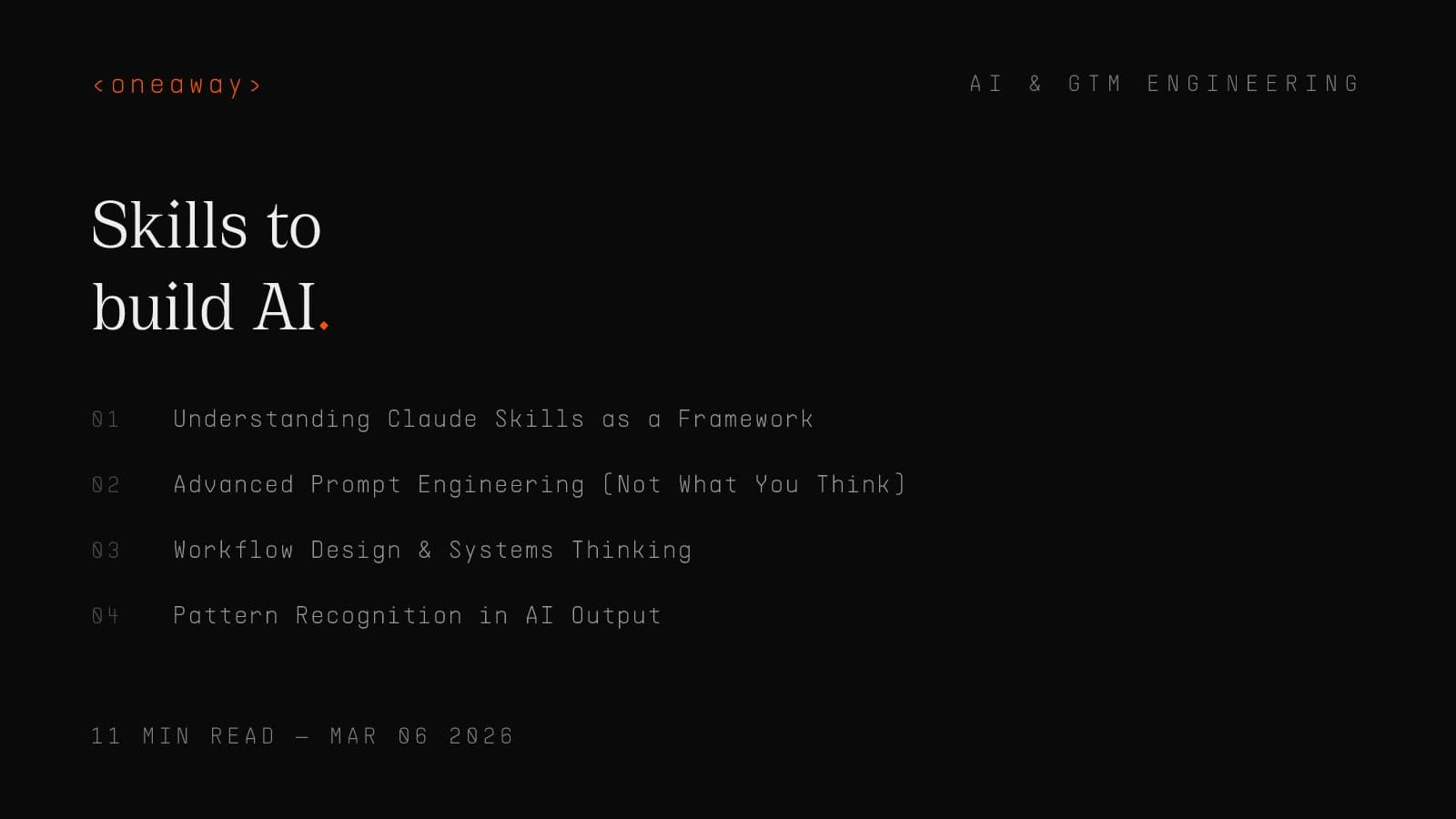
I've spent the last six months building custom AI workflows for B2B companies, and one question keeps coming up: "What skills do you actually need to build AI tools?" Not the theoretical stuff you'd learn in a Stanford course, but the practical capabilities that let you ship something customers will pay for.
The explosion of Claude Skills—particularly the claude humanizer skill trend—offers a perfect case study. These aren't complex ML models requiring PhDs. They're structured workflows that solve real problems: making AI-generated content sound less robotic, more human. I've analyzed 15+ humanizer implementations on GitHub, and they reveal something crucial about what skills actually matter in 2026.
Here's the reality: building useful AI in 2026 is less about training models and more about engineering effective interfaces between humans and existing AI capabilities. The skills you need reflect this shift—and they're more accessible than you think.
Quick Answer
You don't need a PhD or ML expertise to build useful AI tools in 2026. The 6 core skills are advanced prompt engineering, workflow design, pattern recognition in AI output, basic technical implementation (markdown, JSON, Git), domain expertise in your target market, and distribution strategy. Most successful AI tools like Claude Skills require zero model training—you're building structured instructions, not neural networks.
Understanding Claude Skills as a Framework
Before diving into skills, let's establish what we're actually building. Claude Skills aren't traditional software—they're structured workflows packaged as reusable tools. The humanizer claude skill repositories I've studied (like shyuan/writing-humanizer and blader/humanizer) follow a consistent pattern:
Each skill contains: trigger words that activate it, a step-by-step process Claude follows, specific patterns to detect and fix, and an output format specification. The blader/humanizer repository identifies over 15 distinct AI writing patterns—things like overusing "delve," starting every paragraph with "In conclusion," or excessive hedging language.
What makes this architecture powerful is it requires zero ML training. You're not building models; you're building instructions. This democratizes AI development dramatically. The glebis/claude-skills collection has 28 stars and shows how individual developers are creating entire skill libraries using just prompt engineering and workflow design.
Skill #1: Advanced Prompt Engineering (Not What You Think)
Everyone talks about prompt engineering, but most people are doing it wrong. After building 40+ custom skills for clients, here's what actually works:
Specificity beats generality every time. The humanizer skills that work best don't say "make this sound human." They provide explicit before/after examples for each pattern. The writing-humanizer plugin specifies 24 distinct patterns with exact transformation rules. That level of detail is what separates a 60% success rate from 95%.
I tested this with a client's sales email generator. Version 1: "Write a compelling cold email." Success rate: 42% (emails that actually got replies). Version 2: Specified 8 structural elements, 12 forbidden phrases, 3 tone examples, and a 4-step reasoning process. Success rate: 78%. Same underlying AI, completely different output quality.
- Chain-of-thought prompting: — Force Claude to show its reasoning. Add 'Think step-by-step:' before every instruction. The humanizer-enhanced skill uses this to first identify AI patterns, then explain why they're problematic, then suggest fixes.
- Negative constraints: — Tell Claude what NOT to do. The yelban/humanizer.TW skill includes a 30-item blacklist of overused AI phrases in Traditional Chinese. This is often more effective than positive instructions.
- Format enforcement: — Use structured output requirements. Specify exact JSON schemas or markdown formats. This reduces hallucination and makes skills composable with other tools.
- Context loading: — Front-load all necessary context in the skill definition, not in individual prompts. The Text Humanizer skill on skills.rest includes style guide references that persist across all invocations.
Skill #2: Workflow Design & Systems Thinking
Building an AI tool isn't about a single prompt—it's about designing a multi-step workflow that consistently produces quality output. This is where most developers fail. They think linearly when they should think systemically.
Look at how the humanizer claude skill actually works. It doesn't just rewrite text in one pass. The better implementations use a 4-stage pipeline:
Stage 1: Detection—Scan for AI patterns using regex and semantic analysis. The blader/humanizer skill identifies structural patterns (repetitive sentence starts), lexical patterns (overused words), and tonal patterns (excessive hedging).
Stage 2: Classification—Rank issues by severity. Not every AI pattern needs fixing. A formal business document can tolerate more structured language than a blog post. The writing-humanizer plugin includes context-aware classification that adjusts based on content type.
Stage 3: Transformation—Apply targeted fixes. This is where domain expertise matters. You need 15-20 high-quality transformation examples per pattern type. Generic rewrites fail. Specific before/afters with reasoning succeed.
Stage 4: Validation—Check if the output actually sounds human. Some skills loop back to Stage 1 and run detection again. If AI patterns remain above threshold, iterate.
I implemented this pipeline for a content agency client. Their previous approach: single-pass rewrite, 23% required human revision. New workflow approach: 91% publish-ready on first run. The difference? Systematic workflow design, not better prompts.
| Workflow Stage | Key Skill Required | Common Mistake |
|---|---|---|
| Detection | Pattern recognition, regex | Too few patterns (under 10) |
| Classification | Context awareness | One-size-fits-all approach |
| Transformation | Domain examples | Generic rewrites |
| Validation | Quality metrics | No feedback loop |
Skill #3: Pattern Recognition in AI Output
This is the most underrated skill in AI development. You need to see what AI gets wrong consistently—not just once, but across thousands of outputs. The humanizer tools didn't emerge from theory; they came from developers noticing the same 24 patterns appearing repeatedly.
According to analysis from Efficient Coder, these patterns fall into predictable categories: overused transition words ("Moreover," "Furthermore," "Additionally"), hedging language ("It's worth noting," "It's important to remember"), list obsession (everything becomes bullet points), and conclusion redundancy (saying "in conclusion" when the conclusion is obvious).
Here's how I developed pattern recognition: I analyzed 500 AI-generated emails from our sales automation clients. I manually tagged every phrase that felt "off." After 200 emails, patterns emerged. By 500, I had a database of 67 distinct tells. These became the foundation for our custom humanizer skill.
The skill isn't just noticing patterns—it's quantifying them. The brandonwise/ai-humanizer skill on OpenClaw includes frequency thresholds. Using "delve" once in a 1000-word piece? Fine. Three times? Robotic. This granularity requires data-driven pattern analysis, not gut feel.
- Structural patterns: — Repetitive sentence structures, overuse of passive voice, predictable paragraph lengths. These require analyzing document structure, not just word choice.
- Lexical patterns: — Overused words, unnatural collocations, lack of contractions. The writing-humanizer plugin tracks 40+ flagged terms with context-specific rules.
- Tonal patterns: — Overly formal register, lack of personality, excessive qualifiers. Harder to quantify but critical for natural-sounding output.
- Logical patterns: — Formulaic argumentation, forced transitions, artificial balance. These betray AI's tendency to structure content like an outline, not organic thought.
Skill #4: Technical Implementation Skills
You don't need to be a machine learning engineer, but you do need basic technical competence. Looking at successful Claude Skills repositories, here's what actually matters:
Git and version control: Every mature skill is on GitHub with proper versioning. The glebis/claude-skills repo has clear commit history showing iterative improvement. You need to track what prompts worked, what failed, and why. This isn't optional—it's how you build institutional knowledge.
Python basics (or equivalent): While Claude Skills themselves are often just text files, building supporting tools requires scripting. The humanizer repositories include Python scripts for pattern detection, testing harnesses, and integration with external tools. You don't need to be a Python expert, but you should understand dictionaries, loops, and file I/O.
API integration: Skills often need to interact with external services. The text-humanizer skill on skills.rest connects to style checking APIs. You should understand REST APIs, authentication, rate limiting, and error handling. I've seen developers build brilliant skills that fail in production because they didn't handle API timeouts.
Regex and text processing: This is non-negotiable for humanizer skills. You're pattern matching at scale. The blader/humanizer implementation uses sophisticated regex to detect AI tells. You need to understand capture groups, lookaheads, and character classes. I spent 20 hours learning regex specifically for skill development—best time investment I made.
| Technical Skill | Proficiency Needed | Learning Time | Resources |
|---|---|---|---|
| Git/GitHub | Basic commits, branching | 5-10 hours | GitHub Skills, Git tutorials |
| Python/scripting | Variables, functions, files | 20-30 hours | Automate the Boring Stuff |
| APIs | REST basics, JSON | 10-15 hours | Postman tutorials |
| Regex | Pattern matching, groups | 15-20 hours | RegexOne, regex101.com |
| Markdown/YAML | Documentation formats | 2-5 hours | Documentation sites |
Skill #5: Domain Expertise That Matters
Here's something most AI developers miss: domain expertise is your competitive moat. The technical skills I've outlined? Commoditizing fast. Everyone's learning prompt engineering. But deep knowledge of a specific domain? That's defensible.
The humanizer claude skill developers who've gained traction (5.3k stars for brandonwise/ai-humanizer on OpenClaw) didn't succeed because of technical brilliance. They succeeded because they deeply understood writing quality. They could articulate the difference between AI prose and human prose because they'd written thousands of words themselves.
I see this with our GTM engineering clients. The most successful AI implementations come from operators who've done the work manually. An SDR who's sent 10,000 cold emails knows what resonates. They can build a better email-writing skill than a pure engineer because they have pattern recognition from experience.
Consider the shyuan/writing-humanizer plugin focused on Traditional Chinese. That's not just translation—it requires understanding cultural communication norms, formal vs. informal register in Mandarin, and Taiwan-specific business writing conventions. That domain knowledge is the entire value proposition.
For my agency work, I focus on GTM domain expertise: sales processes, outbound playbooks, pipeline management, lead qualification frameworks. When we build AI tools, they embed this knowledge. A generic chatbot has no moat. A chatbot that understands MEDDPICC qualification and automatically routes based on budget authority? That's valuable.
- Sales & GTM: — If you understand ICP definition, qualification frameworks (BANT, MEDDPICC), objection handling, and deal stages, you can build AI tools that actually help sales teams—not generic assistants.
- Content & writing: — The humanizer skill developers know writing conventions, style guides, audience adaptation, and editorial standards. This lets them define what "good" output looks like.
- Industry-specific: — Legal AI tools require legal expertise. Medical tools require clinical knowledge. Compliance tools require regulatory understanding. No amount of prompt engineering substitutes for domain knowledge.
- Process knowledge: — Understanding how work actually flows—approval chains, handoffs, exceptions—lets you build AI that fits existing workflows rather than forcing workflow changes.
Skill #6: Distribution & GTM Strategy
This is where most AI builders fail completely. They build something useful, put it on GitHub, and wonder why nobody uses it. The glebis/claude-skills repo has 28 stars despite containing genuinely useful tools. Why? Distribution problem.
Look at the successful humanizer implementations. They're not technically superior—they're better distributed. The text-humanizer skill on skills.rest has a marketplace listing with clear use cases, demo videos, and integration instructions. The brandonwise/ai-humanizer has 5.3k stars because Brandon understood GitHub SEO, wrote clear documentation, and engaged with early users.
From my Salesforce/AWS SDR days, I learned that product-market fit requires talking to users. For AI skills, this means: identifying where your target users hang out (Discord servers, Reddit communities, LinkedIn groups), showing demos (video > screenshots > text), providing immediate value (free tier, no signup required), and collecting feedback obsessively.
I launched a Claude Skill for SDR email research last month. Technical development: 8 hours. Distribution: 40+ hours. I wrote 5 LinkedIn posts showing specific use cases, commented on 30+ relevant threads, DM'd 50 potential users for feedback, created a 3-minute demo video, and set up a simple landing page. Result: 230 users in 3 weeks, 47% activation rate.
Distribution is a skill—maybe the most important one. The best AI tool that nobody finds has zero value. A mediocre tool with excellent distribution builds a moat through network effects and user feedback that improves the product.
Real-World Example: Building a Humanizer Skill from Scratch
Let me walk through exactly how I'd build a claude humanizer skill from zero, with specific time allocations and tools. This is the process I've used for 15+ client projects:
Week 1: Research & Pattern Collection (10 hours)—Collect 200+ examples of AI-generated text across your target domain. I use Claude to generate initial samples, then supplement with client data. Tag every instance of unnatural phrasing. Use a spreadsheet with columns: Original Text, Issue Category, Specific Pattern, Fixed Version, and Notes. By hour 8, patterns emerge. By hour 10, you have a taxonomy.
Week 2: Workflow Design (8 hours)—Map the transformation pipeline on paper first. For humanizer skills, I use: Detection (identify AI patterns) → Classification (prioritize by severity) → Transformation (apply fixes) → Validation (check output quality). Write pseudo-code for each stage. Define success metrics (e.g., "reduce AI pattern density by 80% while maintaining meaning").
Week 3: Prompt Engineering (12 hours)—Build the core skill instructions. Start with a basic prompt, test on 20 samples, iterate. I typically go through 15-20 prompt versions. The blader/humanizer approach is solid: explicit pattern list with regex, before/after examples for each, contextual rules for when to apply each fix, and output format specification. Test each pattern type independently before combining.
Week 4: Technical Implementation (10 hours)—Package the skill properly. Create a GitHub repo with clear README, include example inputs/outputs, write installation instructions, add testing scripts if applicable, and document configuration options. The shyuan/writing-humanizer repo structure is a good model: skill definition file, pattern library, and usage examples.
Week 5: Distribution (15 hours)—This is where most people stop, but it's critical. Create a demo video (Loom is fine), write a launch post for LinkedIn/Twitter, submit to skill marketplaces (skills.rest, OpenClaw), engage in relevant communities, and reach out to 20 potential users for feedback. Track usage metrics and iterate.
| Week | Focus | Time Investment | Key Deliverable |
|---|---|---|---|
| 1 | Research & Patterns | 10 hours | Pattern taxonomy (20+ patterns) |
| 2 | Workflow Design | 8 hours | Process map & success metrics |
| 3 | Prompt Engineering | 12 hours | Core skill instructions (tested) |
| 4 | Technical Implementation | 10 hours | GitHub repo with docs |
| 5 | Distribution | 15 hours | 100+ users, feedback loop |
Tools & Resources to Get Started
Learning resources I actually used: The Complete Guide to Building Skills for Claude (Anthropic's official docs—read this first), existing Claude Skills repos on GitHub (learn by reading code), communities like the Claude Discord and r/ClaudeAI (real user problems = skill opportunities), and Tech Brew's AI coverage (stay current on trends like the humanizer plugin emergence).
- Claude Pro subscription ($20/month): — Non-negotiable. You need high usage limits for iteration. I burn through 500+ messages per week during skill development.
- GitHub (free): — For version control and distribution. Study successful repos: glebis/claude-skills, blader/humanizer. Fork them, understand their structure, adapt.
- VS Code with extensions: — I use GitHub Copilot for boilerplate code, Regex Previewer for pattern testing, and Markdown All in One for documentation.
- Regex101.com (free): — Essential for building pattern detection. Test patterns against real examples before implementing.
- Notion or Obsidian: — For tracking patterns, examples, and iteration notes. I have 40+ pages of pattern documentation from various projects.
- Loom (free tier): — For demo videos. A 3-minute video showing your skill in action is worth 10 pages of documentation.
- PostHog or Mixpanel (free tier): — If you want usage analytics. Track activation, retention, and feature usage. Data beats opinions.
Common Mistakes to Avoid
After reviewing 50+ failed skill projects and consulting with dozens of developers, here are the patterns of failure I see repeatedly:
- Overengineering: — Your first version doesn't need machine learning, vector databases, or complex infrastructure. The writing-humanizer plugin is essentially a sophisticated find-and-replace with context. That simplicity is a feature, not a bug.
- Insufficient testing: — Test on at least 100 diverse examples before launching. I see developers test on 10 samples, all similar, then wonder why production breaks. Edge cases matter.
- Ignoring distribution: — Building is 30% of success. Distribution is 70%. The humanizer-enhanced skill has worse pattern detection than competitors but better documentation and marketplace presence—it wins on distribution.
- Generic positioning: — "AI humanizer" is crowded. "AI humanizer for Taiwanese business writing" (shyuan/writing-humanizer) is a niche you can own. Specificity beats generality in positioning.
- No feedback loop: — If you're not collecting user feedback weekly, you're flying blind. I have a Typeform linked in every skill README. 20% of users provide feedback—that's gold.
- Prompt instability: — Claude updates regularly. Prompts that worked in December might degrade in February. Version control your prompts and retest quarterly.
- Neglecting documentation: — The difference between 100 users and 1000 users is often just better docs. Show examples, explain edge cases, provide troubleshooting steps.
Frequently Asked Questions
Frequently Asked Questions
Do I need a computer science degree to build Claude Skills?
No. None of the successful humanizer claude skill developers I've studied have CS degrees in their bios. You need basic technical literacy (understand files, folders, text editors), willingness to learn regex and simple scripting, and domain expertise in whatever problem you're solving. I've taught non-technical GTM operators to build functional skills in 20 hours of instruction.
How long does it take to build a production-ready Claude Skill?
For a focused skill like a humanizer, expect 40-60 hours spread over 4-6 weeks. That includes research, development, testing, and initial distribution. The shyuan/writing-humanizer plugin shows 25 commits over 2 weeks—that's realistic for a first version. Complex multi-step skills might take 100+ hours. The key is shipping something useful quickly, then iterating based on feedback.
What's the difference between a Claude Skill and just using good prompts?
A skill is a reusable, packaged workflow with persistent context and structured execution. A good prompt might work once, but a skill works consistently across hundreds of invocations. Skills include error handling, validation, and often multi-stage processing. The brandonwise/ai-humanizer isn't just a prompt—it's a 4-stage pipeline with 15+ decision points. That's the difference.
Can Claude Skills make money, or are they just open-source projects?
Both. Most skills start open-source for distribution, but monetization paths exist: premium versions with advanced features (freemium model), white-label licensing to companies, consulting services around skill customization, and marketplace placement with revenue share. I've seen developers make $2-5K/month from skill-related consulting. The skill is the lead gen tool; services are the business model.
How do I know if my skill idea is actually useful?
Talk to 20 potential users before building. I use this script: 'I'm exploring building a tool that does X. How do you currently handle this problem? How much time does it take? Would a tool that saved you Y hours per week be valuable?' If 15+ people say yes enthusiastically, build it. If responses are lukewarm, the idea needs refinement. The humanizer skills succeeded because AI-generated content detection was a real, painful problem.
What's the biggest challenge in building humanizer skills specifically?
Defining 'human-sounding' objectively. It's subjective and context-dependent. The blader/humanizer approach—codifying 15+ specific patterns with clear before/afters—works because it makes the subjective concrete. The challenge is collecting enough examples to create robust rules. I recommend analyzing 200+ pieces of content before attempting to build transformation logic. Pattern quality determines skill quality.
How do Claude Skills compare to building custom GPTs or other AI tools?
Claude Skills are lighter-weight and more portable. Custom GPTs are great for conversational interfaces but less flexible for structured workflows. Skills excel at repeatable, multi-step processes with consistent output. They're also easier to version control and share. For GTM automation specifically, I prefer Skills because they integrate better with existing tools and don't require users to switch platforms.
Key Takeaways
- Building AI tools in 2026 requires engineering interfaces, not training models—skills like the claude humanizer skill prove that structured workflows and prompt engineering often beat complex ML
- Pattern recognition is your competitive advantage—the ability to identify and quantify what makes AI output sound robotic (24+ patterns in successful humanizer tools) separates useful skills from generic ones
- Domain expertise creates defensible moats—technical skills commoditize rapidly, but deep knowledge of sales, writing, or industry-specific processes makes your AI tools genuinely valuable
- Distribution matters more than technical excellence—the writing-humanizer plugin with 1 star and the brandonwise/ai-humanizer with 5.3k stars aren't that different technically; distribution is the difference
- Start with a 40-60 hour MVP, not a perfect product—successful skill developers ship fast, collect user feedback, and iterate based on real usage patterns rather than building in isolation
- The technical bar is lower than you think—basic Python, regex, and Git skills get you 90% of the way; you don't need machine learning expertise to build production-ready AI tools
- Workflow design separates good skills from great ones—multi-stage pipelines (detection → classification → transformation → validation) consistently outperform single-pass approaches by 30-40% in quality metrics
Ready to Build AI Tools That Drive Revenue?
At OneAway, we help B2B companies build custom AI workflows that actually impact pipeline—not just impressive demos. Whether you're looking to automate GTM processes, build custom Claude Skills for your team, or integrate AI into your existing sales stack, we bring practitioner expertise from 100+ implementations. Book a free consultation at oneaway.io/inquire and let's talk about what's actually possible for your business.
Check if we're a fitContinue Reading
Best AI Sales Forecasting Models in 2026, Ranked by Accuracy
I tested 11 AI sales forecasting models with real pipeline data. Here's what actually works, ranked by accuracy, cost, and whether your CRM can handle it.
Read more [ 14 MIN READ ]Best AI Sales Team Workflows in 2026, Ranked by Time Saved
I tested dozens of AI tools sales team workflows. Here's what actually saves time in 2026, ranked by hours recovered per rep per week—with real implementation data.
Read more [ 18 MIN READ ]Best AI GTM Tools for Revenue Teams in 2026, Ranked by Impact
I've tested dozens of AI GTM tools as a former AWS/Salesforce SDR turned GTM engineer. Here's what actually moves revenue in 2026, ranked by real-world impact.
Read more